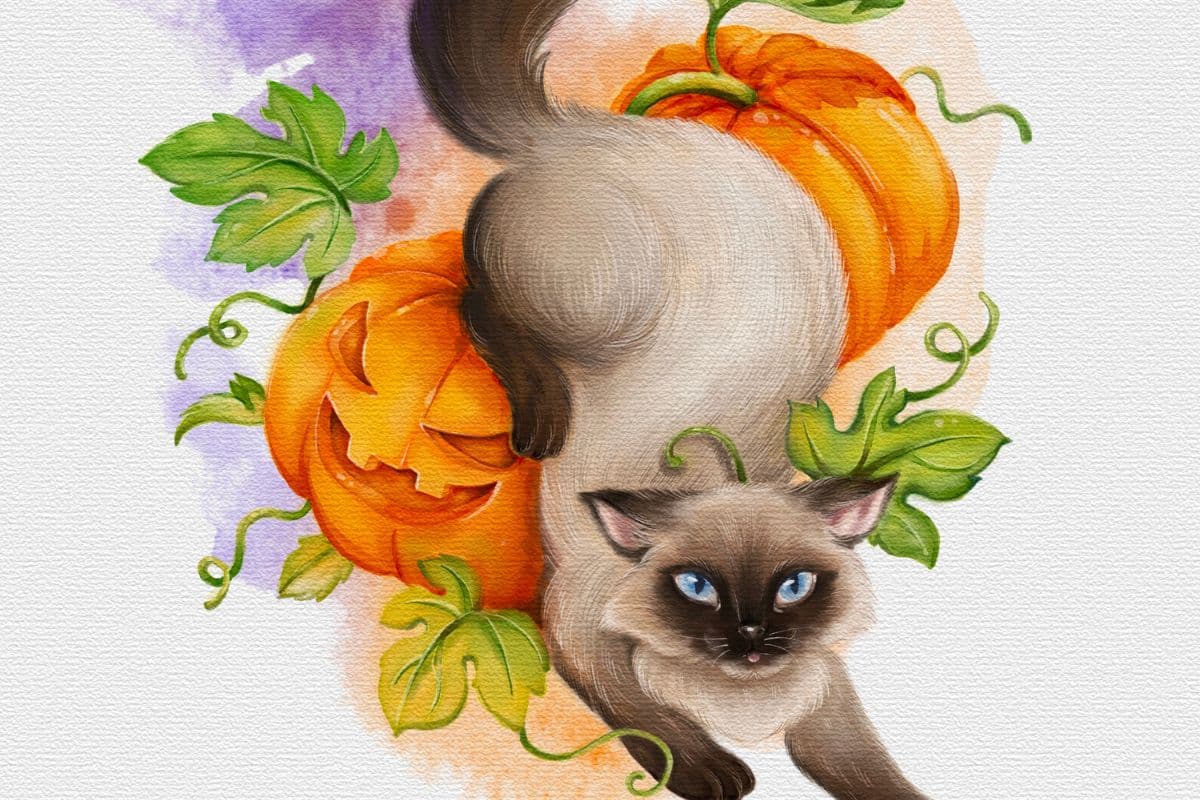
How to Color on Procreate: Free Halloween Coloring Page
Ready to color a spooky Halloween illustration in Procreate? You'll use basic brushes, clipping masks, and ColorDrop for a textured finish!
Grab the free brush for this tutorial
Made by Freya · works in any Procreate version
Hello! In this tutorial, we are going to explore Procreate's tools and basic brushes to color this Halloween illustration.
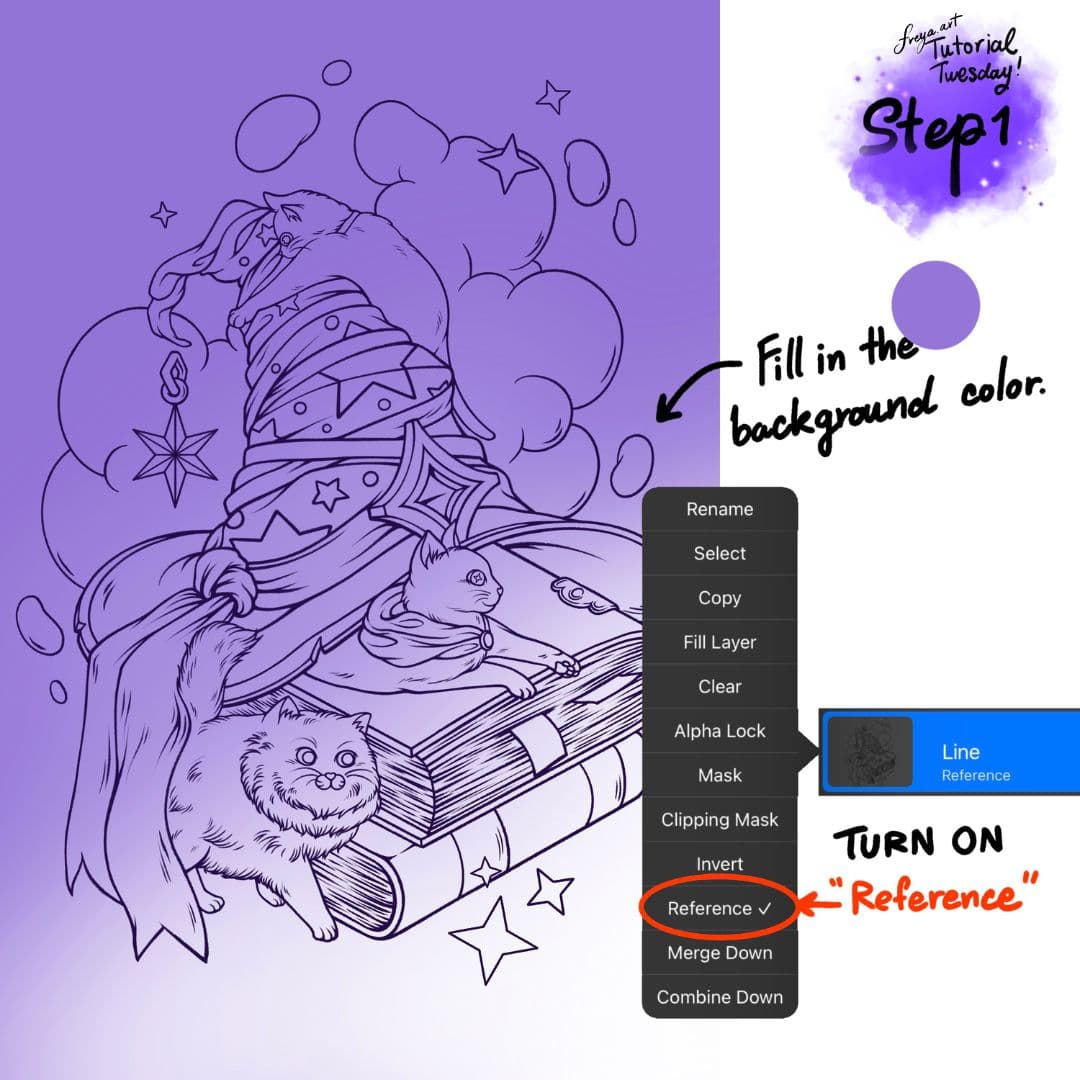
Step 1: Let’s begin by importing the line art. Once imported, set it as a Reference layer. Add all new layers underneath this line art layer. Change the background color.
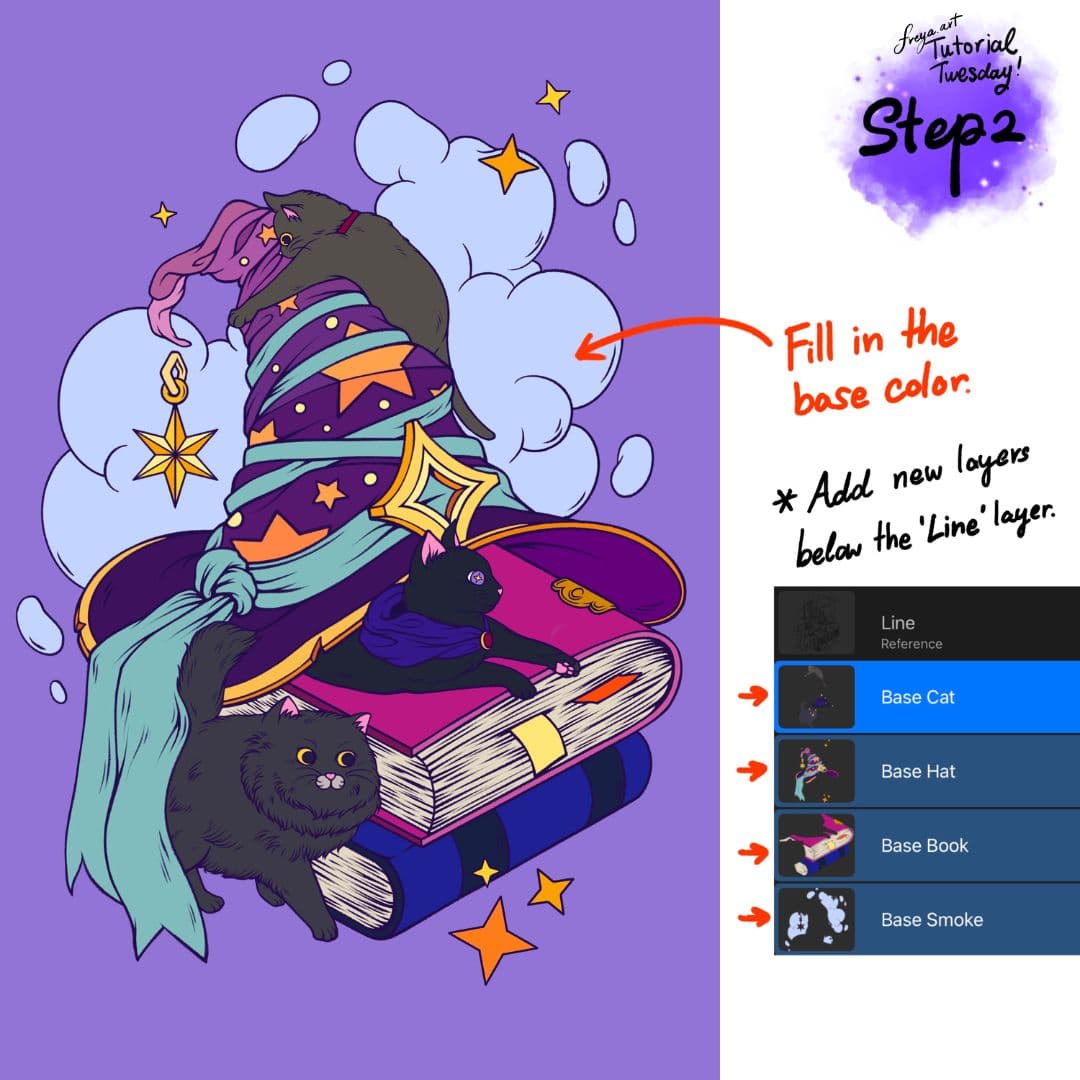
Step 2: Create a separate base layer for each element of the coloring page. For example, one for the cats, another layer for the hat, another layer for the books, etc. Then use the ColorDrop to fill in the base colors for each layer.
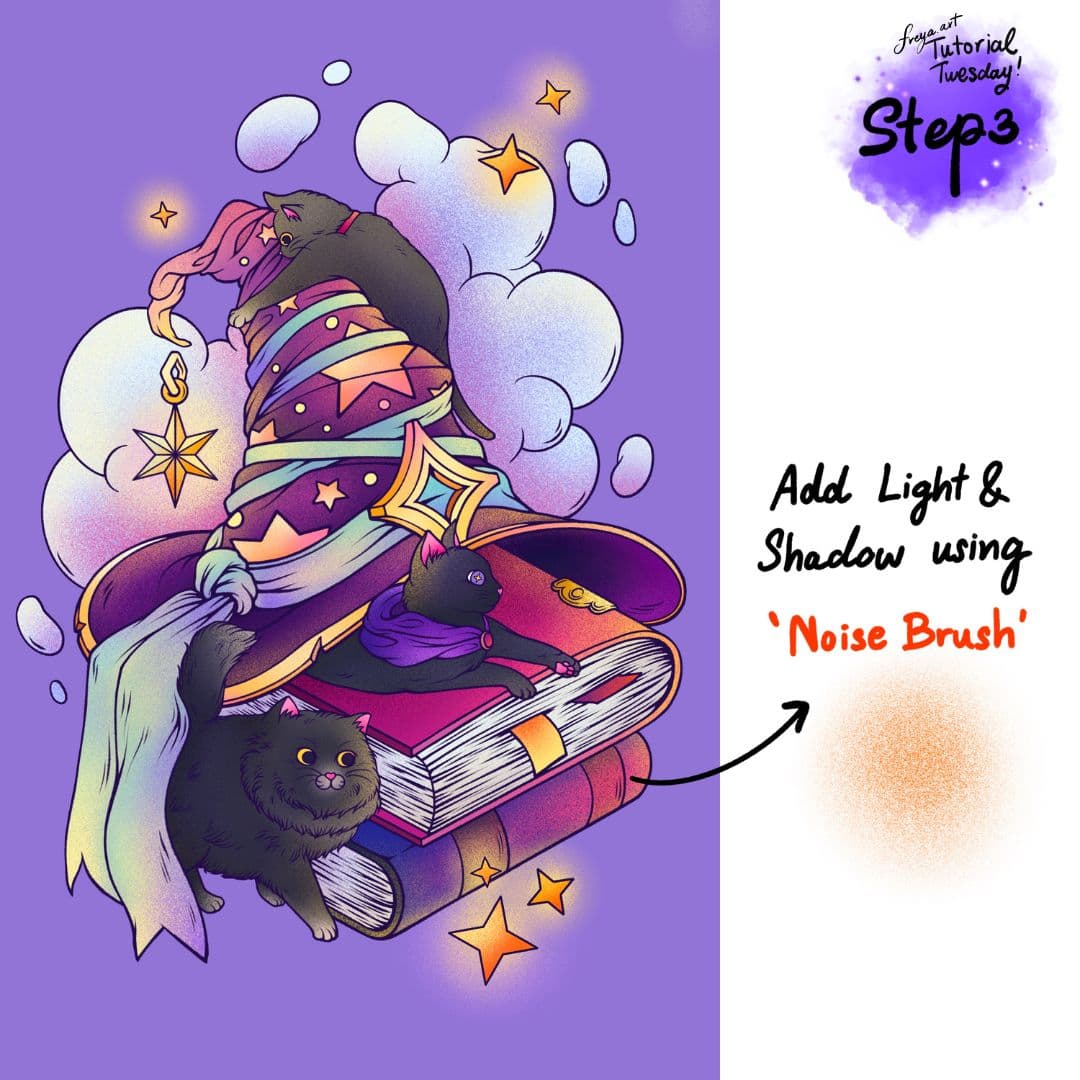
Step 3: Add a clipping mask on top of all the base layers. Then using the default Noise brush from the Materials brush group, add texture, shadow and light to the elements. Use orange for the light, and dark purple for the shadows.
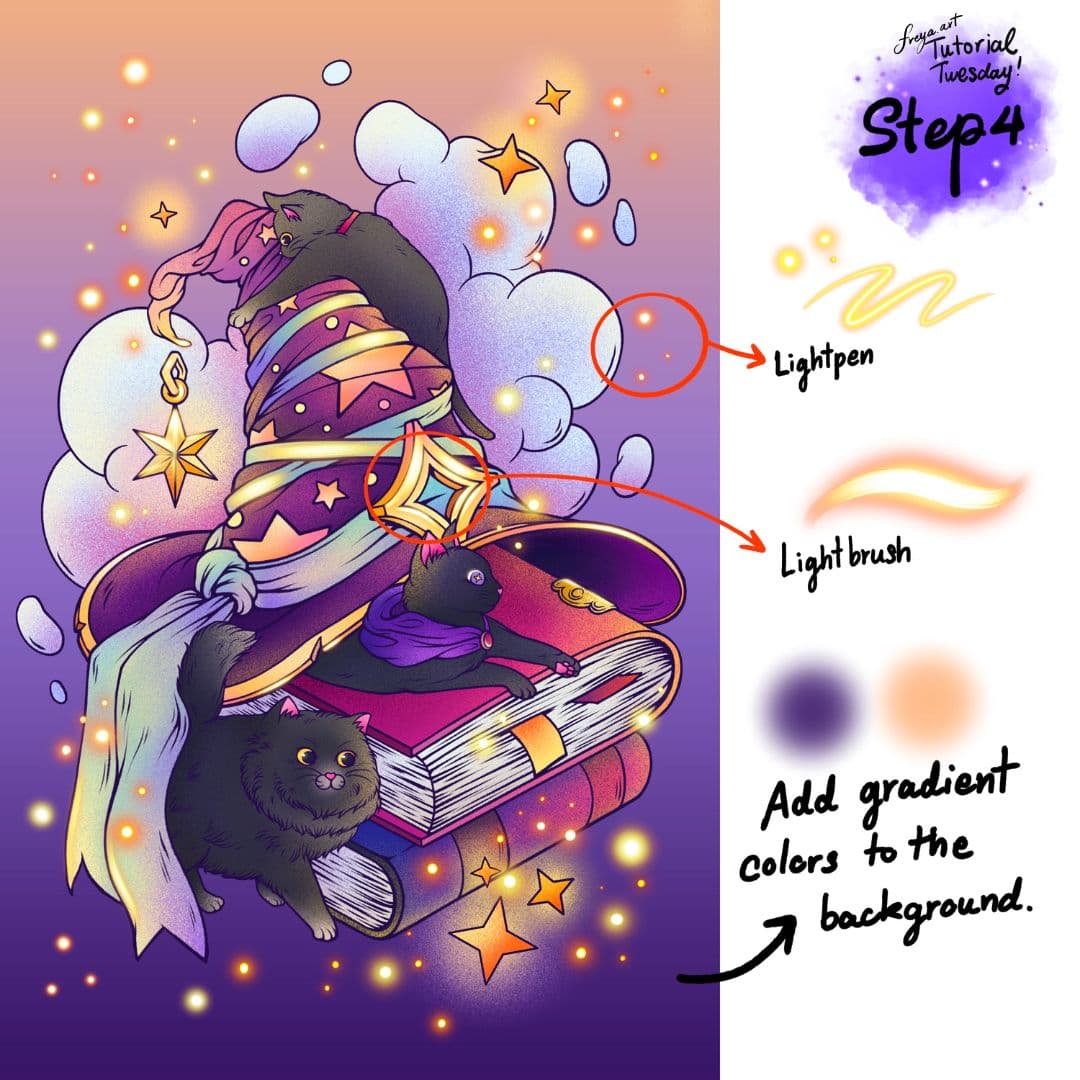
Step 4: Now let’s make it shimmer. Using the default Lightpen and the Lightbrush from the Luminance Brush Group, add some glowing circles around the subject. You can also make the metallic parts glow in some parts. Add gradient colors to the background making it darker at the bottom. And that's it! You've just completed this short tutorial, using just the default Procreate brushes.
I hope you enjoyed this tutorial! Have fun this Hallow's eve!
Try two real lessons from Masterclass for Procreate, free
Not a trailer. Actual lessons from the course. After you confirm your email, they open in Freya Studio and stay yours.
Halftone Tulip
The complete lesson, not a preview
Porcelain Plate Oil Painting
The complete lesson, not a preview
- Yours after email confirmation
- No card, no trial
- Opens in Freya Studio