

Calla Lily Oil Paint Procreate Tutorial
Paint a beautiful calla lily in Procreate with Freya's Oil Paint brushes! You'll go from initial sketch to final, glowing details.
Grab the free brush for this tutorial
Made by Freya · works in any Procreate version
Hi! Thanks for dropping by! Today we'll be working on a Calla Lily Illustration using my Freya Oil Paint Brush Set! Please download the tutorial materials first before we begin. You'll get the palette swatch, sketch, and tutorial PDF. As we paint together, feel free to pause the video as needed.
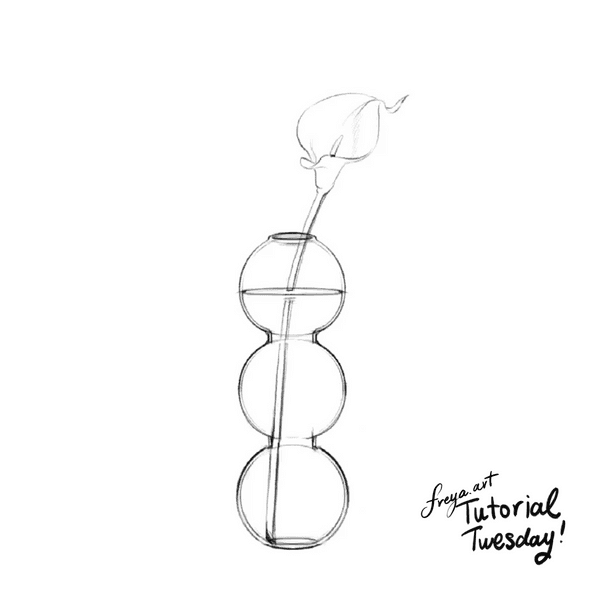
Step 1: We begin by swiping the first layer with Freya Oil Canvas No. 6. Then on another layer, create a sketch of the vase and Calla Lily using a 6B or a peppermint brush.
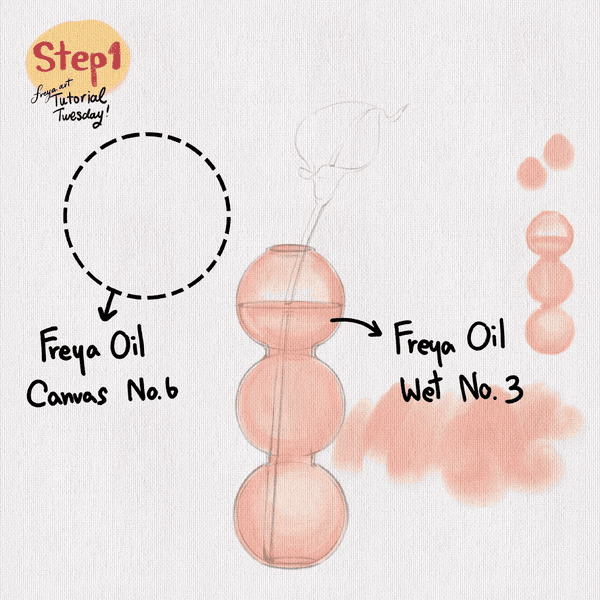
On another layer, add the base color for the vase using Freya Oil Wet No. 3, taking note of details such as water level and reflection.
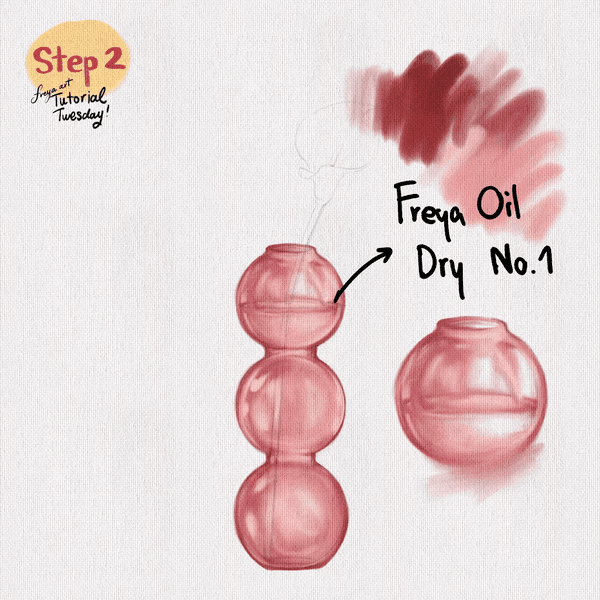
Step 2: On another layer, slowly build up the colors using Freya Oil Dry No. 1 adding highlights and shadows. I would recommend separate layers for the highlight and shadow. Set to clipping mask if needed.
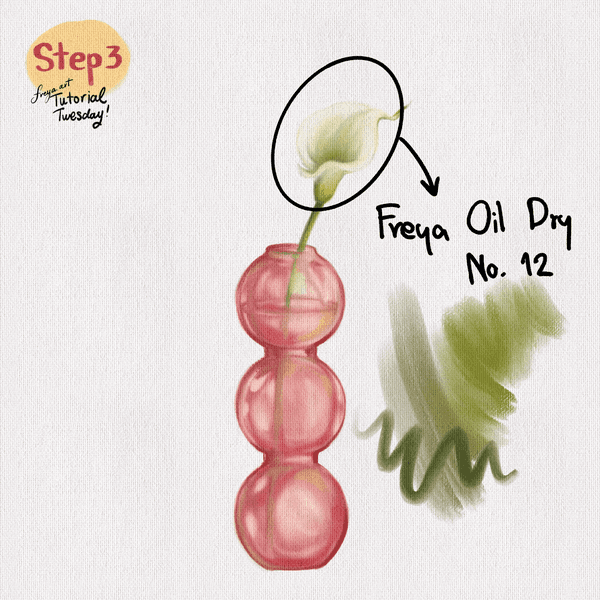
Step 3: On another layer, start coloring the Calla Lily and its stem using Freya Oil Dry No. 12. Take note where the stem would naturally disappear based on the shadows of the vase. Remember that you can adjust the shadows by setting the layer to Linear Burn.
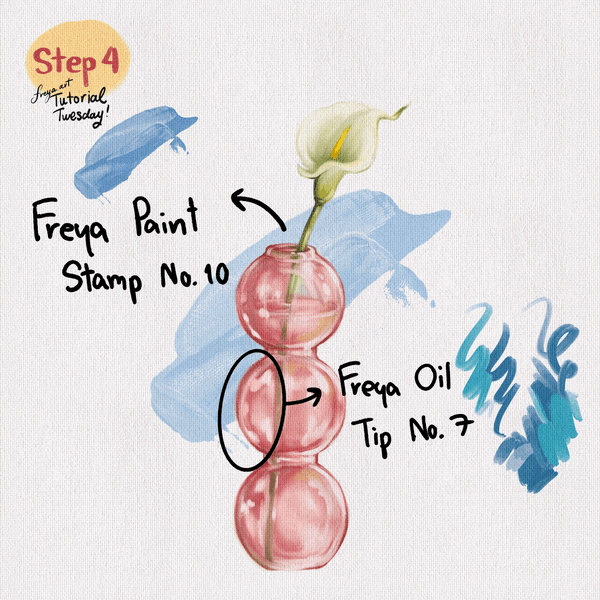
Step 4: Add in the final details using Freya Oil Tip No. 7 and use Freya Paint Stamp No. 10 to create the backdrop.
I hope you enjoyed this tutorial! Please don't forget to share your work online so more people can see your progress! Tag me and I'll share it to my IG stories.😊
Try a real lesson from Freya's Oil Brush Set, free
Not a trailer. An actual lesson from the course. After you confirm your email, they open in Freya Studio and stay yours.
Brush Set Overview
The complete lesson, not a preview
- Yours after email confirmation
- No card, no trial
- Opens in Freya Studio


