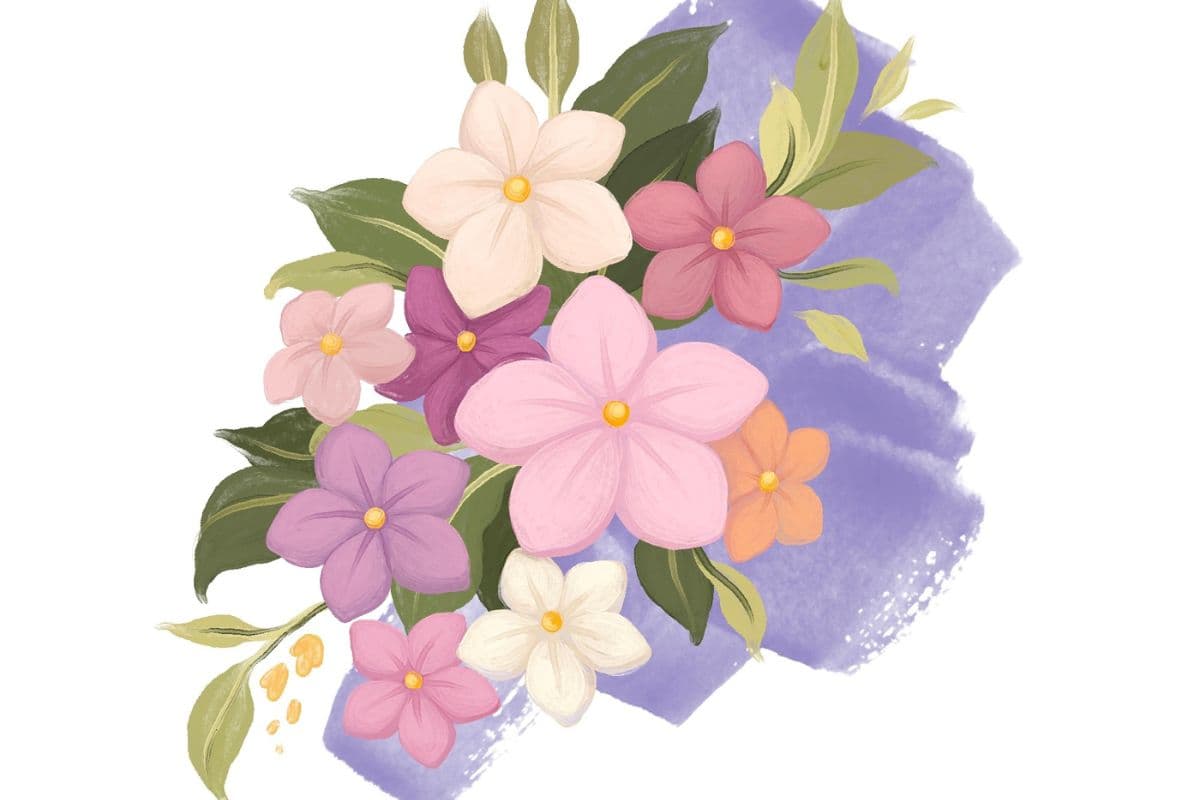
How to Draw a Mallow Malva on Procreate
Draw a beautiful mallow malva flower in Procreate, step-by-step. You'll use brushes, liquify, and layering to create a soft, pretty bloom!
Grab the free brush for this tutorial
Made by Freya · works in any Procreate version
In this week's tutorial we are going to draw a Mallow Malva Flower using my Freya Effortless Flower Brush Set. Please download the rest of the tutorial files. You will get a tutorial PDF for offline viewing and the swatch palette to use in this exercise.
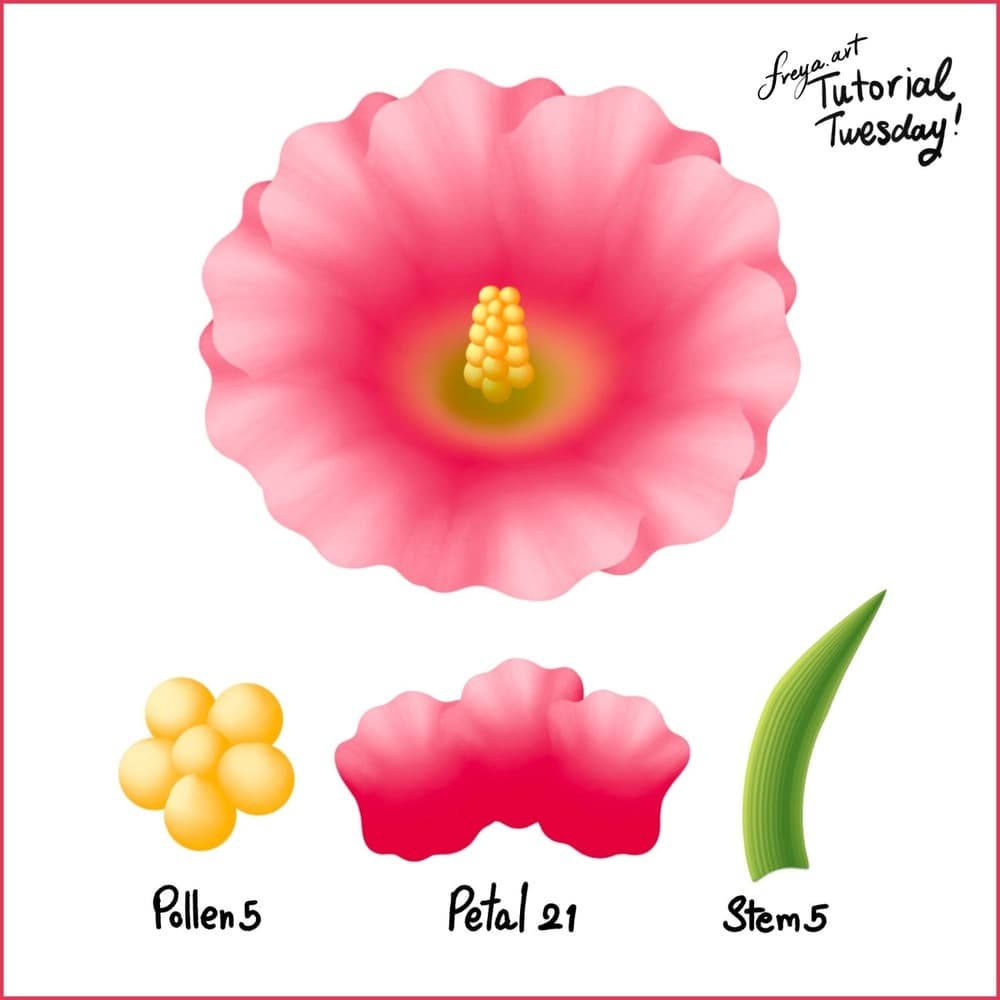
To recreate this flower, we are going to use three brushes from the Effortless Brush Set. Namely, Petal 21 R, Pollen 5, and Stem 5, Make sure that your Dynamic Scaling is turned on when you're using this brush set, you can find this under Actions > Preferences.
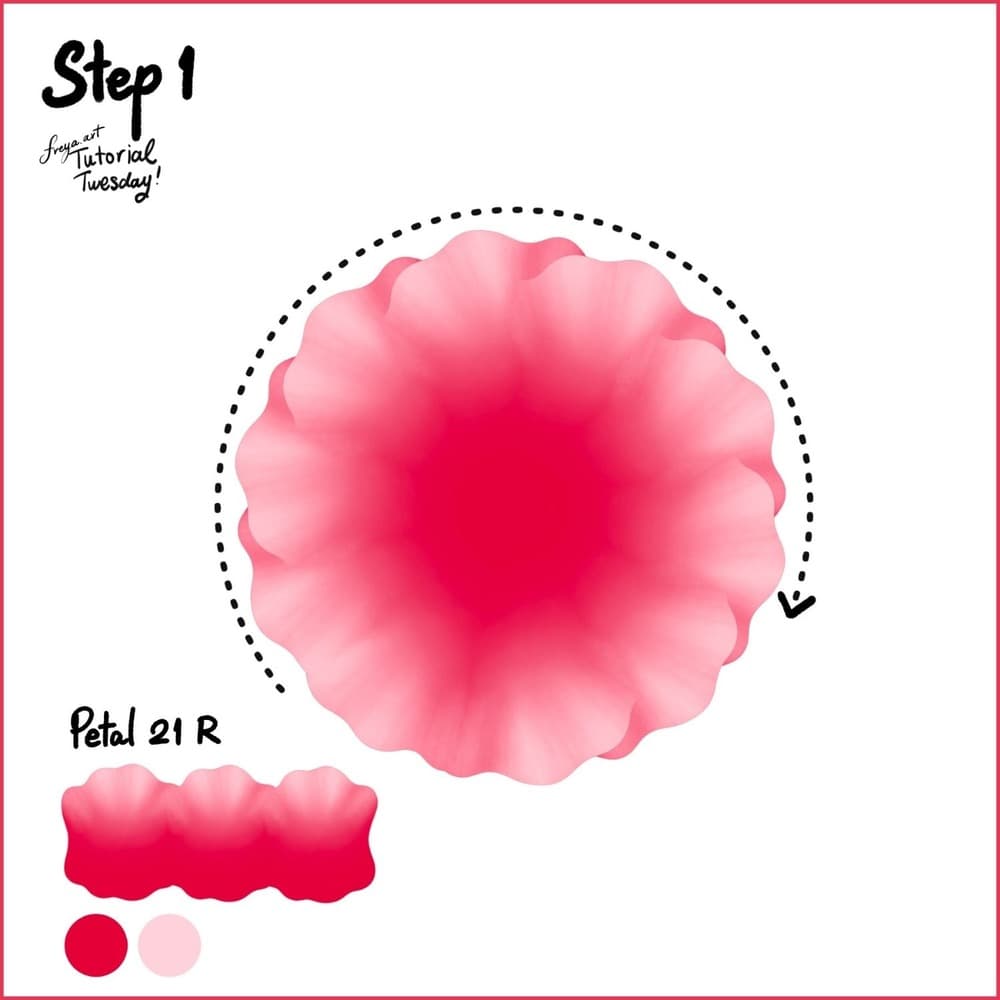
Step 1: Let's start with a 3000 x 3000-pixel canvas at 300 DPI. Then using the Petal 21 R, draw in a clockwise motion.
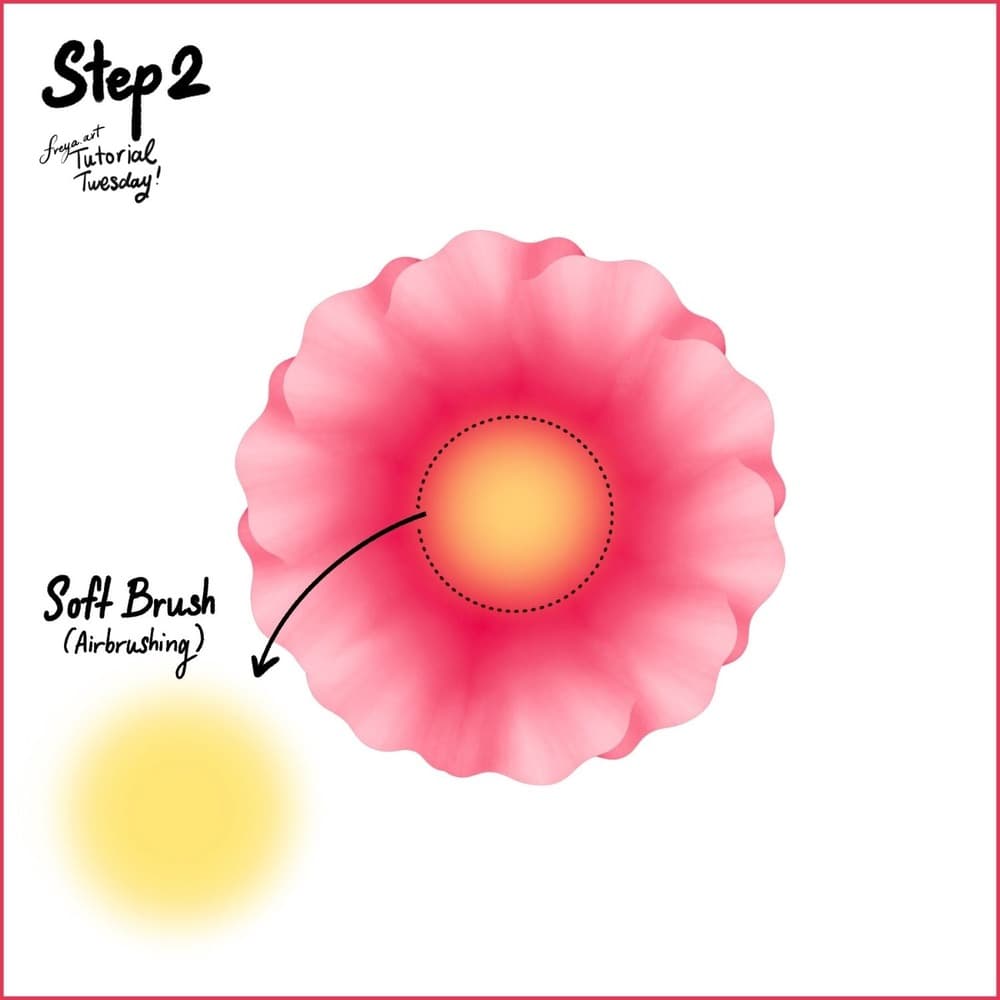
Step 2: Use the Soft Brush from the default Airbrushing Group to draw the middle color.
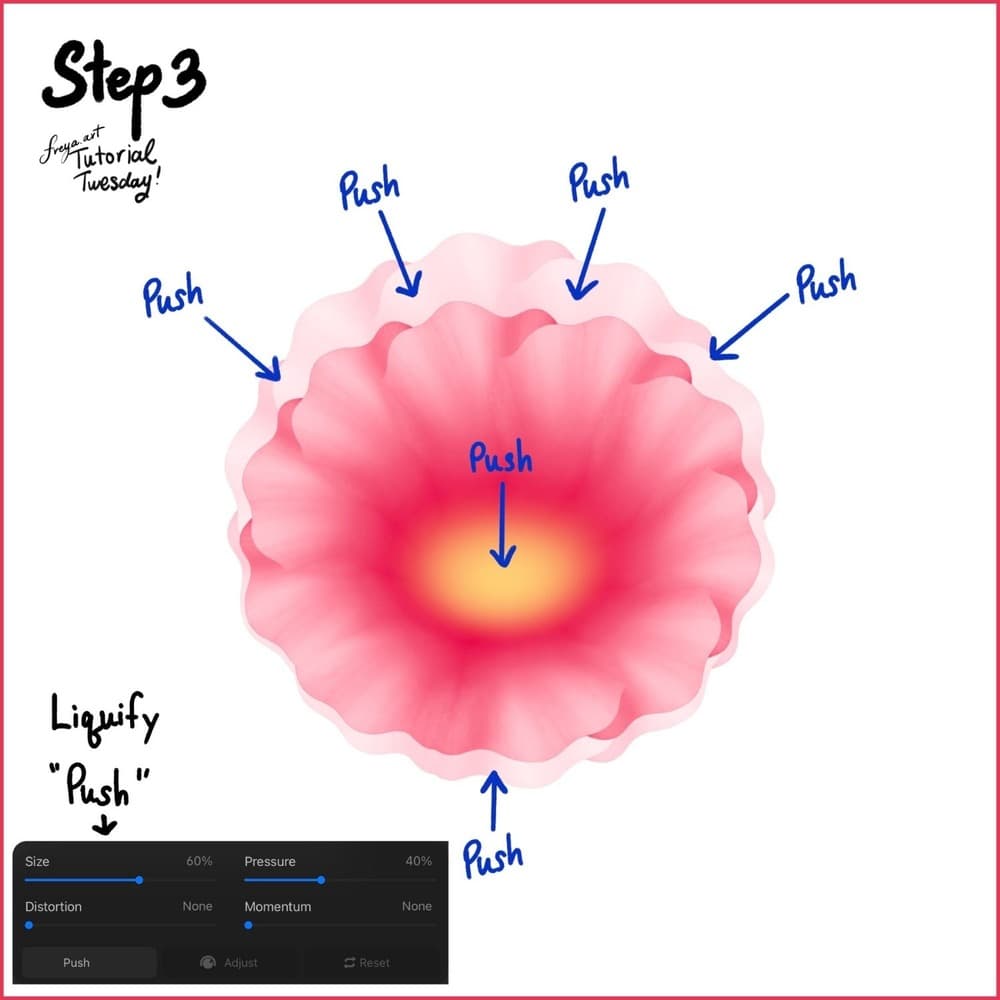
Step 3: Now go to the Adjustment Settings > Liquify. Choose Push. Then push the petals inward so that it looks more oval instead of a perfect circle.
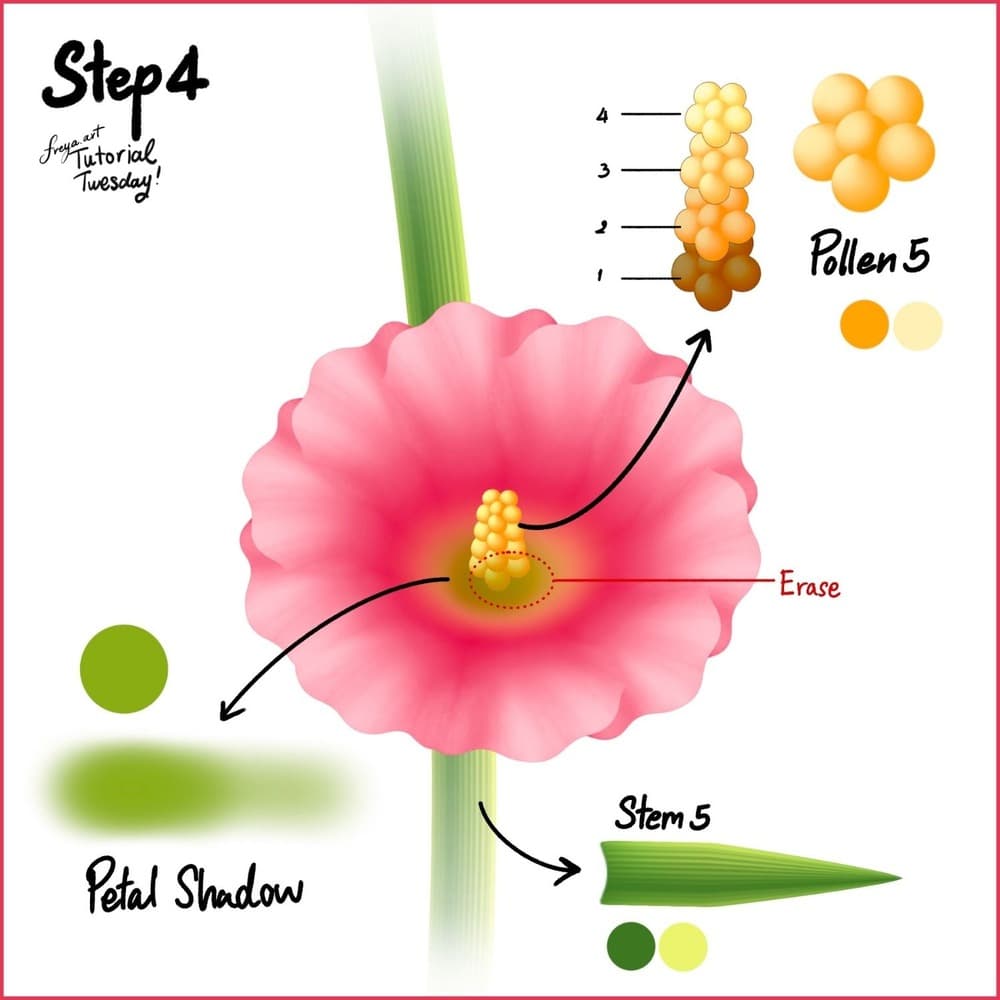
Step 4: Use the Stem 5 brush to draw the stem. And create 4 layers of pollen using the Pollen 5 brush. The color should get darker the closer you get to the middle part of the flower. Add a bit of green in the middle using the Petal Shadow brush and erase sa bit where the pollen should show. Finally use the Stem 5 brush to draw the stem. You can duplicate the flowers or draw them facing away to create variety in the composition.
There you have it! We've just completed this soft mallow flower tutorial using the premium brushes from the Effortless Flower Brush Set! Please share your version online and tag me in your post! I'd love to share it in my Instagram stories. 🙏
Try two real lessons from Masterclass for Procreate, free
Not a trailer. Actual lessons from the course. After you confirm your email, they open in Freya Studio and stay yours.
Halftone Tulip
The complete lesson, not a preview
Porcelain Plate Oil Painting
The complete lesson, not a preview
- Yours after email confirmation
- No card, no trial
- Opens in Freya Studio