

How to Draw a Stylized Cat on Procreate
Stylized Cat Portrait Tutorial using the premium brushes from Freya's Realistic Gouache Brush Set for Procreate
Grab the free brush for this tutorial
Made by Freya · works in any Procreate version
Today we'll be working on this cat portrait, inspired by my cat, Coconut. 😍 We'll be using premium brushes from my Realistic Gouache Brush Set! Please download the rest of the tutorial files, which will include the tutorial PDF, sketch, and palette swatch for this exercise.
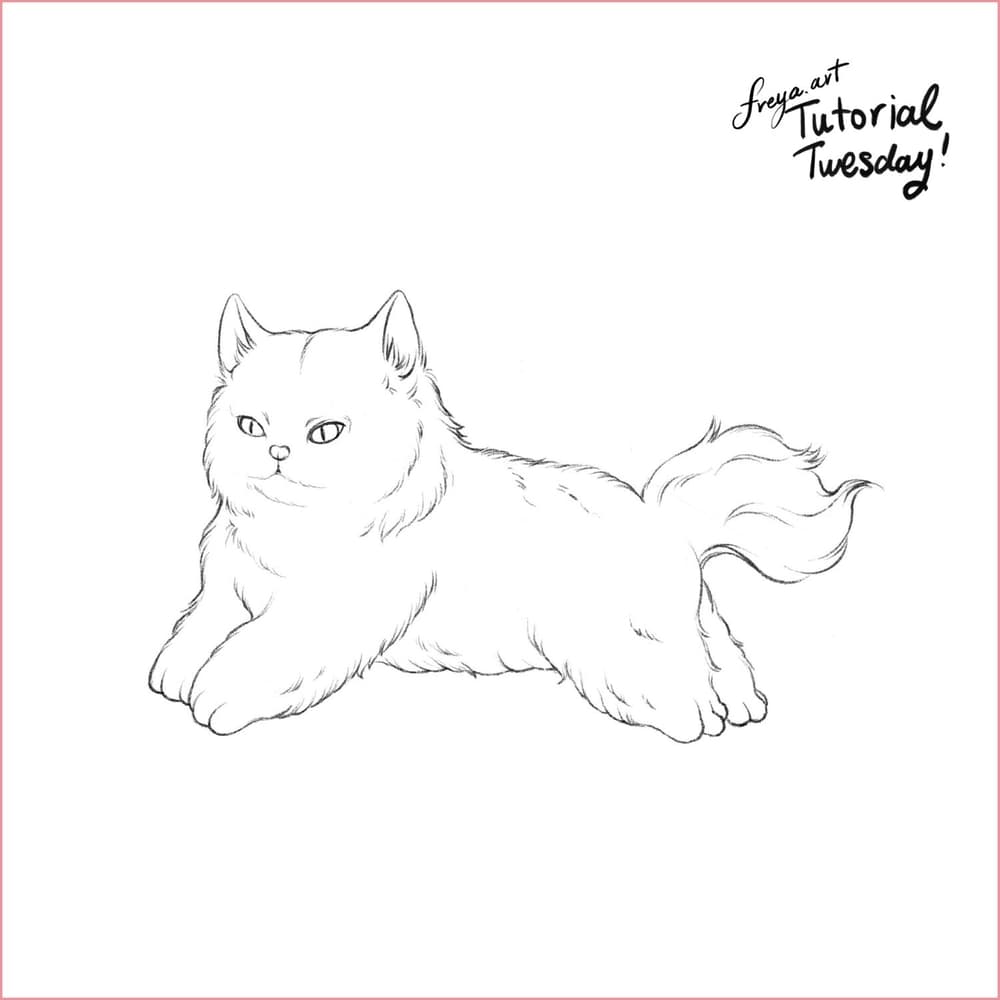
Let's start by creating a 3000 x 3000-pixel canvas. Import the sketch provided in the tutorial files. You can add another layer on top to trace the sketch using the 6B or Peppermint Brush. Alternatively, if you want to skip drawing the sketch, you can set the sketch layer's color mode to multiply and then add a layer underneath. Then you can color it like you would a regular coloring page.
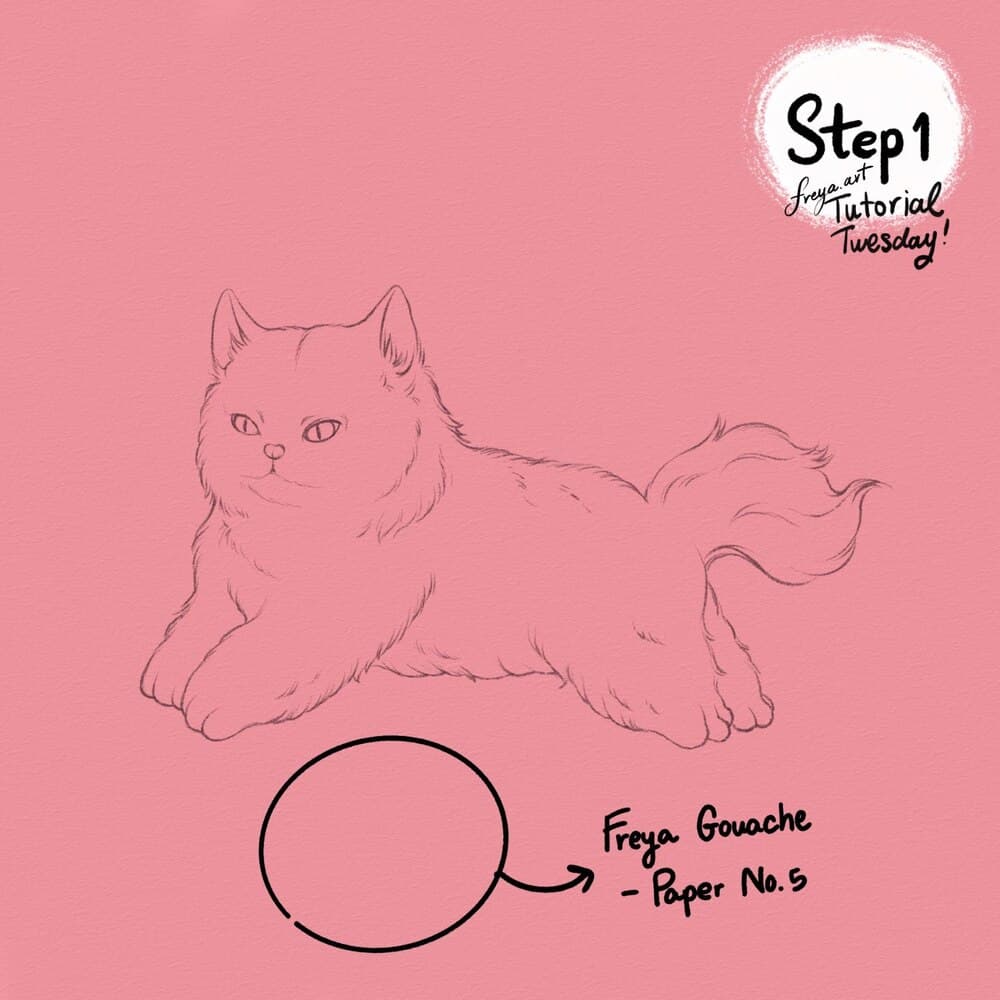
Step 1: Add a layer on top of all the layers in your canvas. Rename it as texture. Using a mid-grey color, use the Freya Gouache Paper No. 5 brush to cover the entire layer with texture. Then set the layer color mode to Linear Burn so that the texture will also apply to all layers underneath it. Lock this layer.
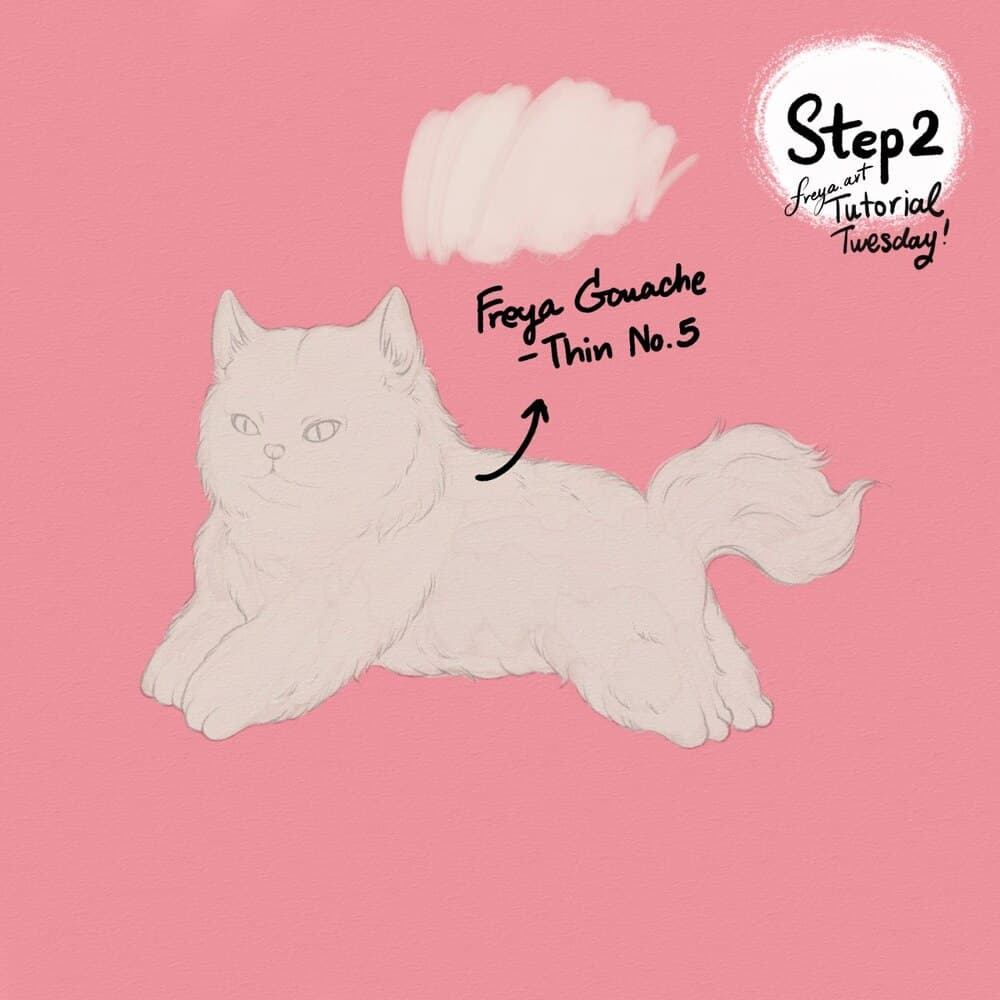
Step 2: In a new layer fill out the cat's body using Freya Gouache Thin No. 5. Rename this as the "base layer".
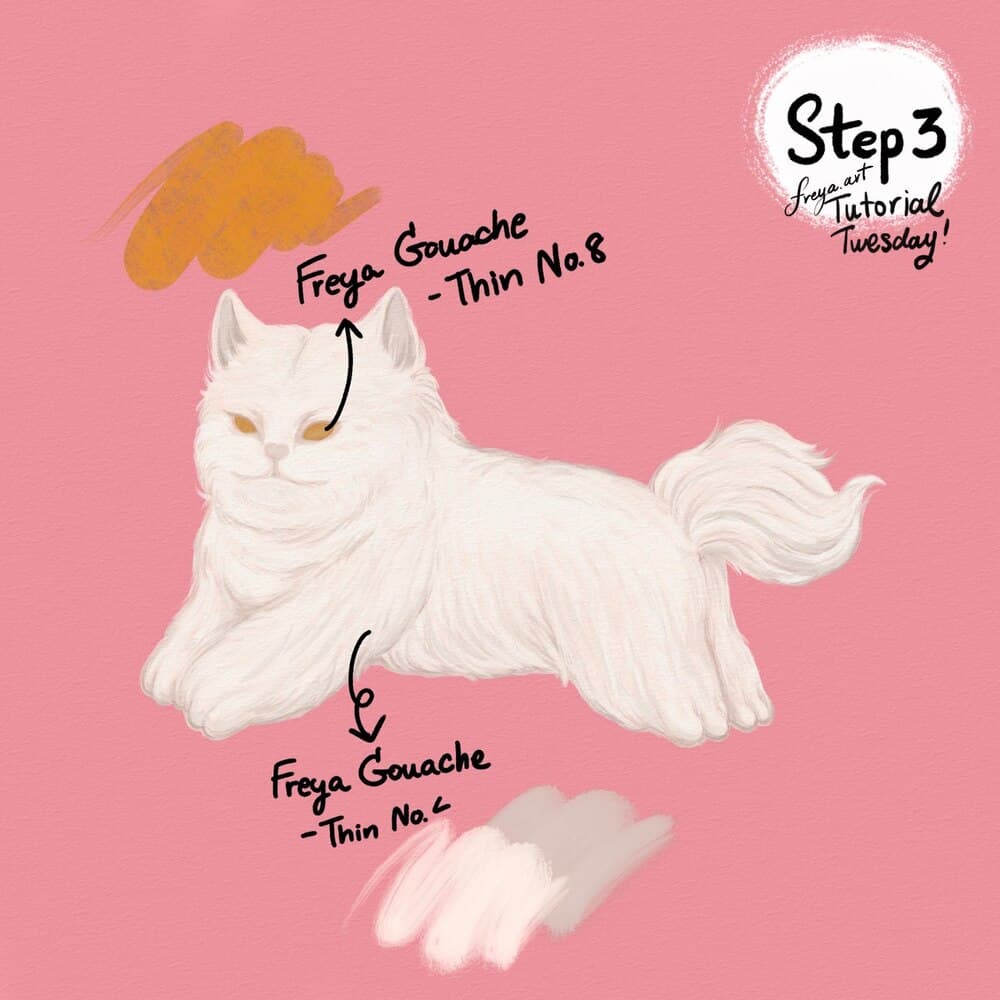
Step 3: Add a clipping mask on top of the base layer and slowly add the fur details using Freya Gouache Thin no. 4. Then in another layer, color in the eyes with Freya Gouache Thin No. 8. Rename this layer as eyes.
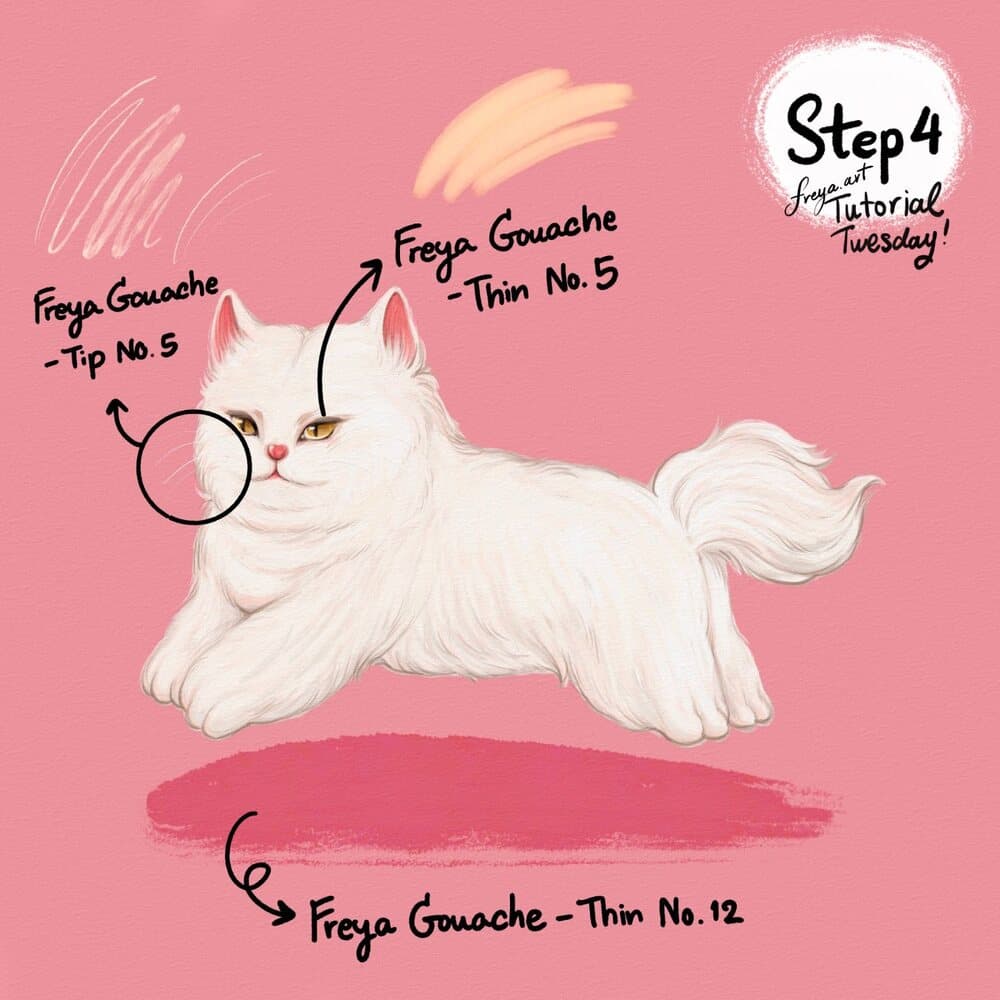
Step 4: Add details for the eyes, using Freya Gouache Thin No. 5. For the whiskers, use Freya Gouache Tip No. 5. To create the illusion that the cat is jumping, add a shadow underneath, using Freya Gouache Thin No. 12.
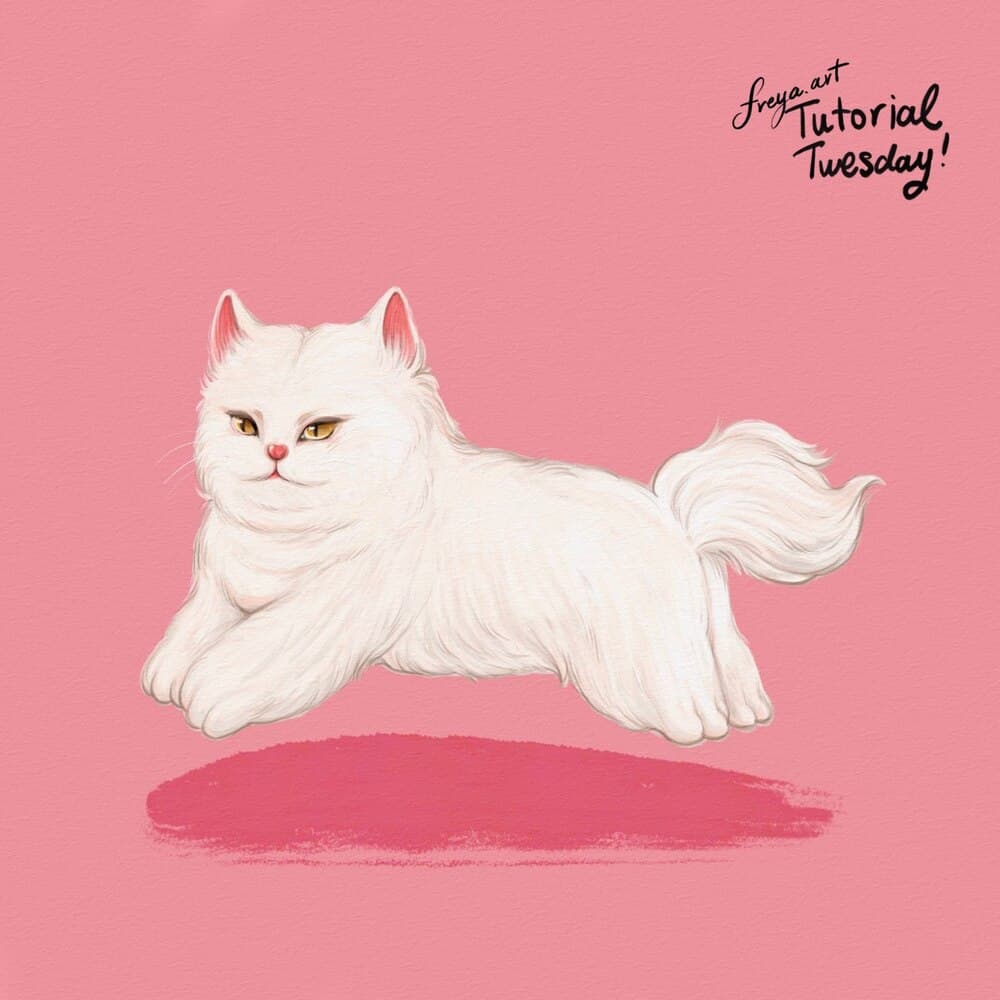
Congratulations! You've just completed this short tutorial using the free brushes from my Realistic Gouache Brush Set. Please don't forget to tag me in case you post it on social media.
Try two real lessons from Pet Portrait Purrfection, free
Not a trailer. Actual lessons from the course. After you confirm your email, they open in Freya Studio and stay yours.
Fur Ball Practice
The complete lesson, not a preview
Draw Anything from Scratch: Connect the Dots
The complete lesson, not a preview
- Yours after email confirmation
- No card, no trial
- Opens in Freya Studio


