

Watermelon Oil Paint Tutorial for Procreate
Paint a juicy, vibrant watermelon in Procreate! Use my Freya Oil Brush set to master realistic textures and light for delicious results.
Grab the free brush for this tutorial
Made by Freya · works in any Procreate version
Hello! Today, we'll be working on this watermelon illustration using the premium brushes from my Freya Oil Brush set for Procreate! Please download the tutorial files before we begin. You'll get the Tutorial PDF, sketch file, and palette swatch file for this project.
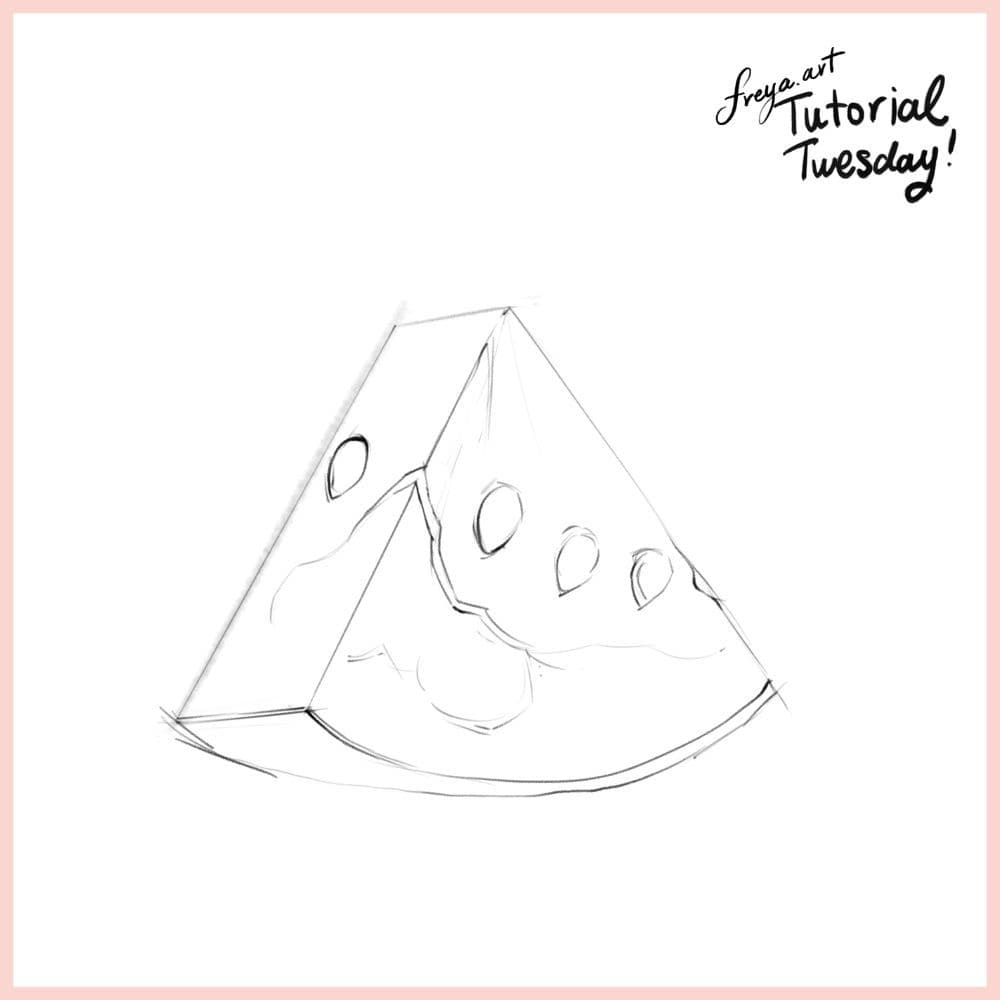
Let's start by creating a sketch of our composition using the 6B or Peppermint brush. Lower the opacity of the layer, rename it as sketch and lock it.
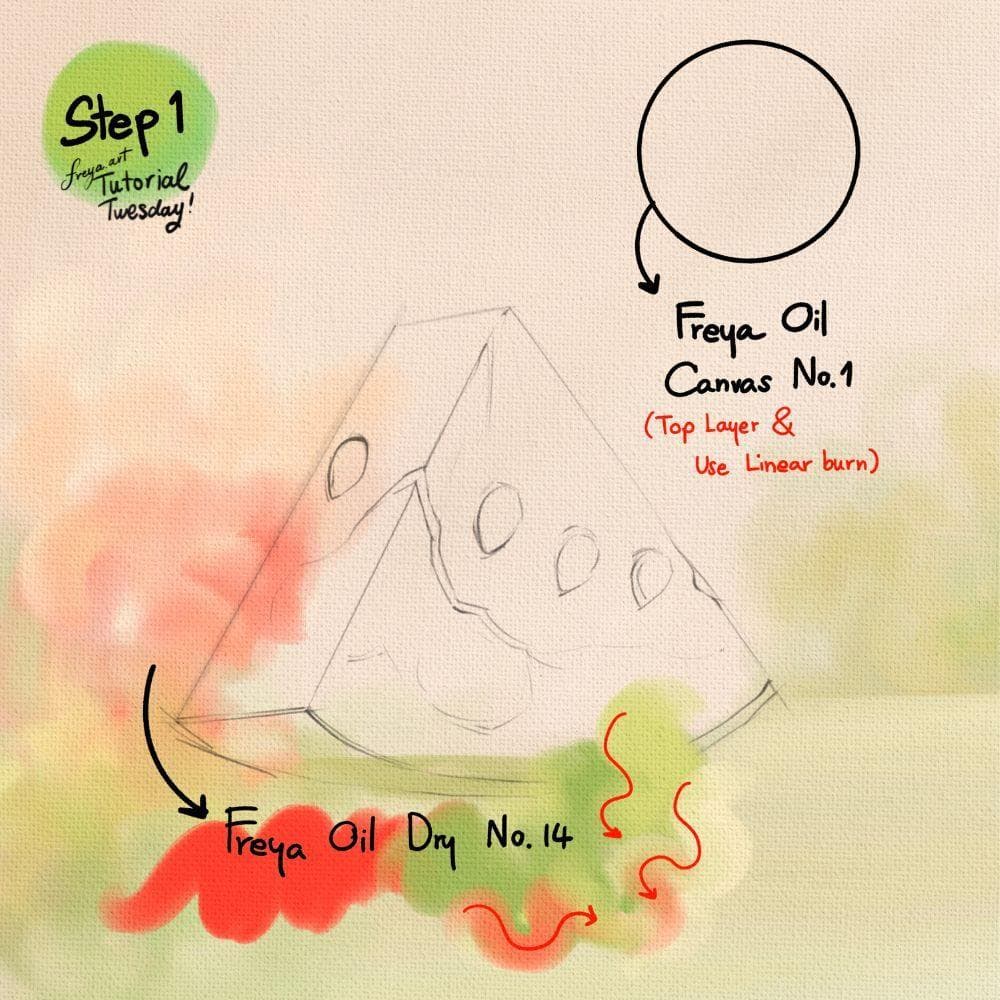
Step 1: Now add a layer and use Freya Oil Canvas No. 1 in a light beige color. Change the color mode to Linear Burn and place this on top of all the succeeding layers. This way, the canvas texture will apply to all layers under it. In another layer, you can add some backdrop using Freya Oil Dry No. 14.
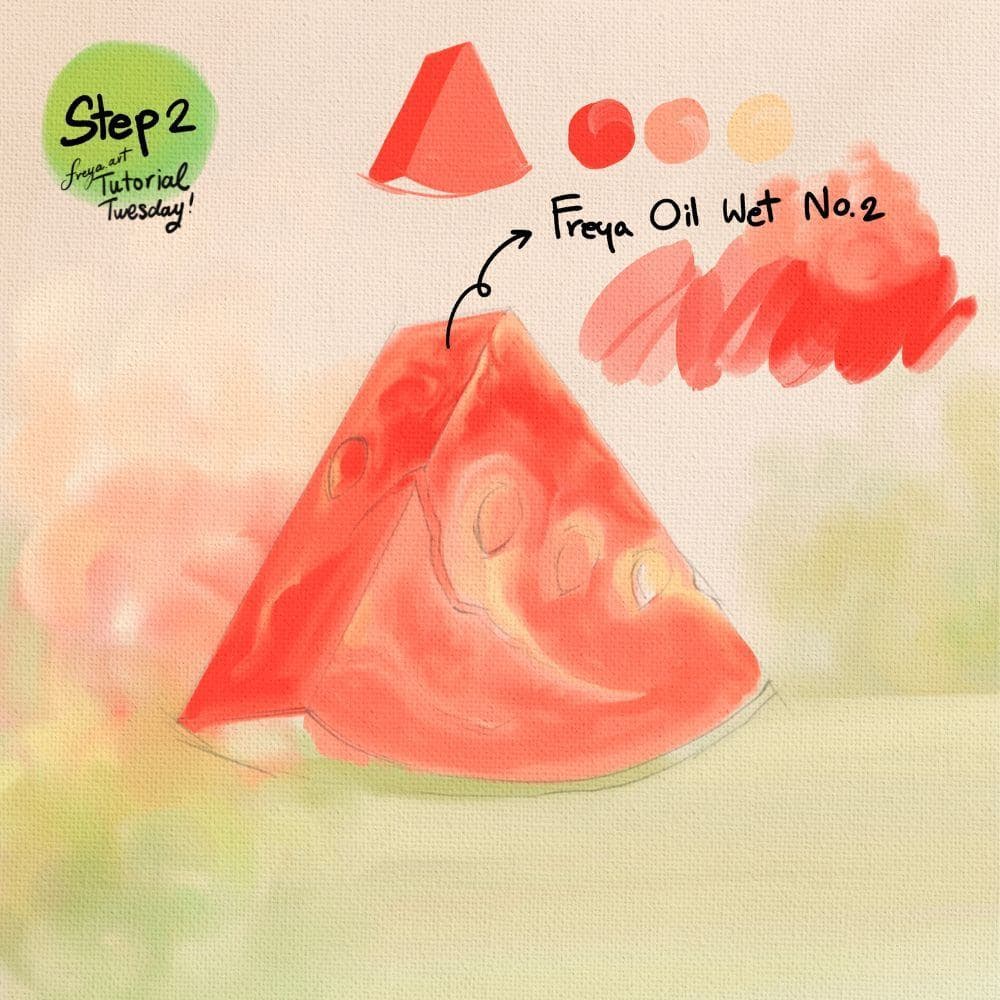
Step 2: Let's color the base layer for the watermelon using Freya Oil Wet No. 2 in shades of red, pink, and light yellow. Red for the side and pink for the front, because it's supposedly facing the light.
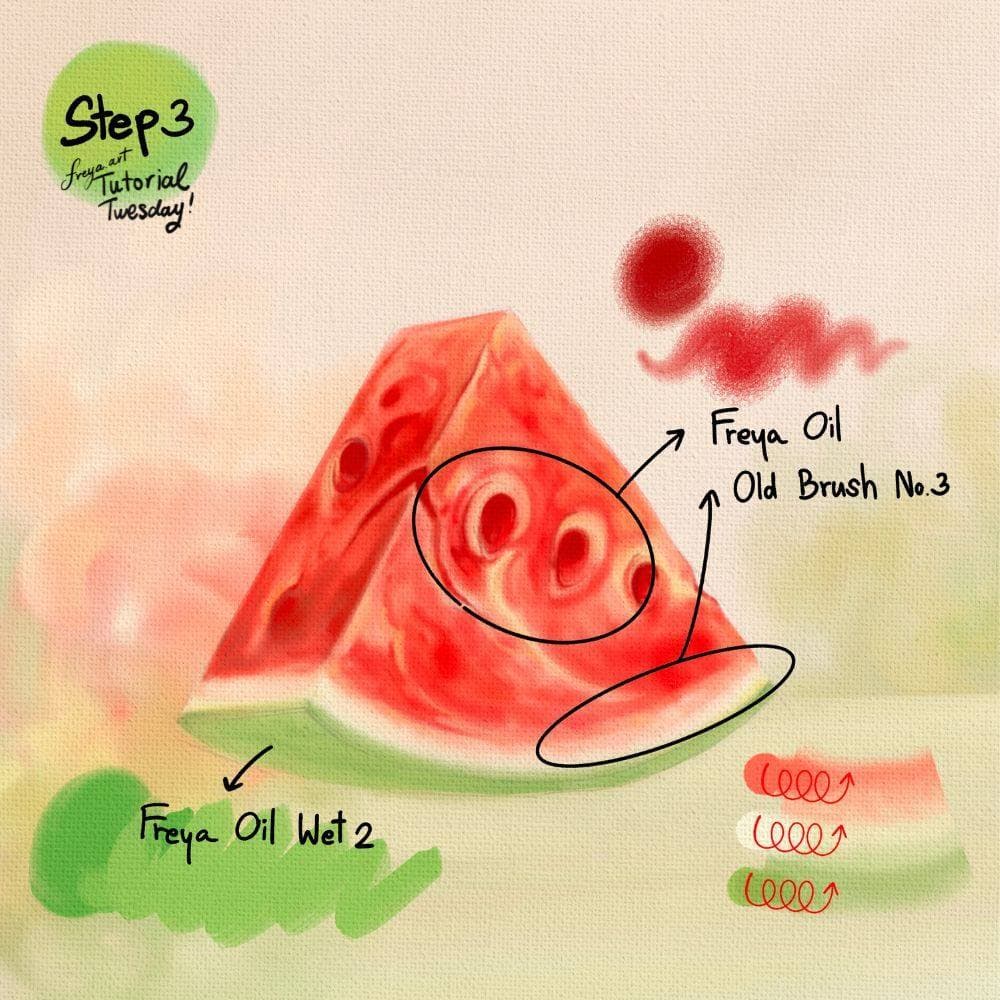
Step 3: Using Freya Oil Old Brush No. 3 in a dark red color, add the depth to the areas where the seeds rest. Then paint the outer layer of the watermelon green using Freya Oil Wet 2. Use a circular motion from left to right when painting to get those nice painterly strokes.
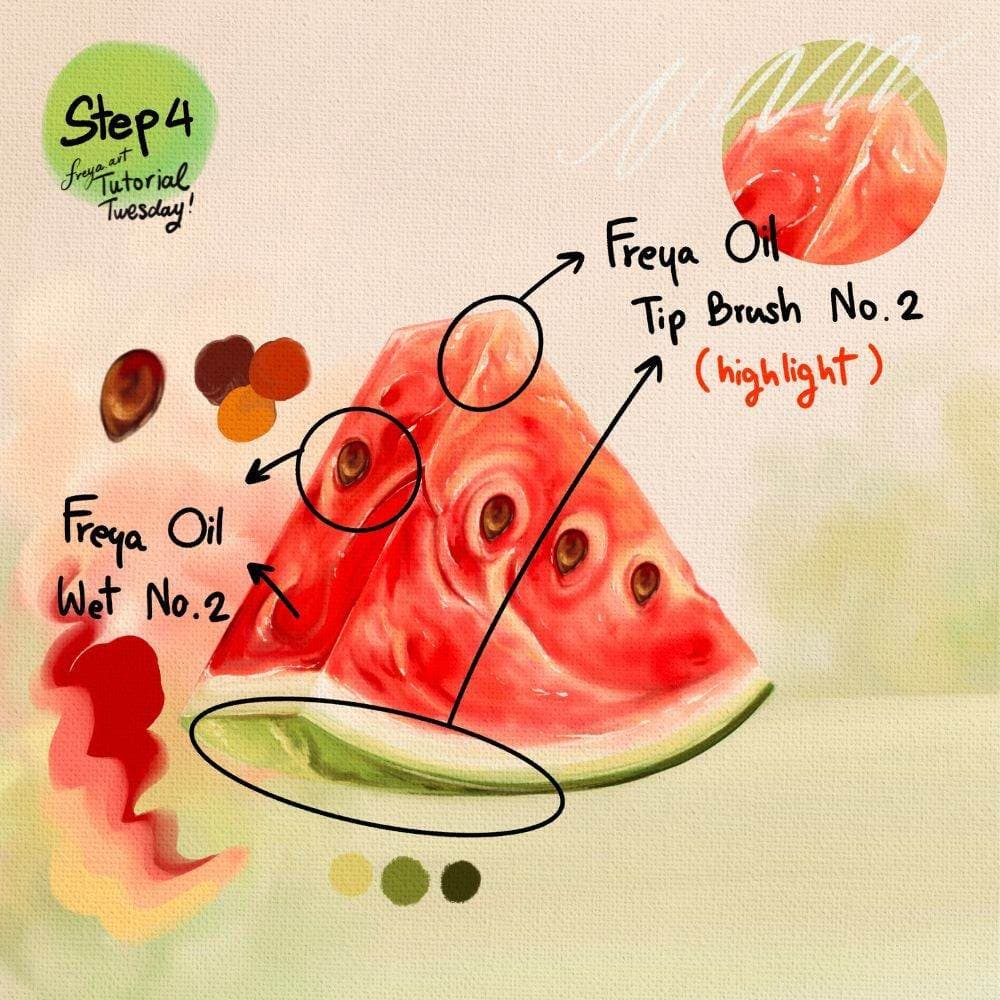
Step 4: And now paint the seeds using Freya Oil Wet No. 2. The seed colors are a mix of dark brown shadow, reddish-brown base, and yellow-brown as highlights. You can clone the seeds later so you don't have to draw it individually. For the watermelon, you can add white highlight using Freya Oil Tip Brush No. 2.
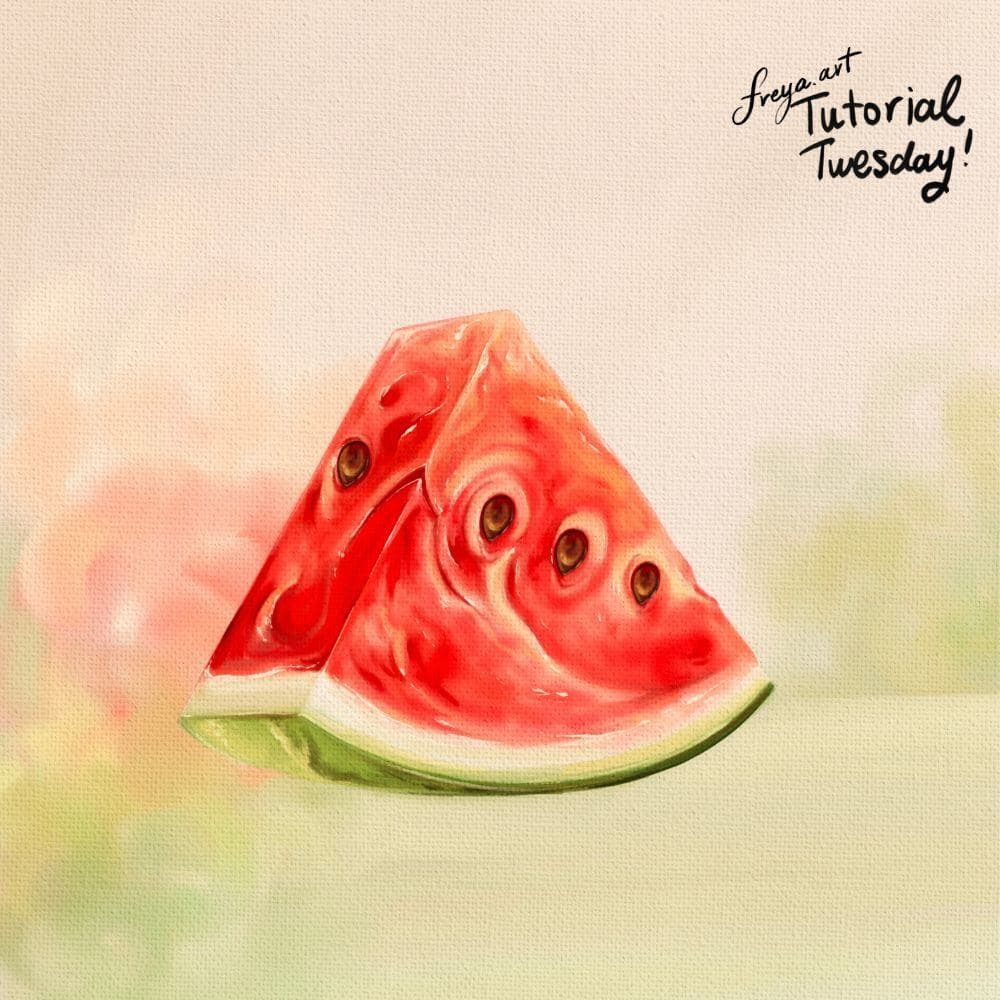
Congratulations! You've just completed this Watermelon tutorial using my Freya Oil Paint Brush set. Please don't forget to share your work! I would love to see your version!
Try a real lesson from Freya's Oil Brush Set, free
Not a trailer. An actual lesson from the course. After you confirm your email, they open in Freya Studio and stay yours.
Brush Set Overview
The complete lesson, not a preview
- Yours after email confirmation
- No card, no trial
- Opens in Freya Studio


