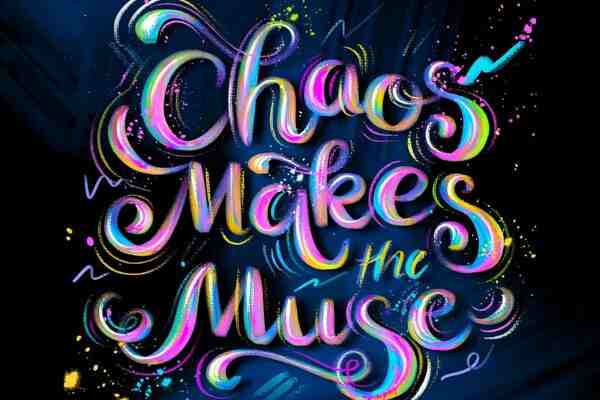
Artistic Lettering Brush Tutorial for Procreate
Create stunning lettering compositions in Procreate with free sampler brushes and a step-by-step tutorial you can follow today!
Grab the free brush for this tutorial
Made by Freya · works in any Procreate version
Hello and welcome to this Free Artistic Lettering Brush Set Tutorial. We'll be using the sampler brushes from my Artistic Lettering Brush Set for Procreate. So before we begin, please download the project files. You'll find the letter template, sample brushes, tutorial PDF, and swatch file for this project.
If you're ready, let's begin.
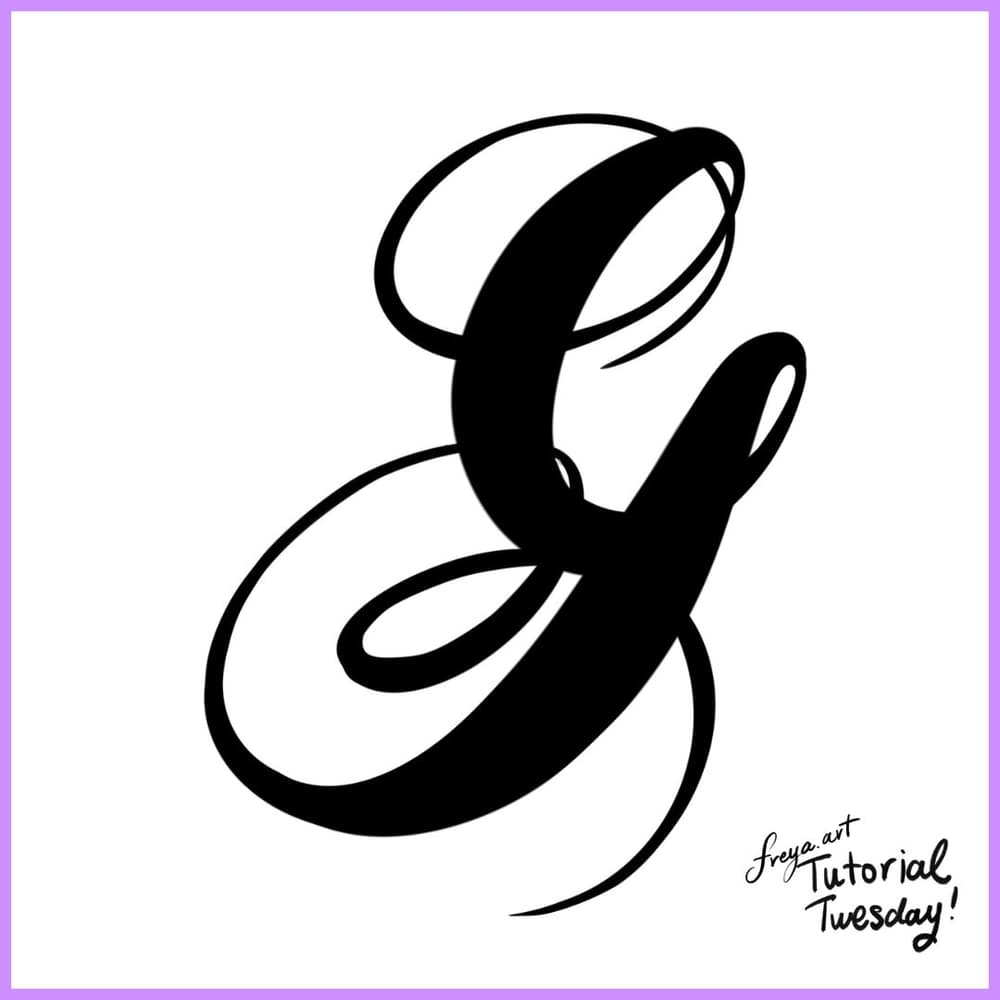
If you're not confident yet about your hand lettering, you can trace this template in the meantime.
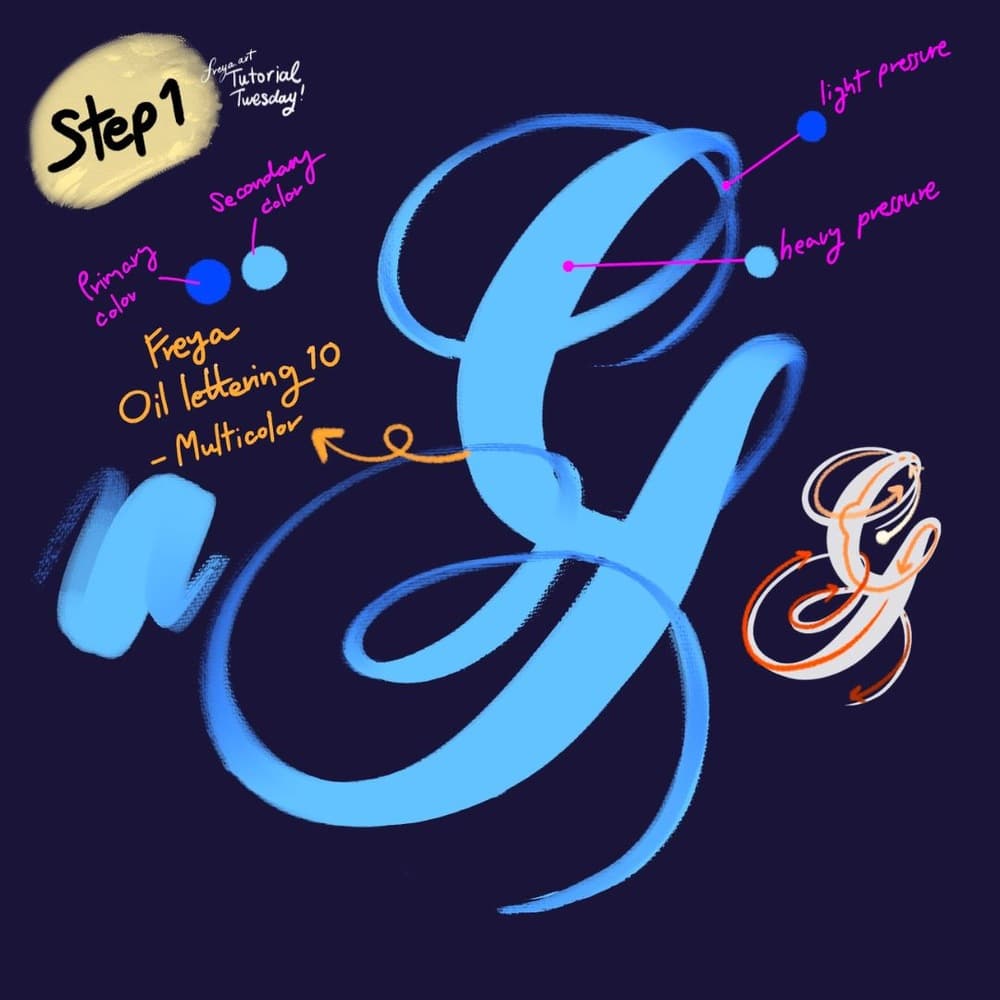
Step 1: Let's start by creating our lettering composition using the Freya Oil Lettering No. 10 Multicolor Brush. Set your primary and secondary brush colors in the color panel. Practice using light and heavy pressure as indicated. It'll take some time but it will be worth learning.
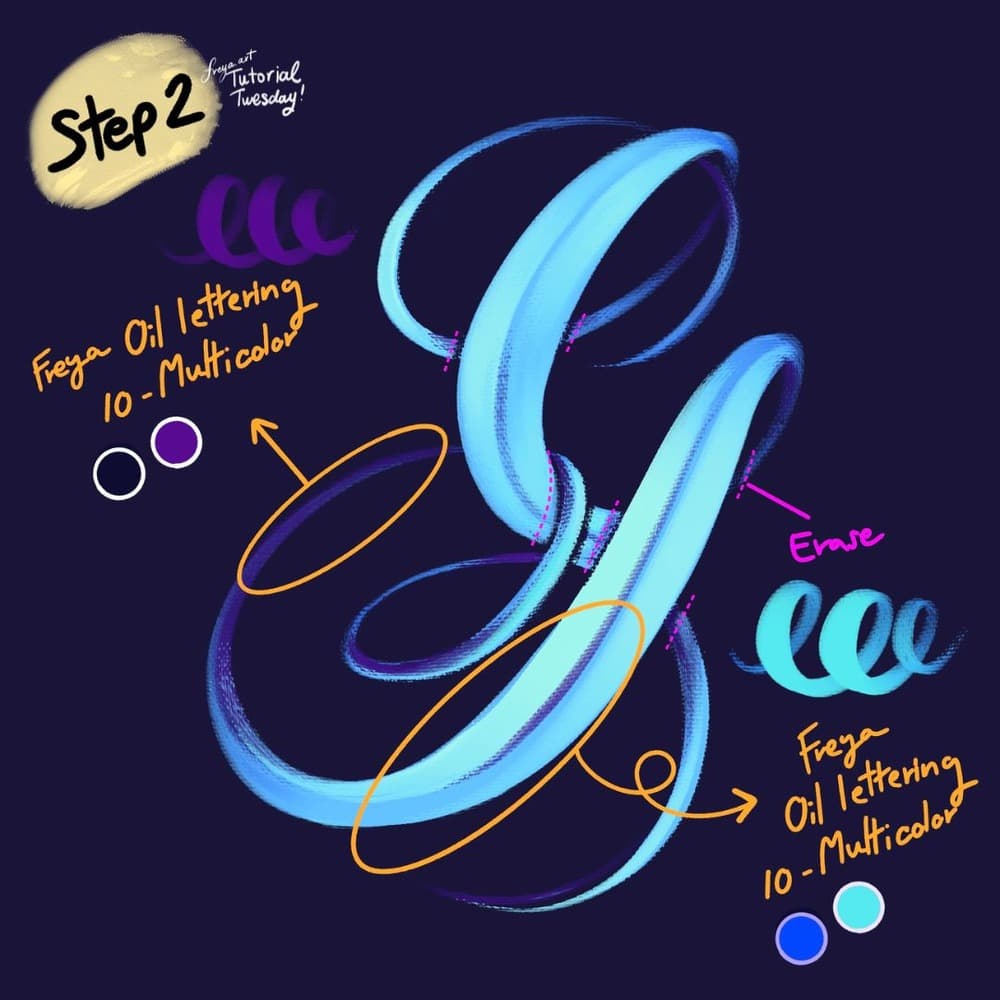
Step 2: Now erase some parts of the stroke that overlap. Using the same brush, change the primary and secondary colors. Then add a clipping mask so that you can shade parts of the letter stroke cleanly.
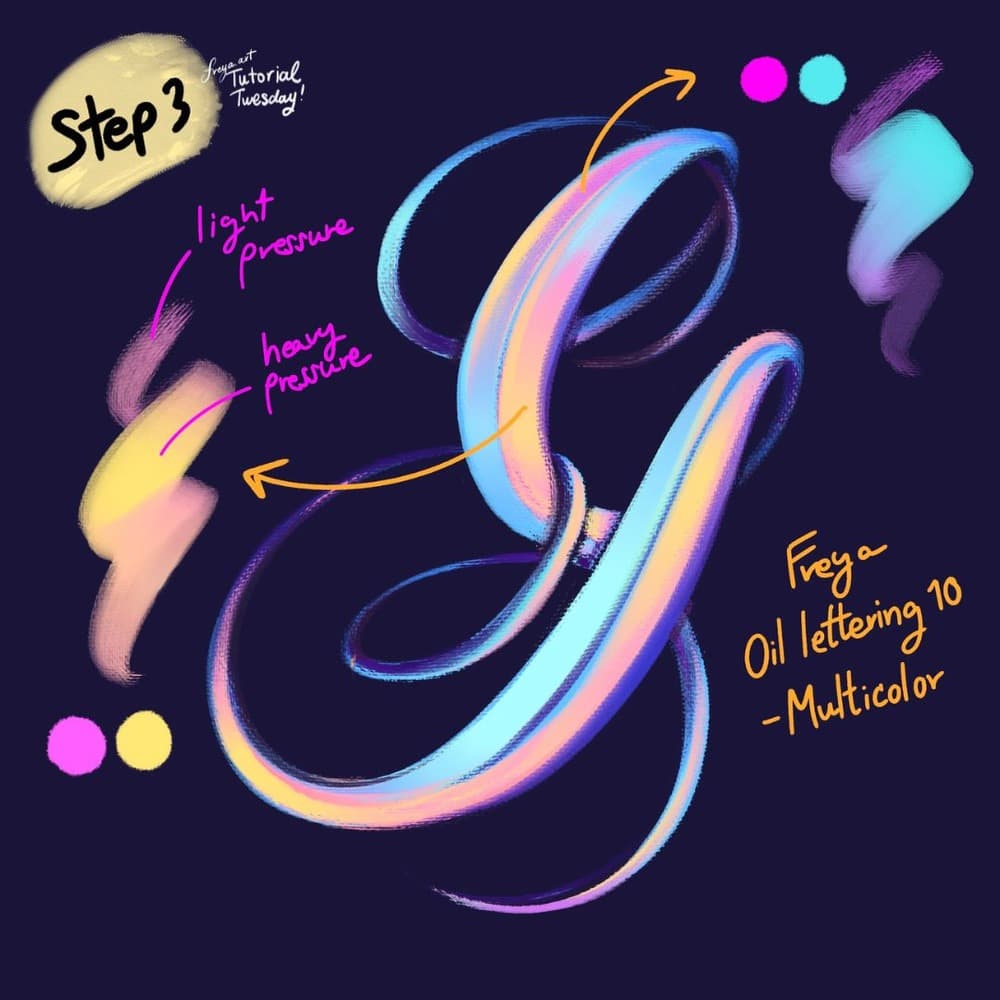
Step 3: Add another clipping mask layer, and change the primary and secondary colors again to add color accents to the shape. Use the same brush.
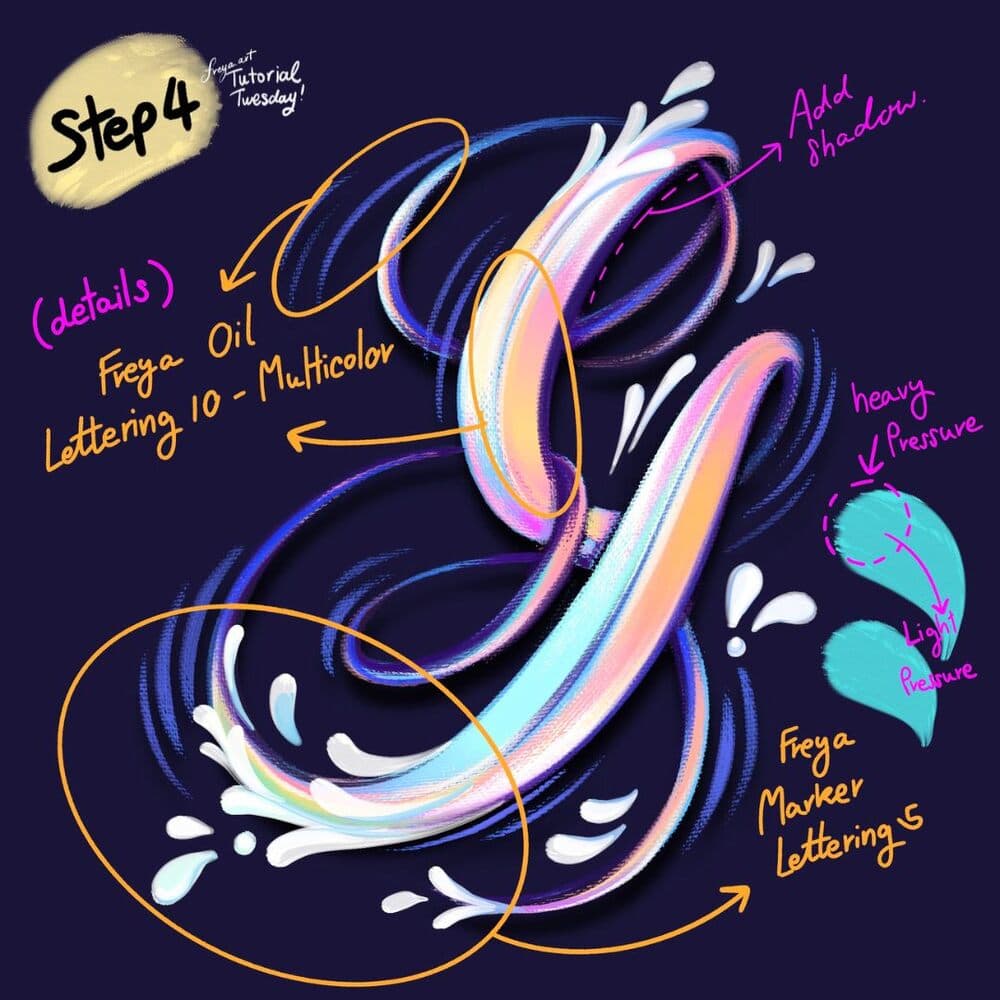
Step 4: Add another layer and using the Freya Marker Lettering Brush No. 5, add swooshes to the letter shape. Move down from heavy to light pressure. Then with the Freya Oil Lettering 10 - Multicolor brush, add the finishing touches and shadow in some areas of the composition.
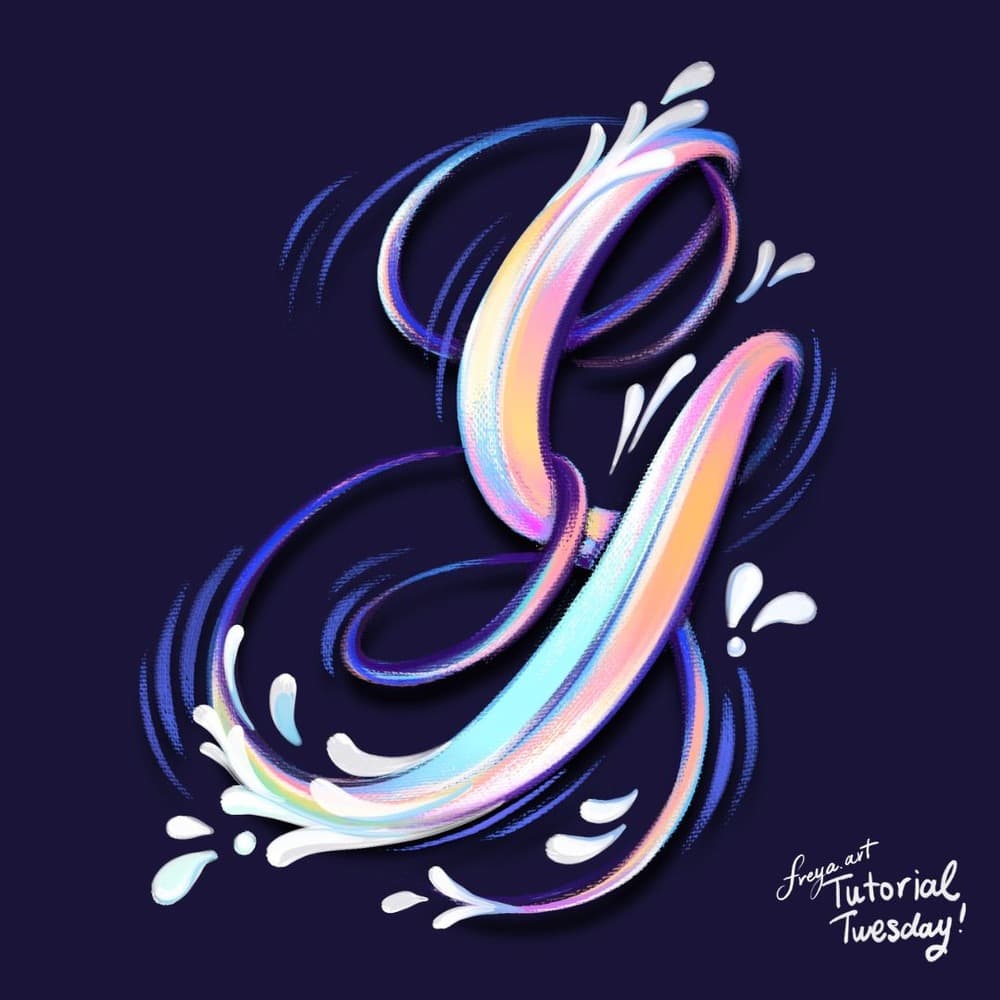
Congrats! You've just completed a lettering composition using the sampler brushes from my Freya Artistic Lettering Brush Set. Next time, try it this technique with the a different letter. 😊
Try two real lessons from Artistic Lettering Brushset, free
Not a trailer. Actual lessons from the course. After you confirm your email, they open in Freya Studio and stay yours.
Brush Set Overview
The complete lesson, not a preview
How to Use a Multicolor Brush
The complete lesson, not a preview
- Yours after email confirmation
- No card, no trial
- Opens in Freya Studio