How to Draw a Bunny on Procreate
Draw a cute bunny in Procreate with my free Realistic Gouache brushes. Follow along to create your own adorable illustration!
Grab the free brush for this tutorial
Made by Freya · works in any Procreate version
Hello! Try this quick tutorial to help you get acquainted with the Freya Realistic Gouache Brush Set! We're going to draw a simple bunny illustration using free brushes from my Freya Realistic Gouache Brush Set for Procreate.
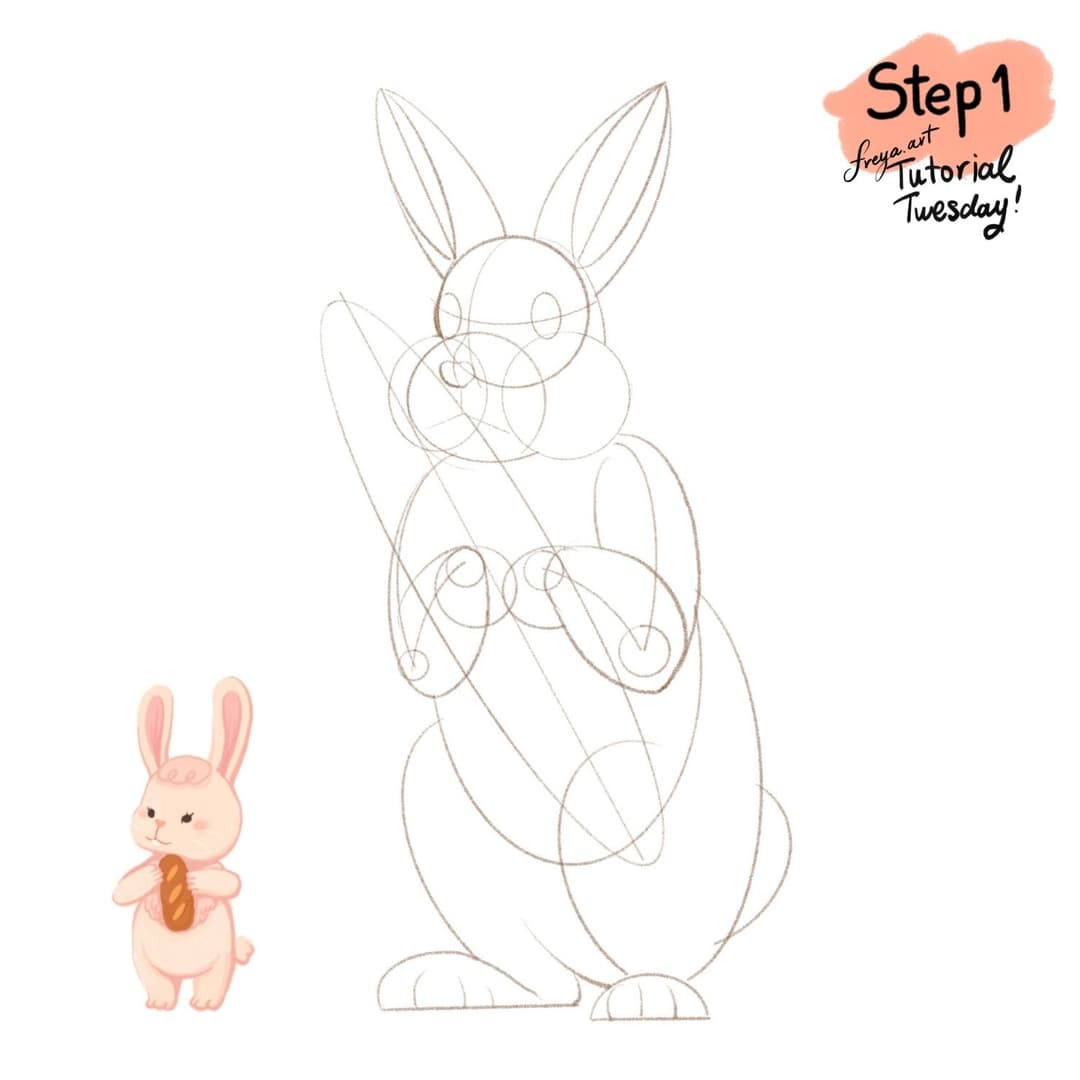
Step 1: Let's start by creating a 3000 x 3000-pixel canvas at 300 DPI. Draft the initial shapes using either the 6B or Peppermint brush. Start drawing a more detailed version of the illustration.
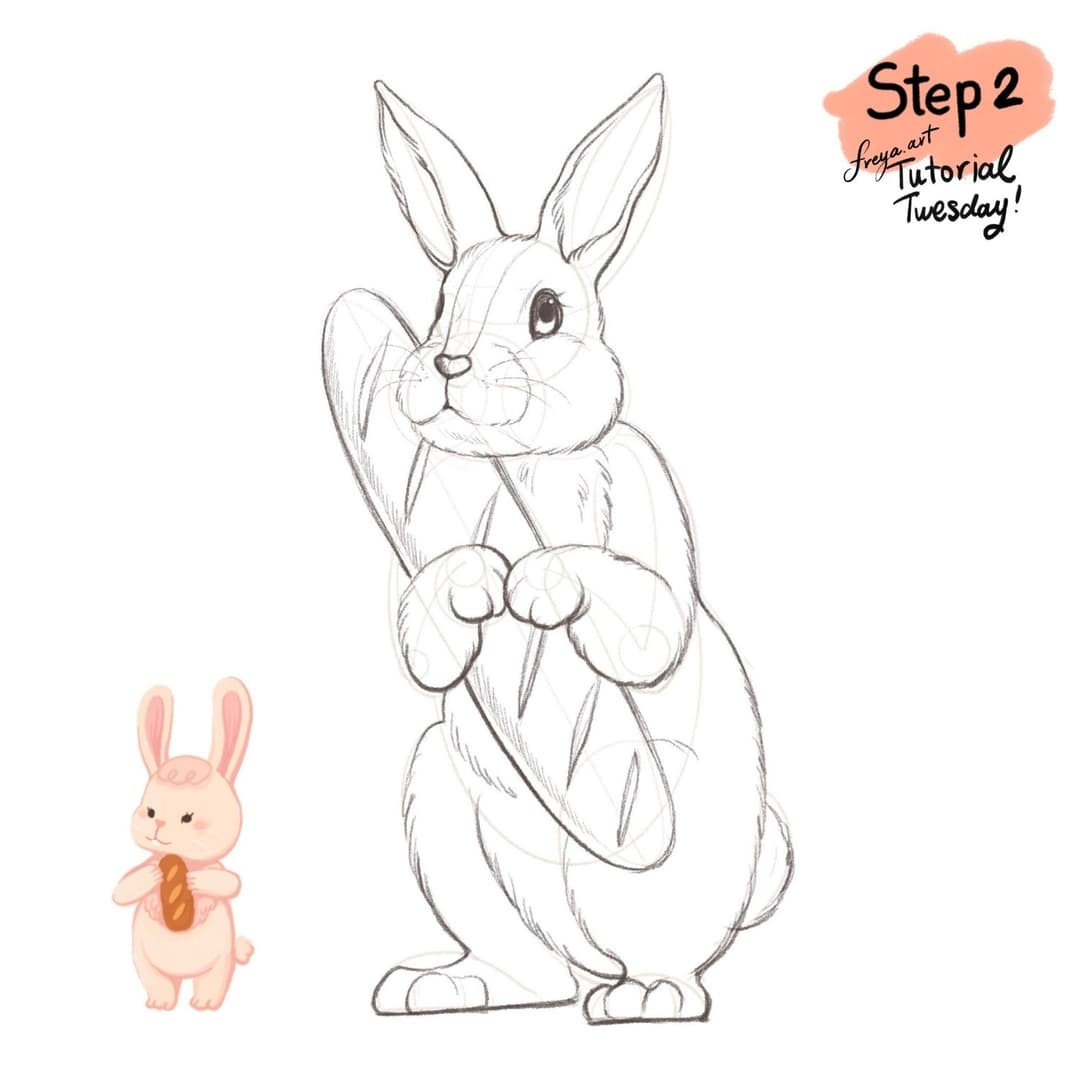
Step 2: I've provided a copy of this sketch so you can start coloring too if you don't want to draw from scratch. Just import it and set the layer to multiply. Then add a layer below it.
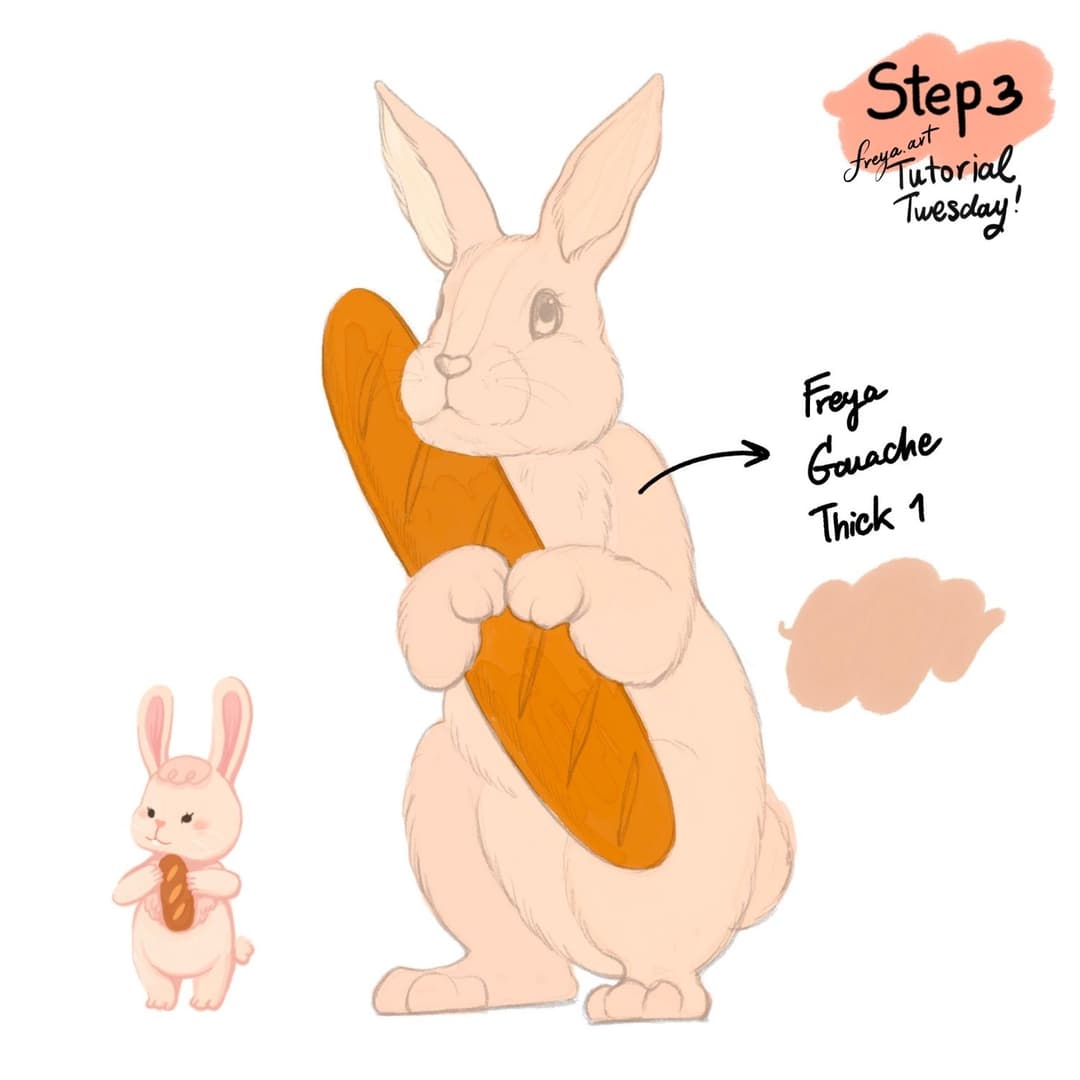
Step 3: Time to add the base colors for each element of the illustration. Use Freya Gouache Thick No. 1 brush. Label the layers as "bunny base" and "bread base".
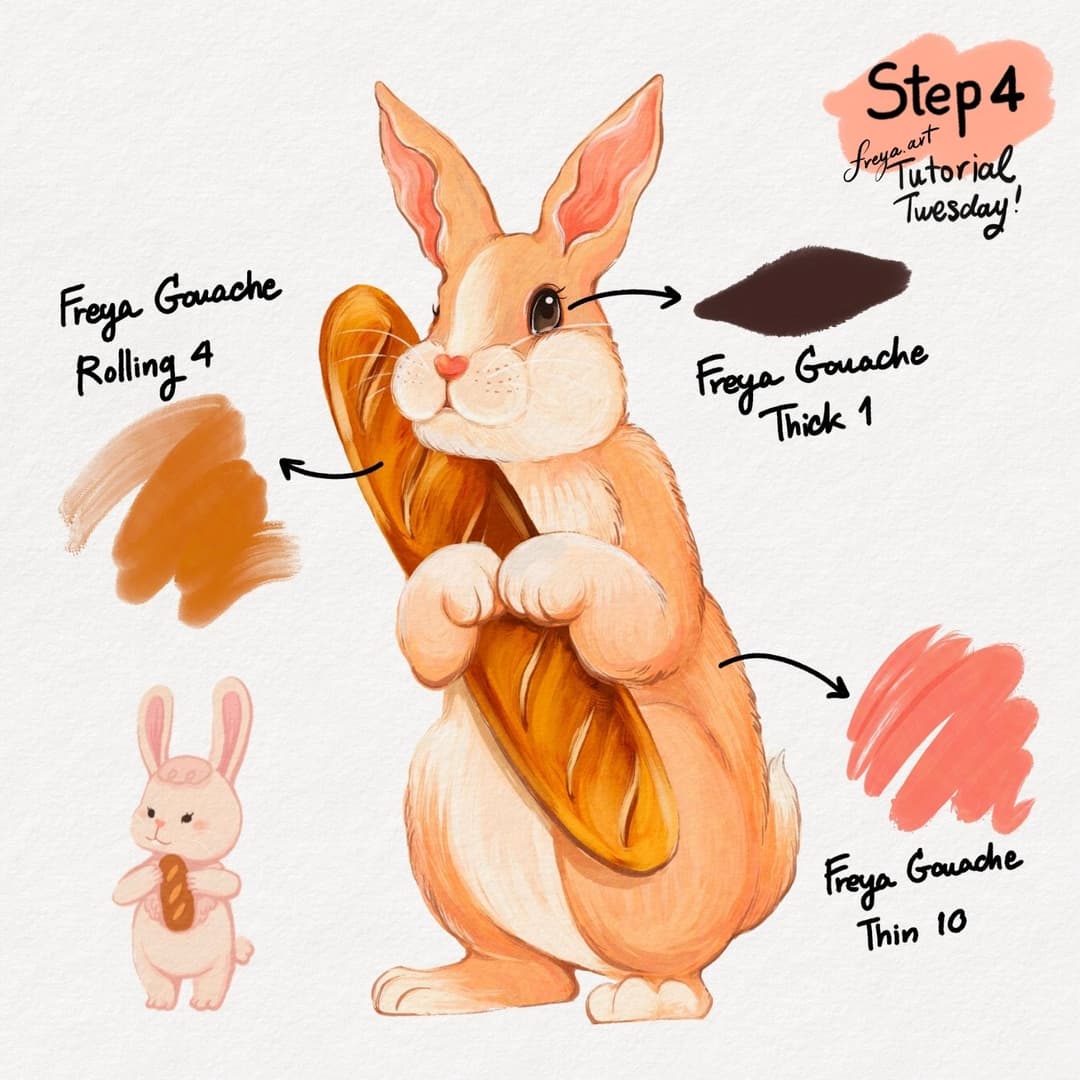
Step 4: Add a clipping mask layer to each base layer. Then using the Freya Gouache Thick 1, color in the eyes. Use Freya Gouache Rolling 4 for the bread and Freya Gouache Thin 10 for the body.
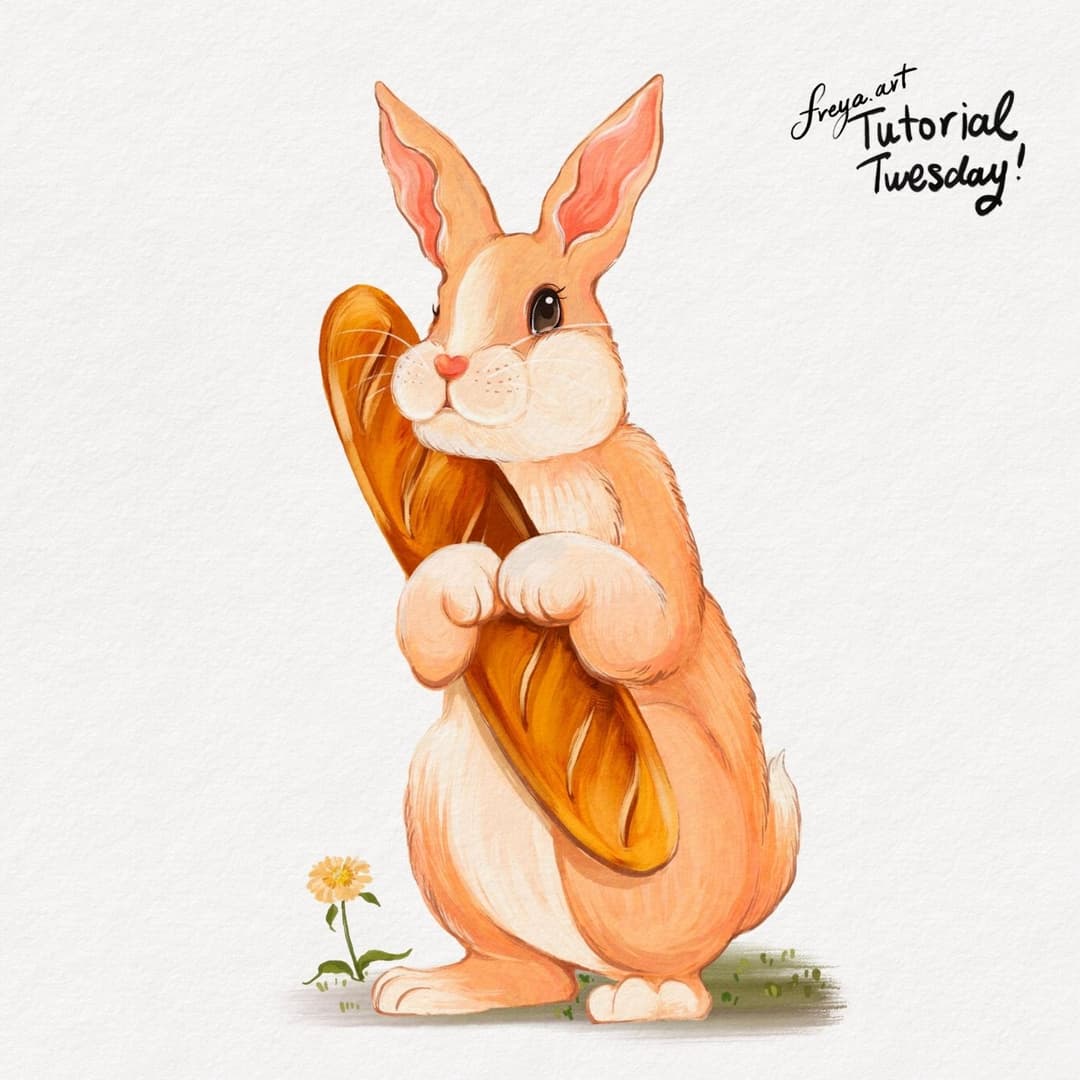
Congratulations! You've just completed this illustration using the free brushes from my Realistic Gouache Brush Set. I hope you enjoyed this tutorial and I hope that you'll tag me if you post your version online. 😊
Try two real lessons from Masterclass for Procreate, free
Not a trailer. Actual lessons from the course. After you confirm your email, they open in Freya Studio and stay yours.
Halftone Tulip
The complete lesson, not a preview
Porcelain Plate Oil Painting
The complete lesson, not a preview
- Yours after email confirmation
- No card, no trial
- Opens in Freya Studio