How to Draw a Lucky Dragon on Procreate
Draw a lucky dragon in Procreate! Use a flower brush to easily create stunning scales for your mythical creature.
Grab the free brush for this tutorial
Made by Freya · works in any Procreate version
Hello! In this tutorial, I will show you how to use a brush from my Effortless Flower Brush Set to make dragon scales. Please download the tutorial files before we begin. You will get the tutorial PDF, sketch, swatch palette, and sample brush for this project!
Let's start!
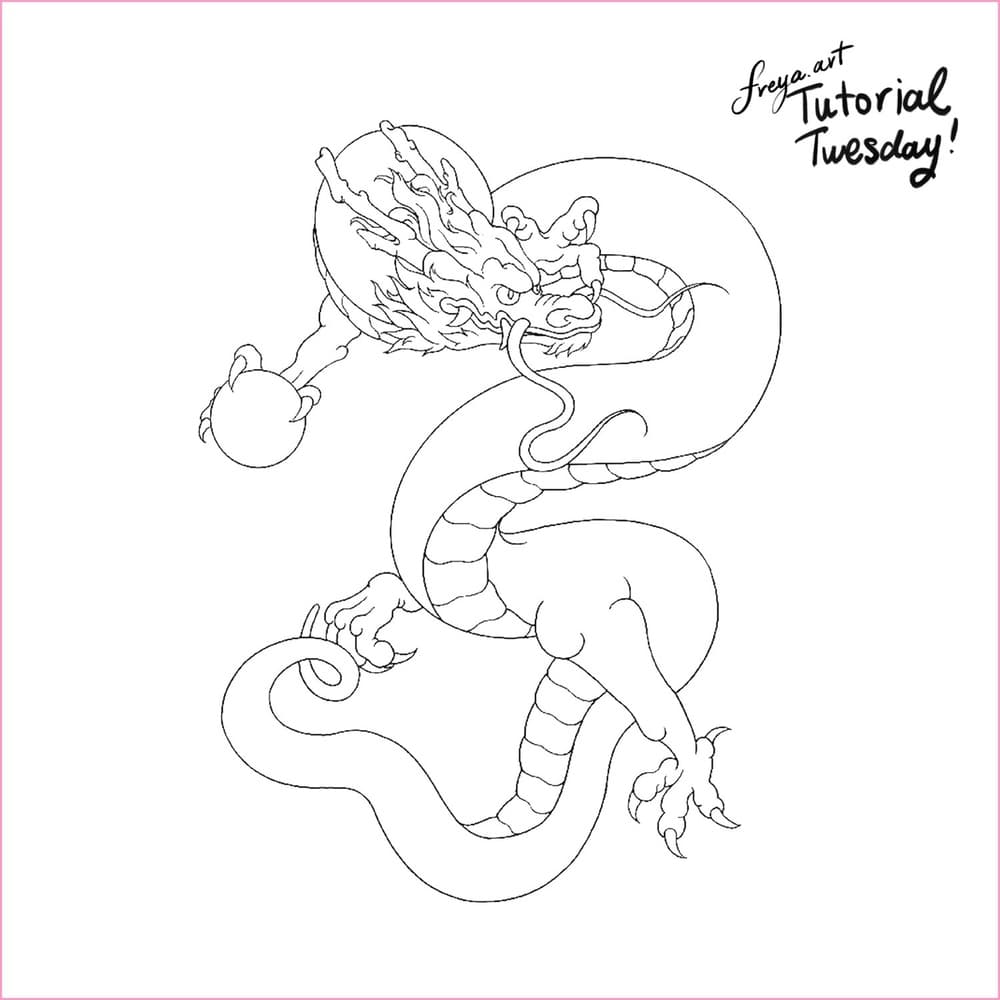
For this tutorial create a 3000 x 4186 px canvas at 300 DPI. Then import the dragon sketch to serve as your guide. You can choose to use it as a reference or sketch over it, whichever is more comfortable for you.
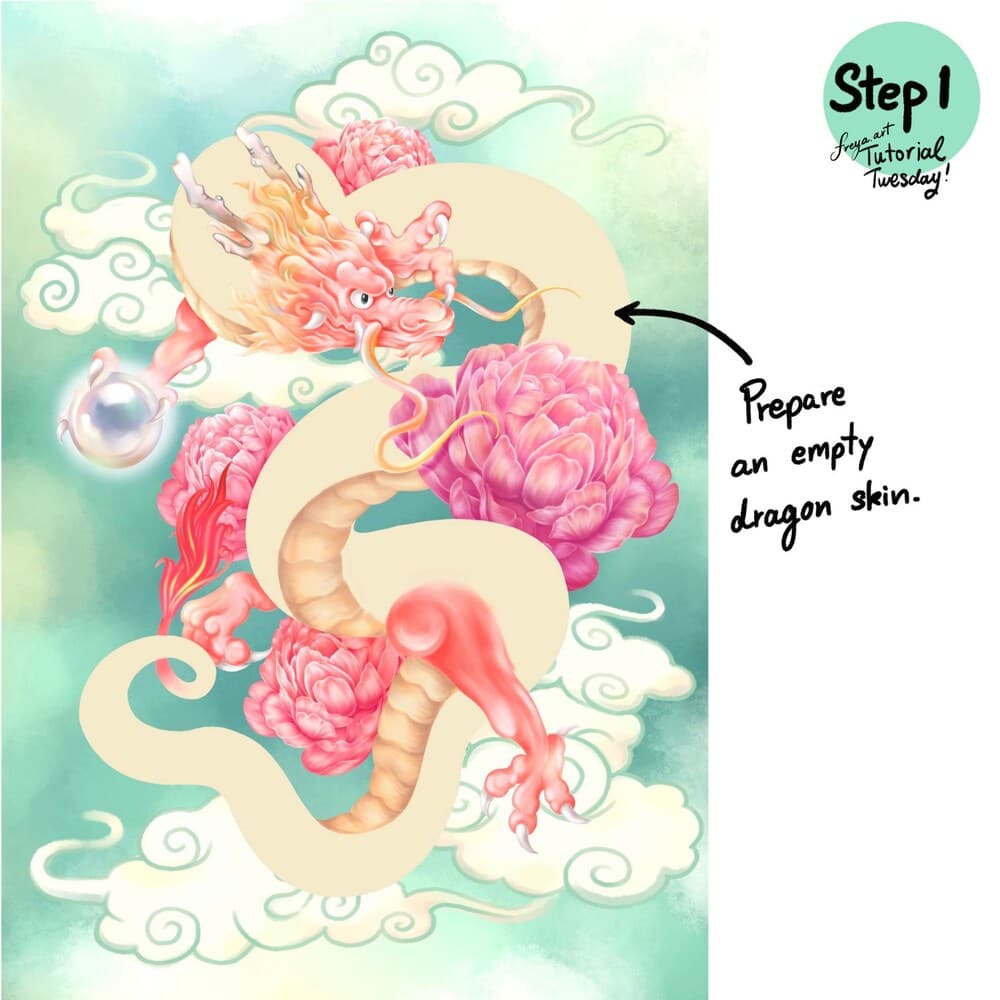
Step 1: This tutorial is meant to show you how to use the Effortless Brush as a dragon scale so leave the body with just the base color for now. For the rest of the illustration, feel free to be creative and deviate from this design.
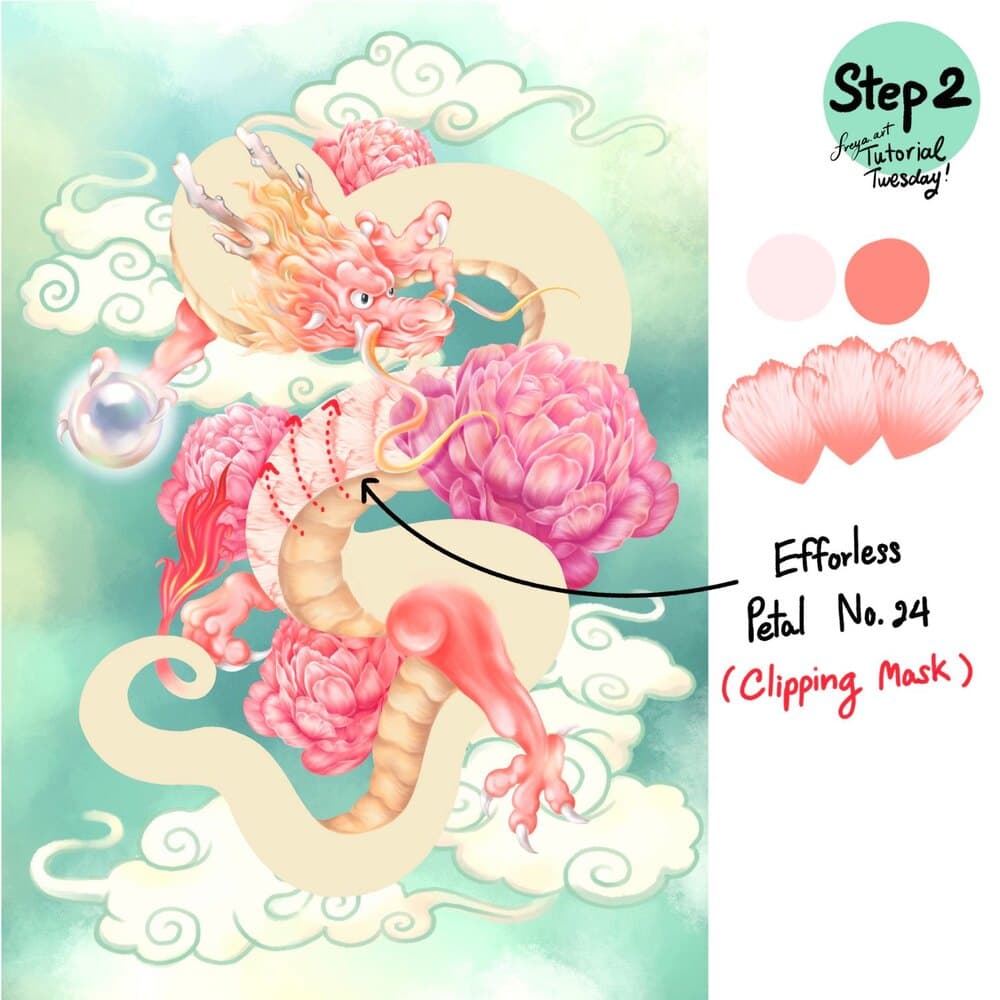
Step 2: Now add a clipping mask on top of the body's base layer. Choose the Effortless Petal No. 24 and set the primary and secondary colors for this dual-tone brush. Draw an upward curve as shown in the above image.
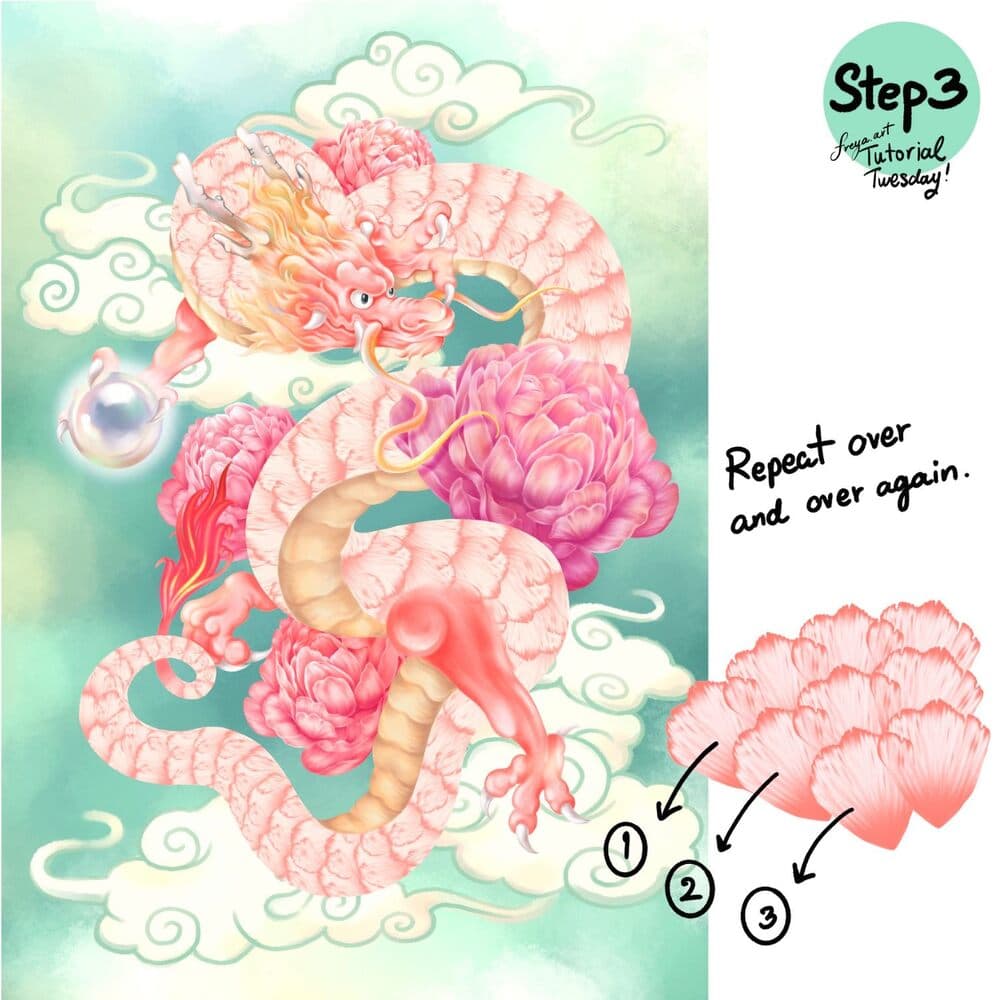
Step 3: You can repeat and layer this over and over again. And because we set it in a clipping mask, it stays within the bounds of the body's base shape.
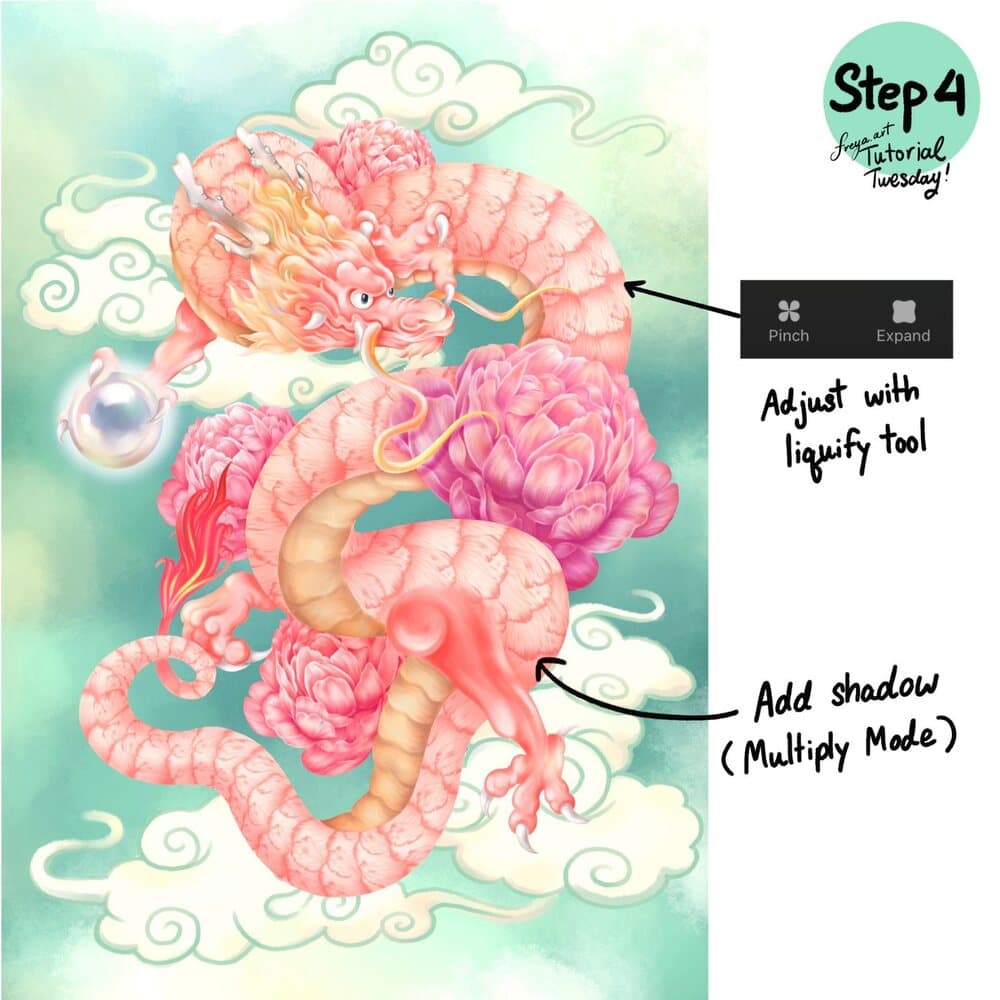
Step 4: Now, adjust the scales with the Liquify Tool. Go to Adjustments > Liquify and select pinch or expand depending on the effect you want to do. Add shadows by adding another clipping mask and setting the layer mode to Multiply. Use a darker peach color instead of black so that it still looks cohesive with the rest of the painting. And there you have it! Beautiful dragon scales with an Effortless Flower Brush! I can't wait to see your version!
I hope you enjoyed this free tutorial. Please check out the rest of the premium brushes in my Effortless Flower Brush Set!
Try two real lessons from Masterclass for Procreate, free
Not a trailer. Actual lessons from the course. After you confirm your email, they open in Freya Studio and stay yours.
Halftone Tulip
The complete lesson, not a preview
Porcelain Plate Oil Painting
The complete lesson, not a preview
- Yours after email confirmation
- No card, no trial
- Opens in Freya Studio