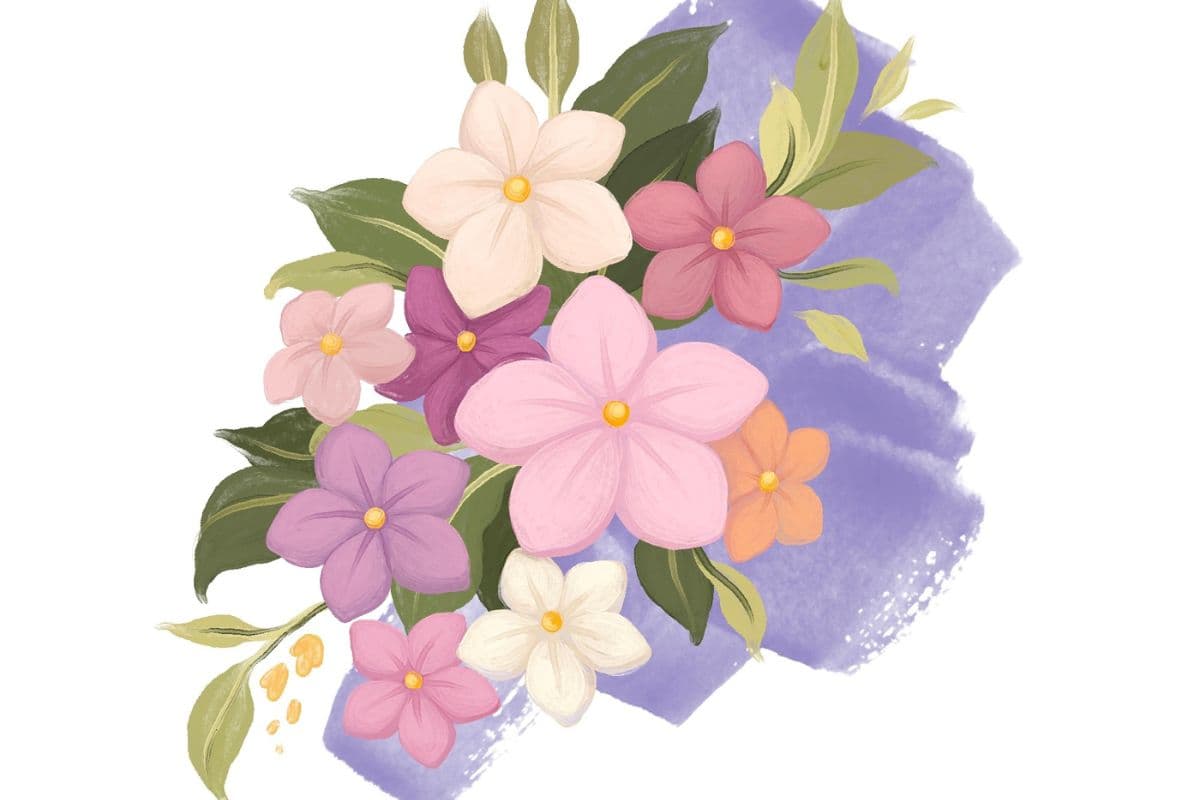
Fuchsia Fairy Flower Oil Procreate Tutorial
Paint a vibrant fuchsia flower fairy in Procreate! Follow this step-by-step tutorial using Freya's premium oil brushes to create stunning digital art.
Grab the free brush for this tutorial
Made by Freya · works in any Procreate version
Welcome to another Oil Paint Tutorial for Procreate. Today we'll be using the premium brushes from my Freya Oil Paint Brushset! Please download the rest of the tutorial files before we begin. You should find the sketch, color palette, and tutorial PDF in the download button above.
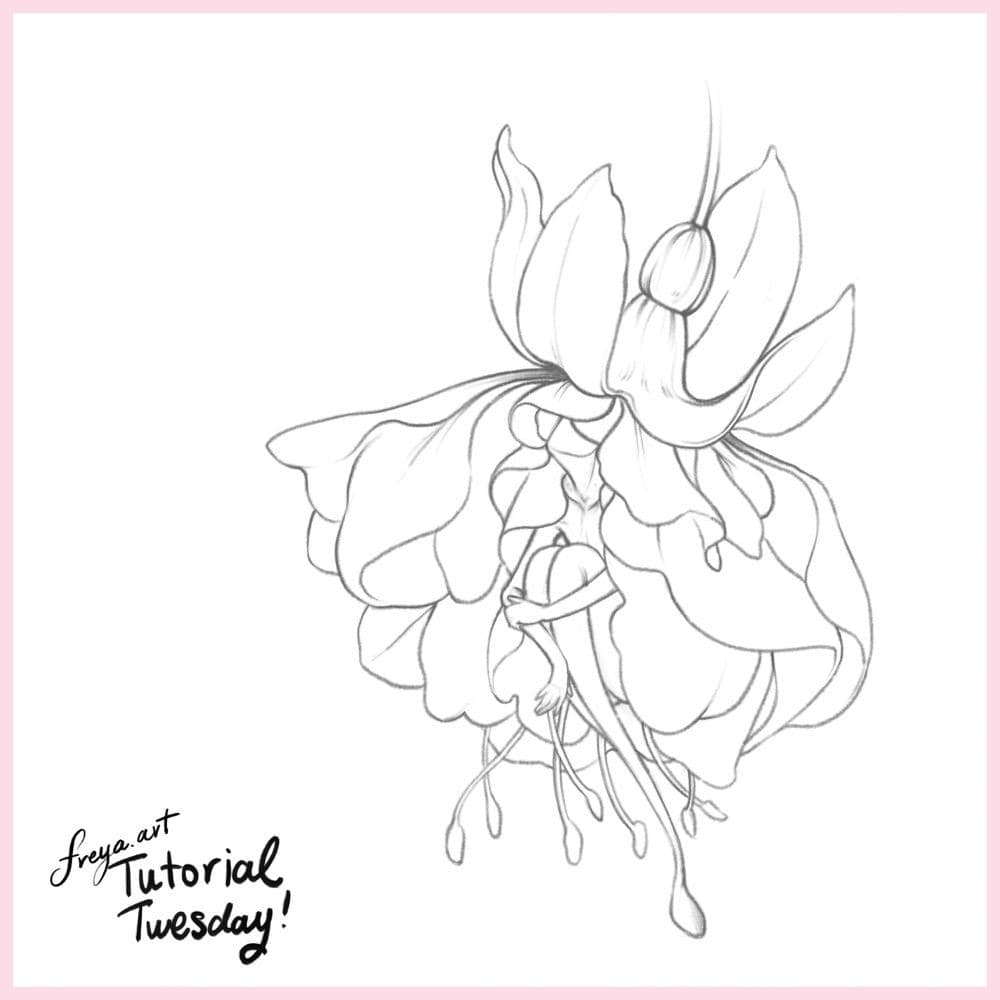
Step 1: Begin by sketching out the composition using a 6b or Peppermint Brush. Lower the opacity of this layer, rename it as "sketch", and lock it so that you don't accidentally draw over it. In another layer, add Freya Oil Canvas No .7 in a light grey color. Place this under the sketch layer and lock it as well.
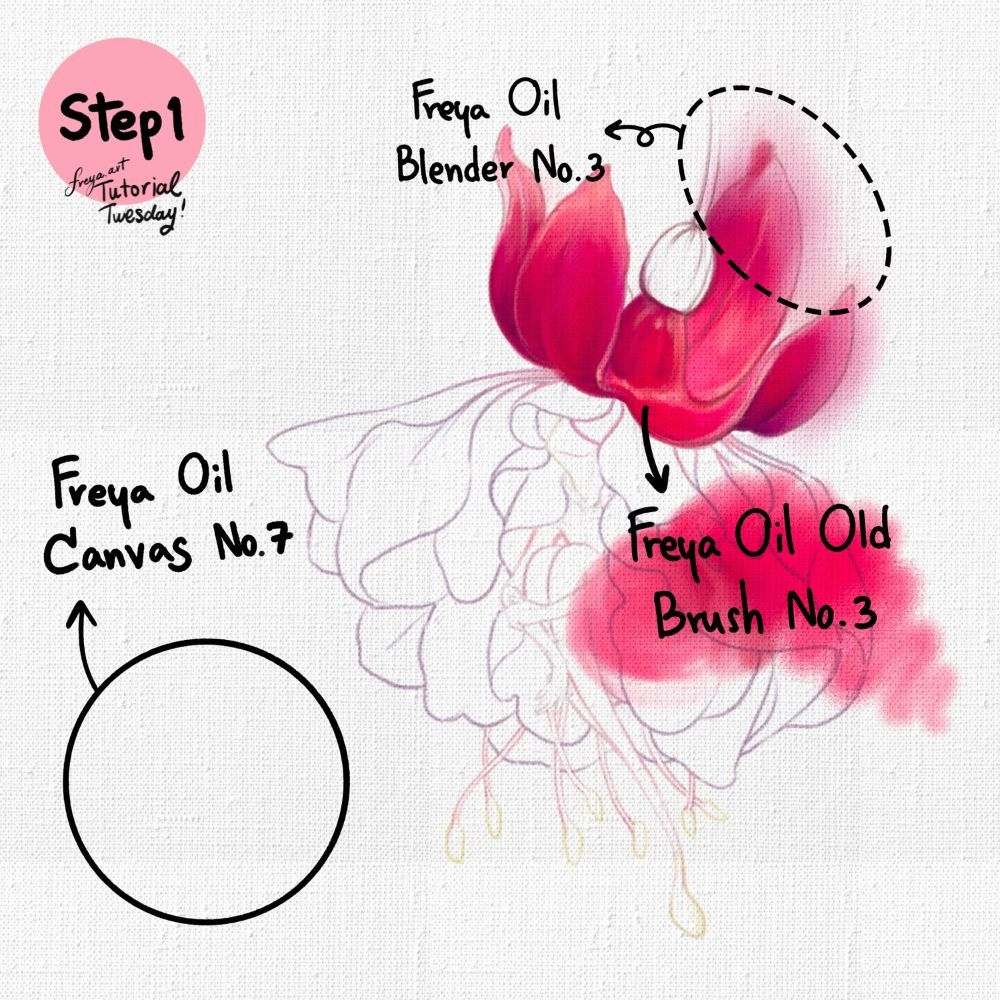
Add another layer and start building the base color of the top petals using Freya Oil Old Brush No. 3 and Freya Oil Blender No. 3. I would suggest creating separate layers for the top petals and the lower petals so that it'll be easier to edit later on.
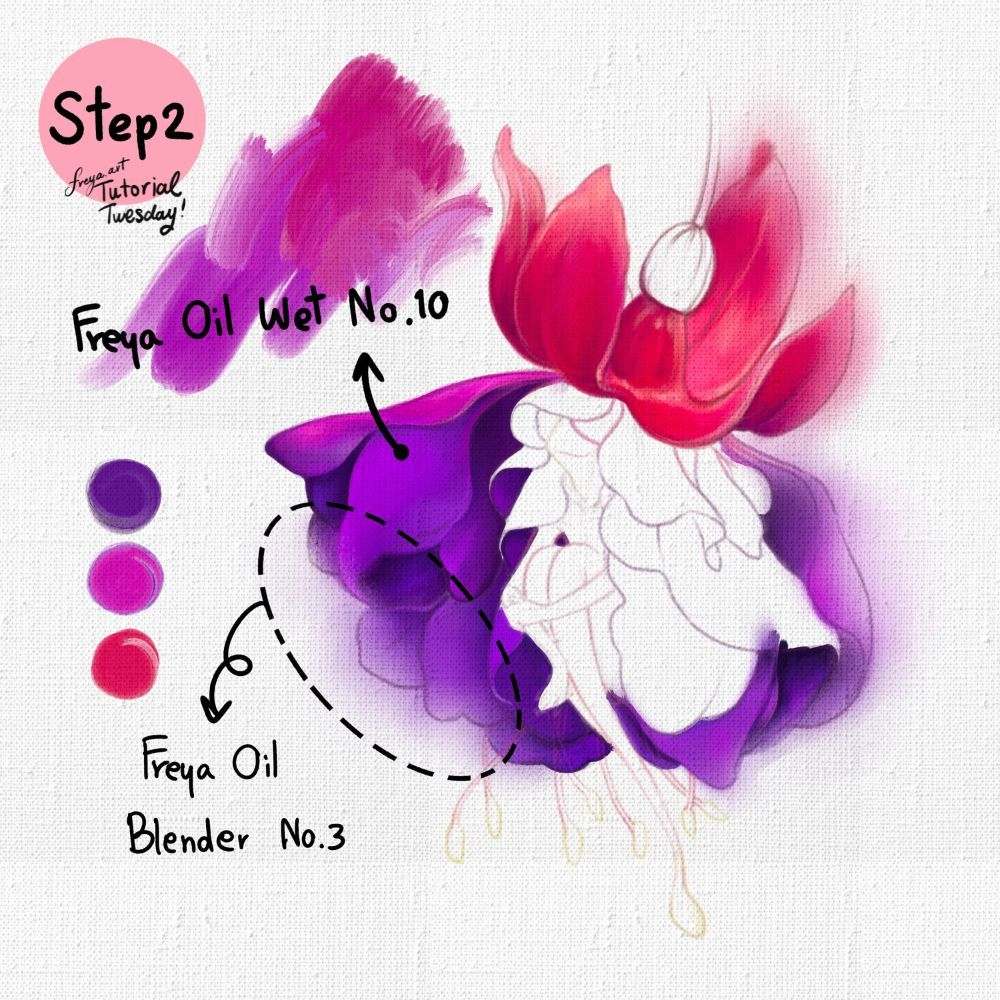
Step 2: On another layer, create the base colors for the lower part of the flower petals using Freya Oil Wet No. 10 and Freya Oil Blender No. 3.
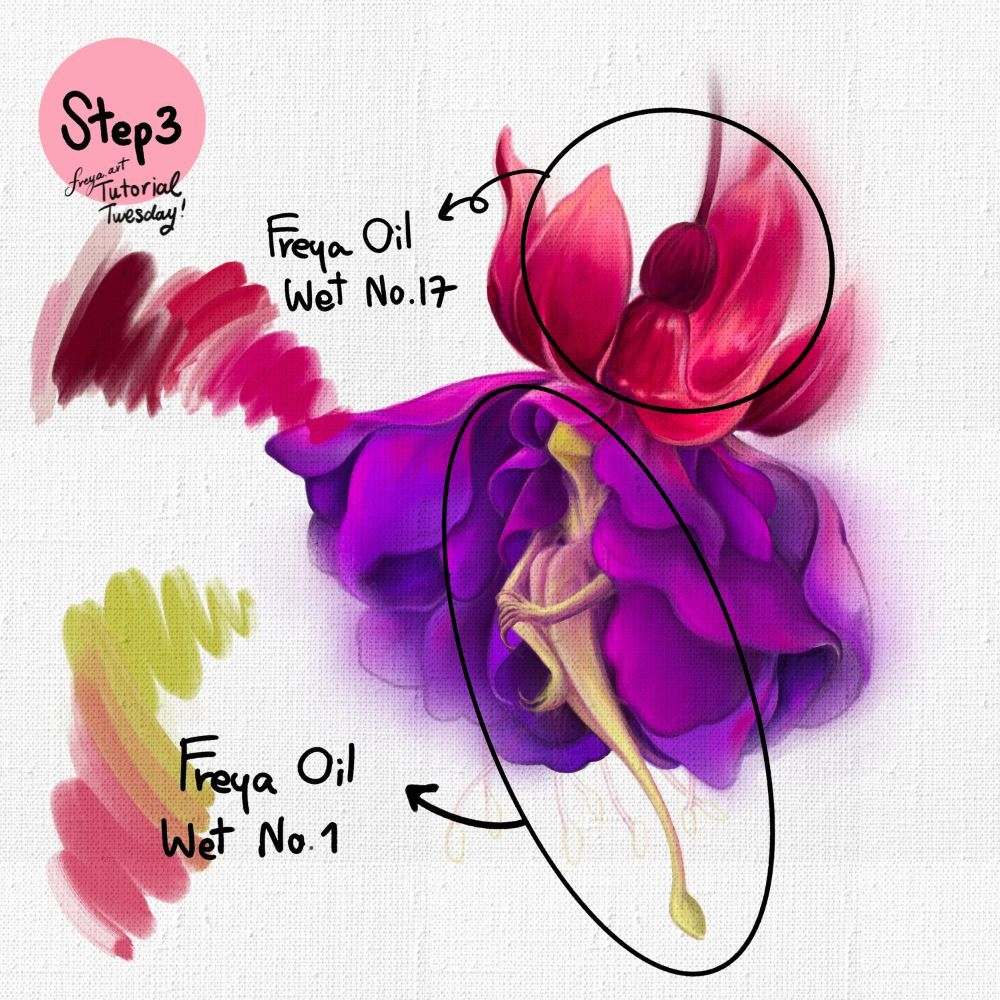
Step 3: Add clipping masks to the base layers and start layering colors using Freya Oil Wet No. 17 for the top petals and Freya Oil Wet No. 1 for the fairy's body. Experiment with different color blend modes to get the desired effect for depth and shadows.
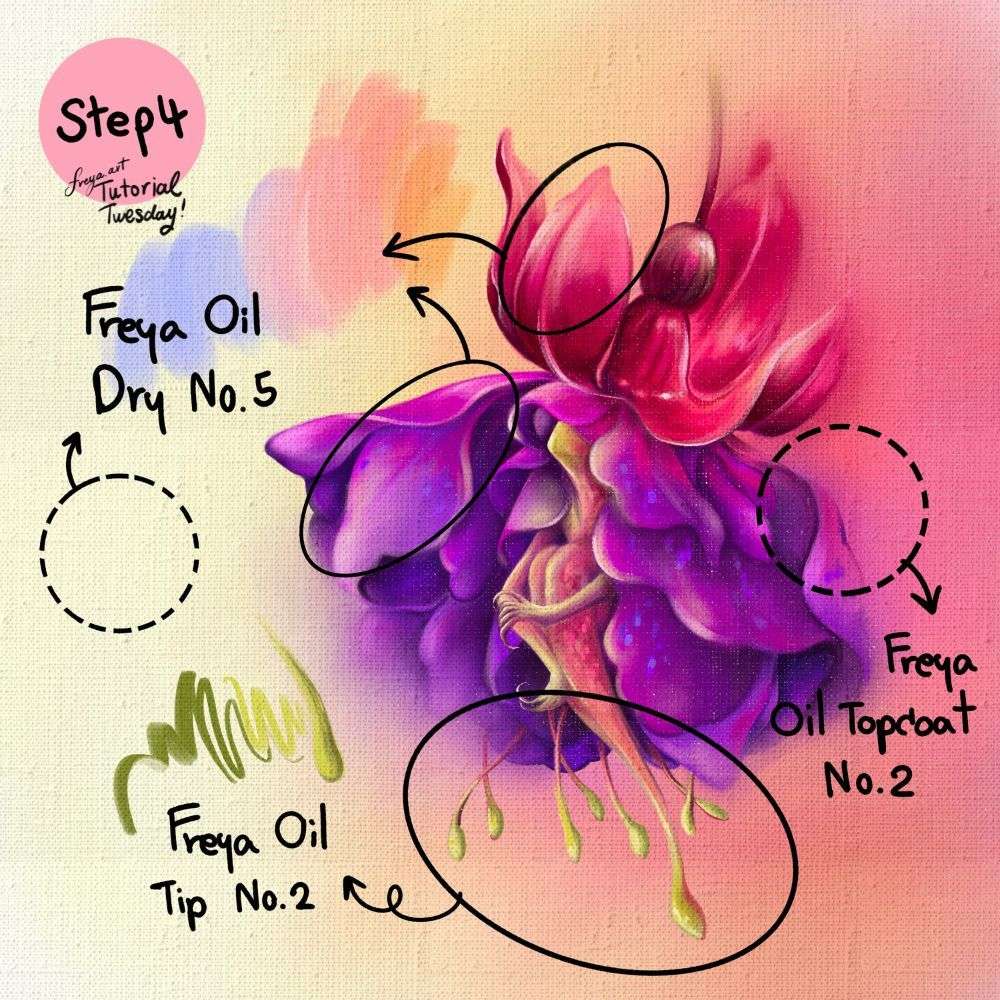
Step 4: Add the finishing touches with Freya Oil Dry No. 5 and Freya Oil Tip No. 2. And finally, add a layer of Freya Oil Top Coat No. 2 to add that realistic texture.
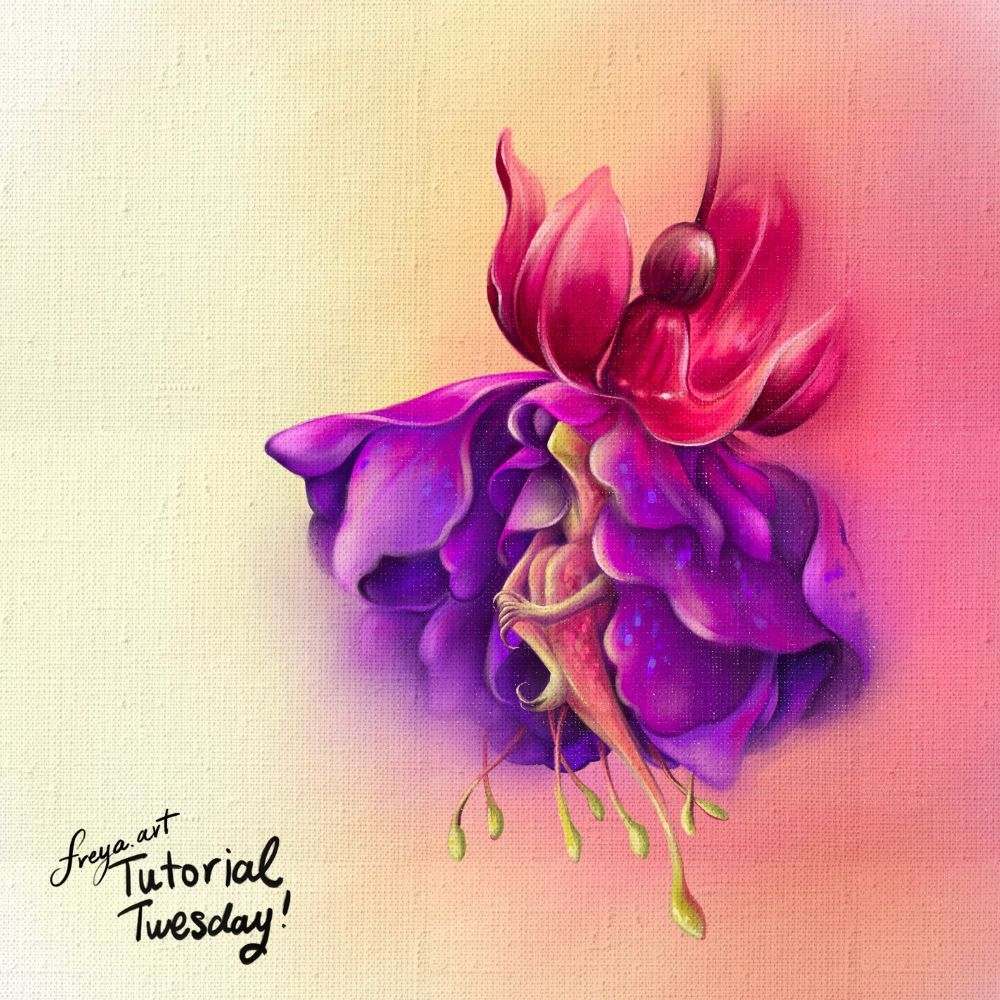
Congrats! You've just completed this oil painting in Procreate! Please share your work online! Don't forget to tag me. I'd love to see your work. ❤️
Try two real lessons from Wild Flowers in Procreate, free
Not a trailer. Actual lessons from the course. After you confirm your email, they open in Freya Studio and stay yours.
Two-Tone Petal Coloring
The complete lesson, not a preview
Pollen Sketching
The complete lesson, not a preview
- Yours after email confirmation
- No card, no trial
- Opens in Freya Studio