

How to Do Fur Lettering on Procreate (Free Brushes)
Draw fluffy fur lettering in Procreate! With free brushes and a step-by-step guide, you'll add realistic texture and depth to your art.
Grab the free brush for this tutorial
Made by Freya · works in any Procreate version
In this tutorial, create a fur lettering using sample hair brushes from my Pet Portrait Purrfection course. Please download the tutorial files before you begin. It will include the lettering guide, swatch palette, and free brushes.
Once downloaded, go to your Downloads Folder on your Files App. Tap on the zip file and it will create an unzipped folder. From there, just tap on the .brushset file and the .swatches file and they should import automatically to Procreate. You’ll find the brush set in your Brush Library and the Palette in your Palette’s tab inside the Color Panel.
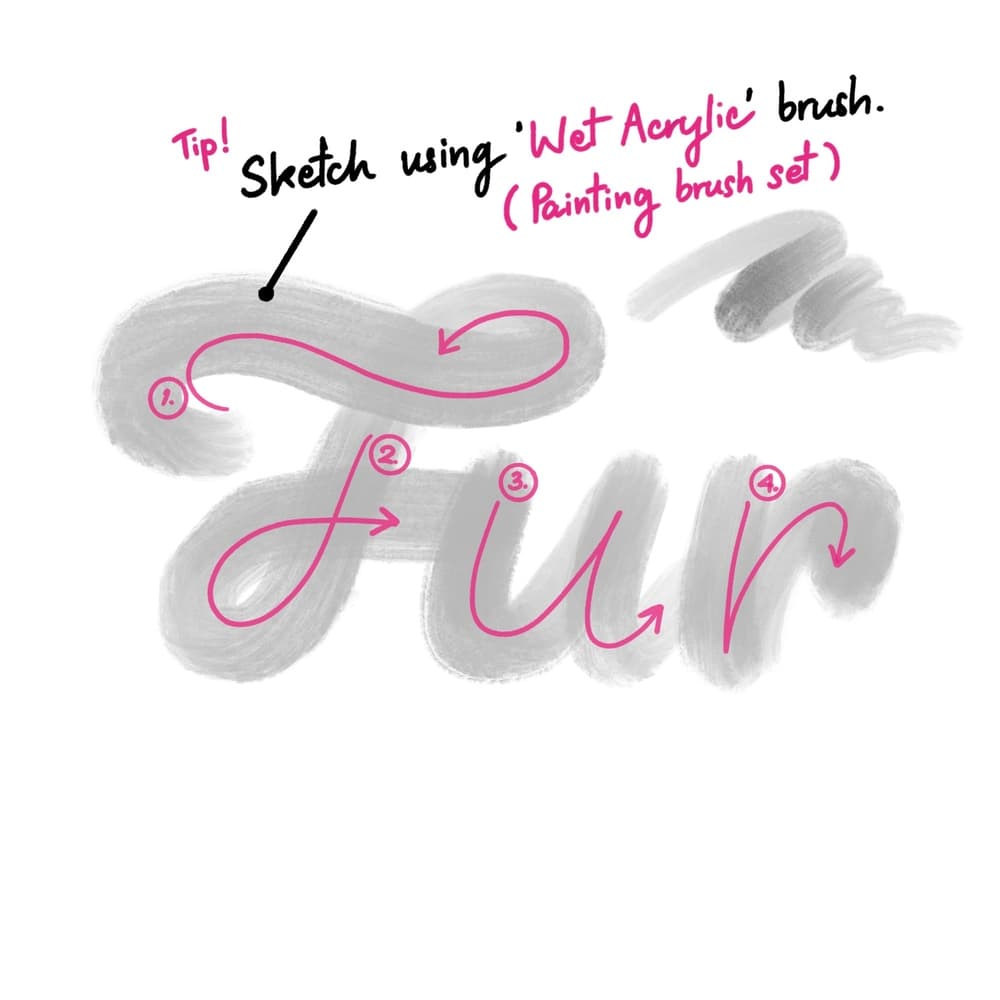
Let’s start by creating a 3000 x 3000 pixel canvas. You can import the lettering guide, or choose to do the lettering from scratch. Use the default Wet Acrylic brush from the Painting Brush Set. Then draw the letter shapes per section.
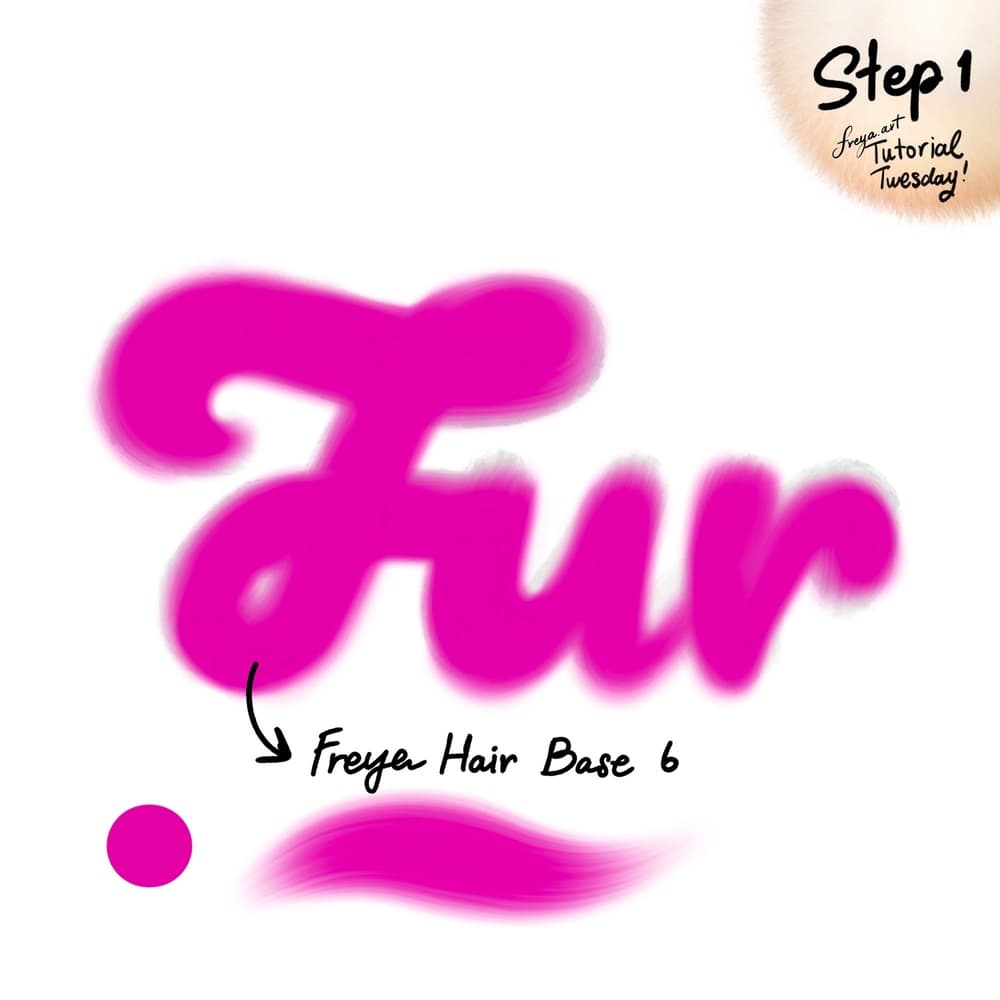
Step 1: Add another layer on top of the guide. Using the Freya Hair Base No. 6 brush, draw the base shape using a bright pink color.
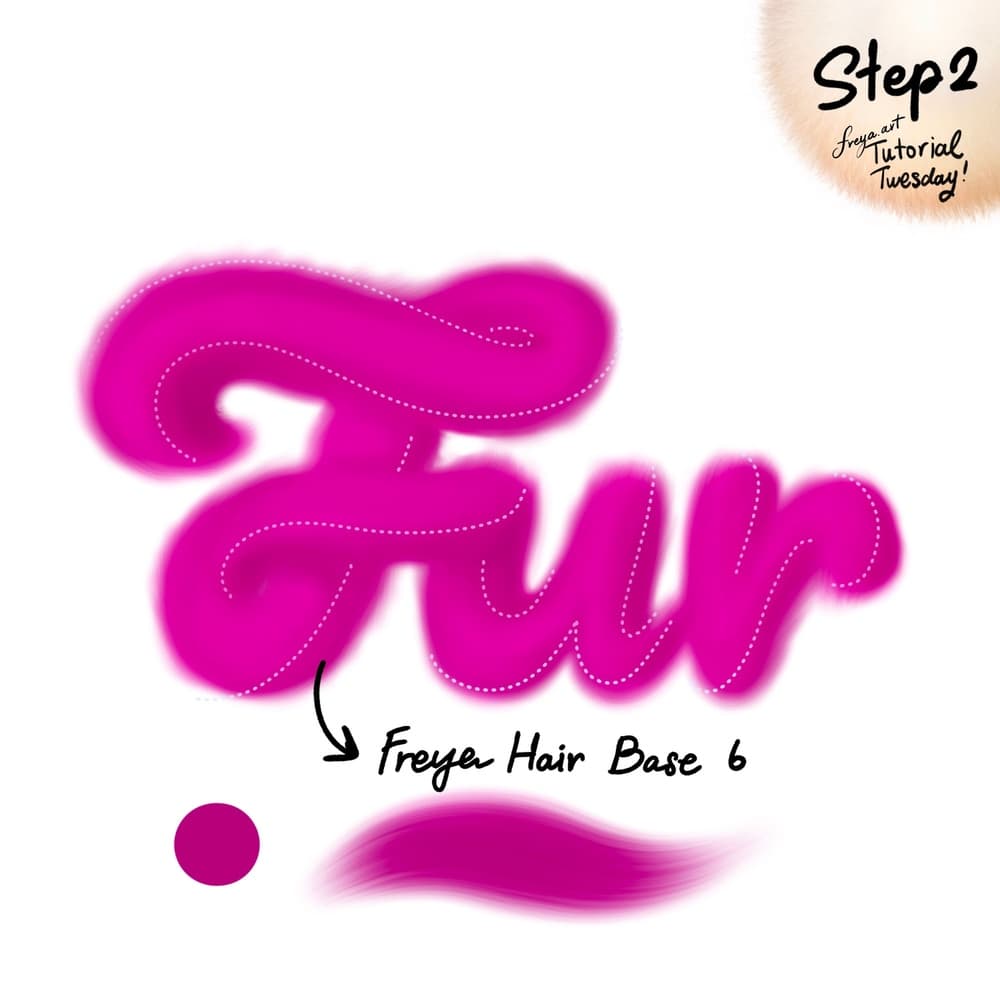
Step 2: Add another layer and set it as a clipping mask. I’ve added dotted lines to indicate where to draw next. Use a darker pink color and the same brush to add some shadows to our lettering. This will help add shape and depth.
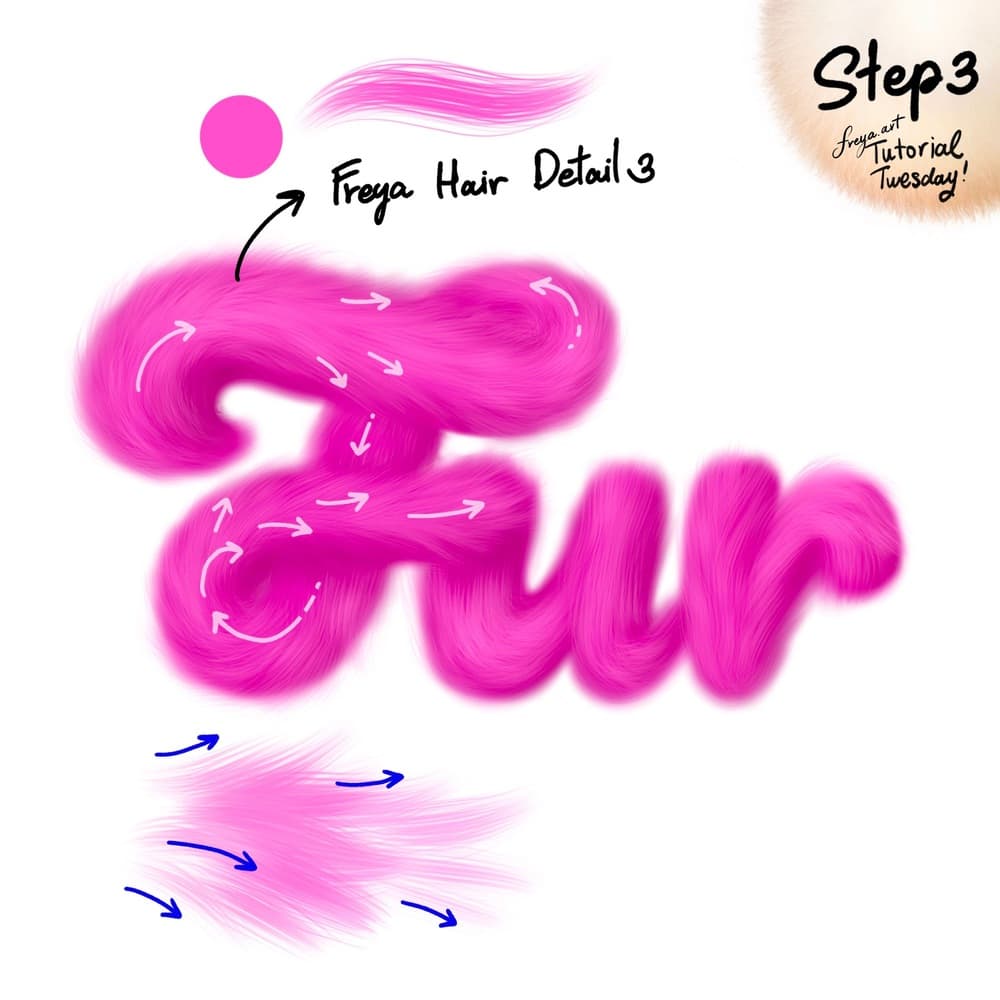
Step 3: Add a new layer. This time you don’t need to clip it. Use the Freya Hair Detail No. 3 brush in a lighter pink color, to draw the fur texture in an outward motion.
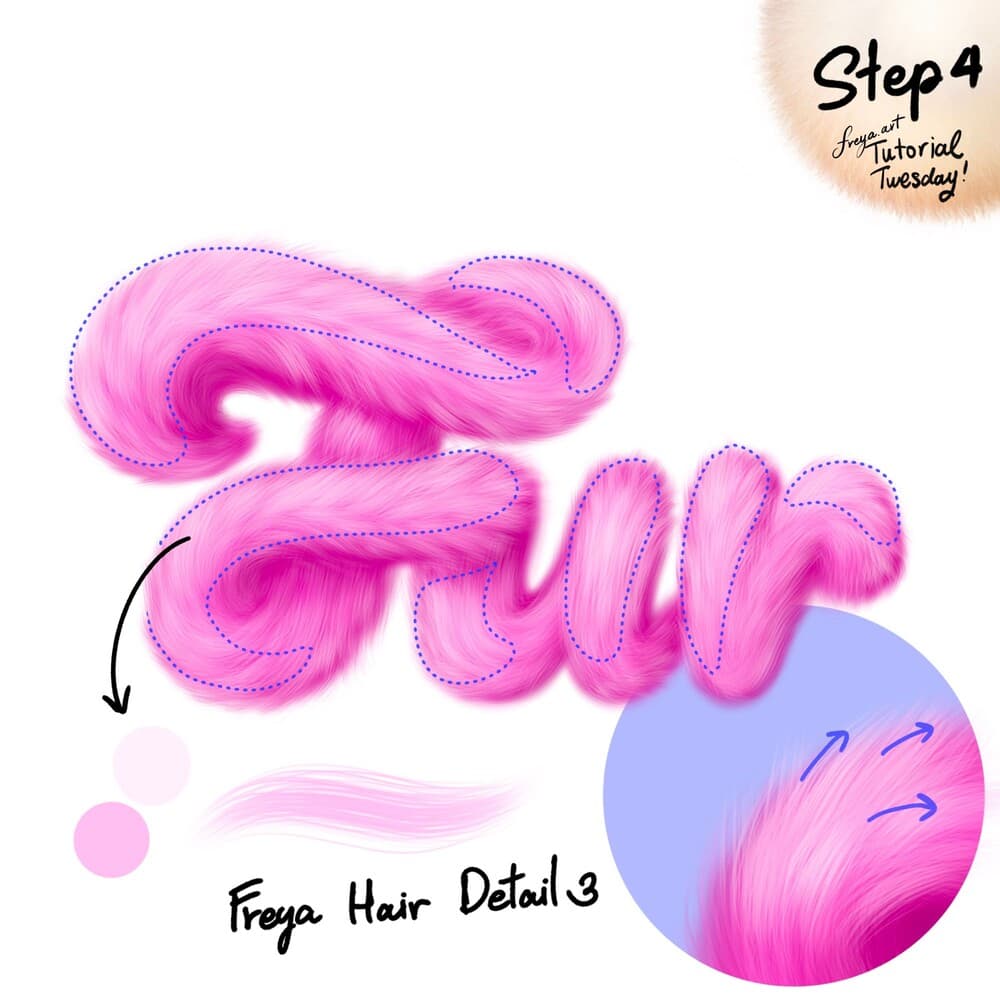
Step 4: Add another layer, and using a much lighter color, start adding highlights in areas that we want to pop out. I’ve indicated these areas in this step.
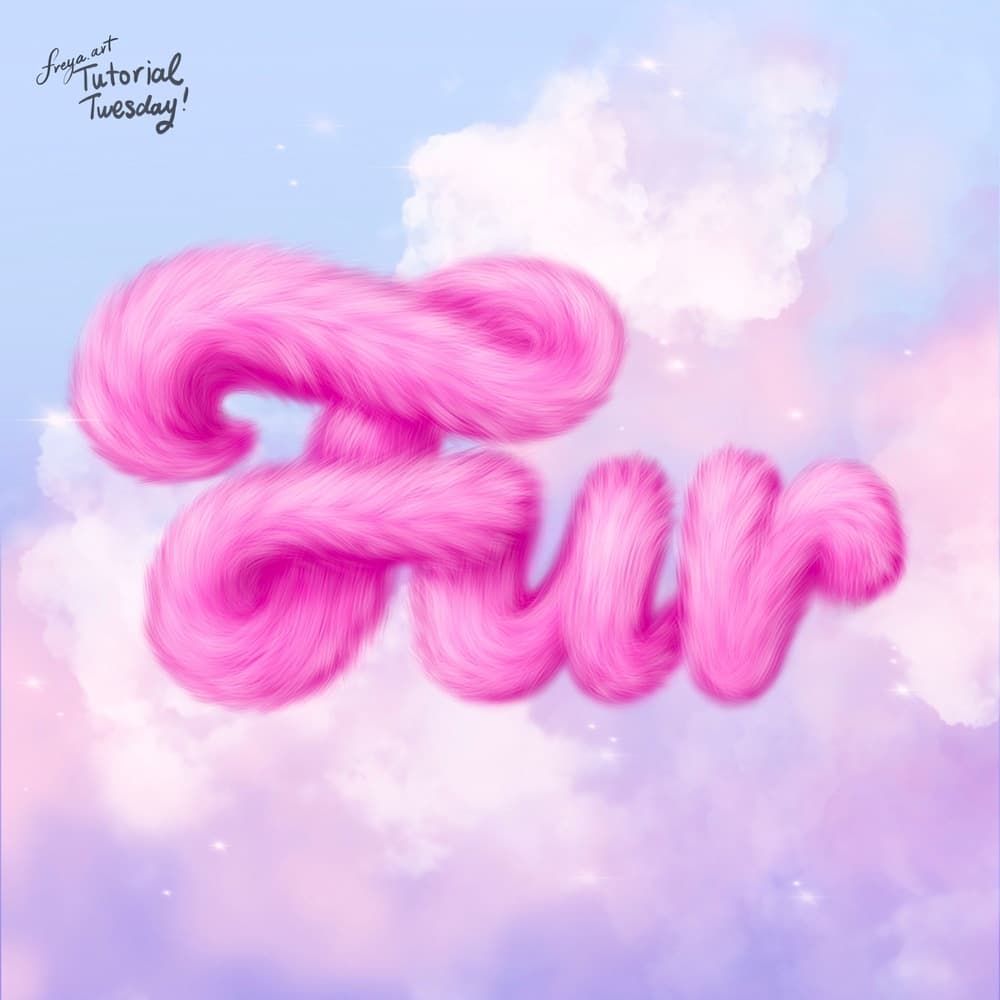
I’ve added some cute cloud background using the Freya Tamar Cloud brush and smudge tool, but you can use any textured brush like the default Wet Acrylic or default Tamar brush to create this effect.
Try two real lessons from Pet Portrait Purrfection, free
Not a trailer. Actual lessons from the course. After you confirm your email, they open in Freya Studio and stay yours.
Fur Ball Practice
The complete lesson, not a preview
Draw Anything from Scratch: Connect the Dots
The complete lesson, not a preview
- Yours after email confirmation
- No card, no trial
- Opens in Freya Studio


