

How to Paint Gingerbread Cookies using Procreate Gouache Brushes
Paint adorable gingerbread cookies in Procreate with my gouache brushes! Add depth and detail for a delicious digital treat.
Grab the free brush for this tutorial
Made by Freya · works in any Procreate version
Hello! Today we're going to draw a sweet treat using the premium brushes from my Realistic Gouache Brush Set. Before we begin, please download the related files for this tutorial. You'll get the Tutorial PDF, swatch palette, and sketch outline.
If you're ready, let's begin!
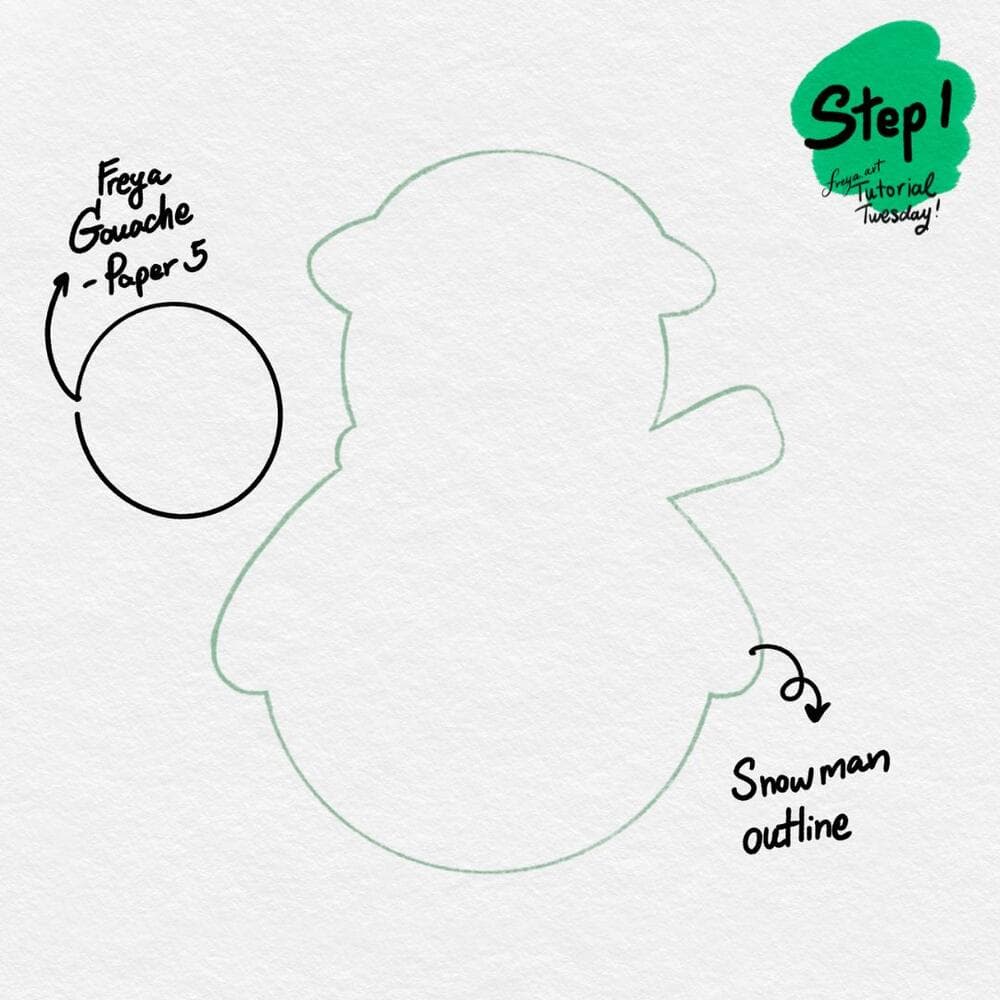
Step 1: Let's start by adding our paper background using the Freya Gouache Paper No. 5. Use a light grey color and swipe this on a layer. Then sketch out our snowman outline using the Peppermint brush.
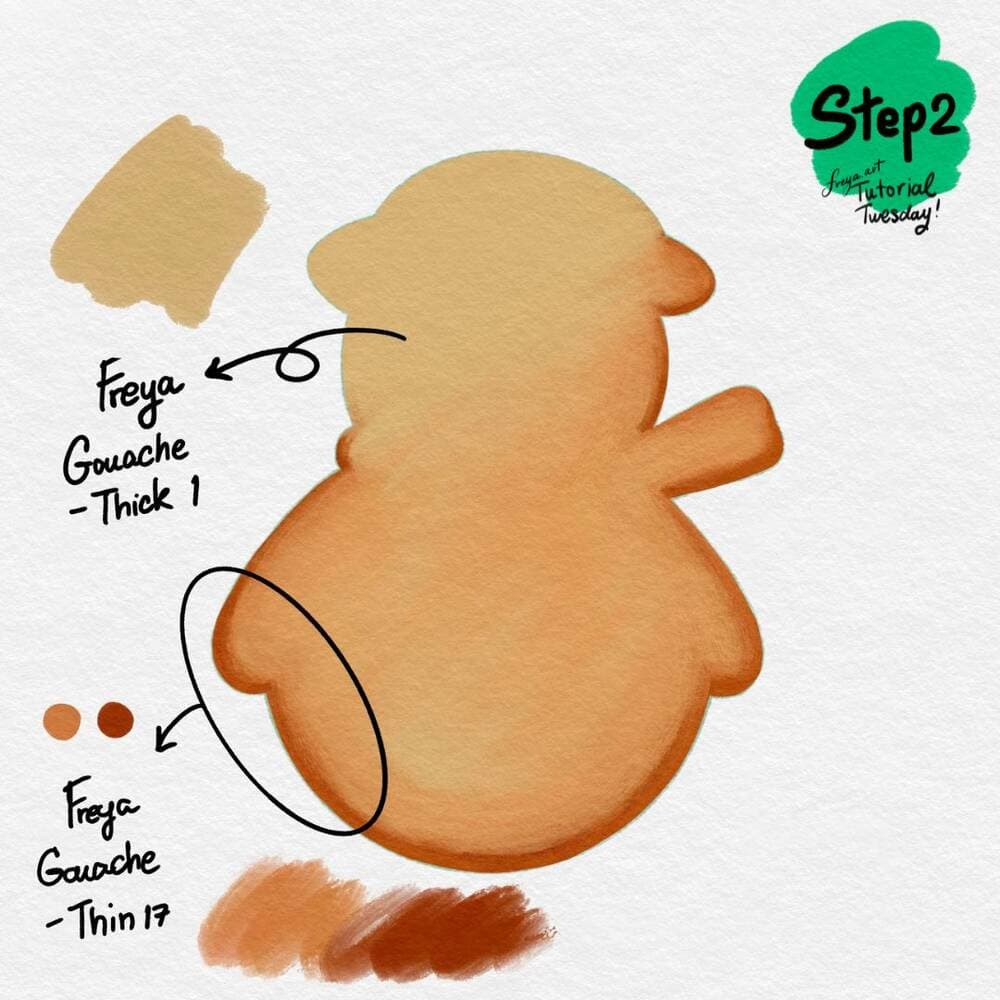
Step 2: On another layer color in the base shape with Freya Gouache Thick No. 1 brush in this light brown color. Add a clipping mask layer, and brush this with Freya Gouache Thin no. 17. Use the dark color for the edges to create depth.
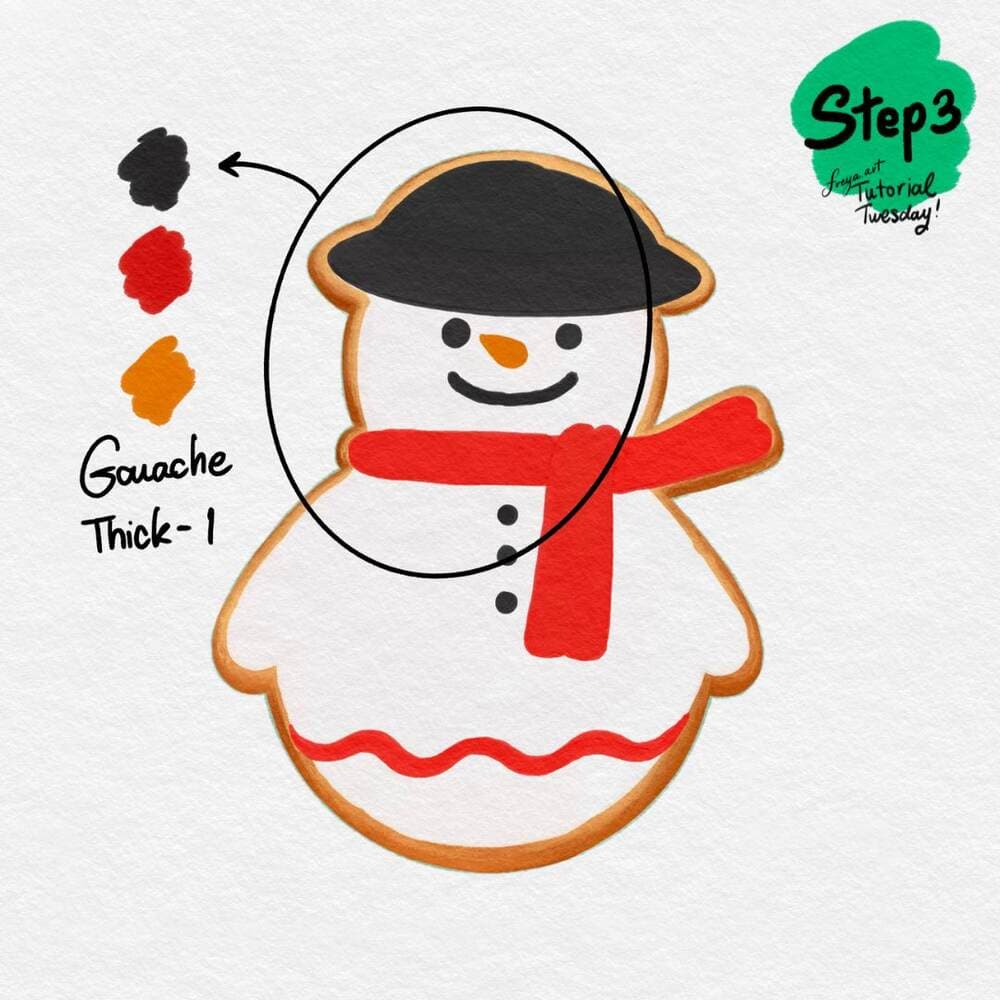
Step 3: Now that our cookie base is ready, add a new layer for each of the colors we're going to add. Use the Freya Gouache Thick No. 1 brush to decorate your cookie.
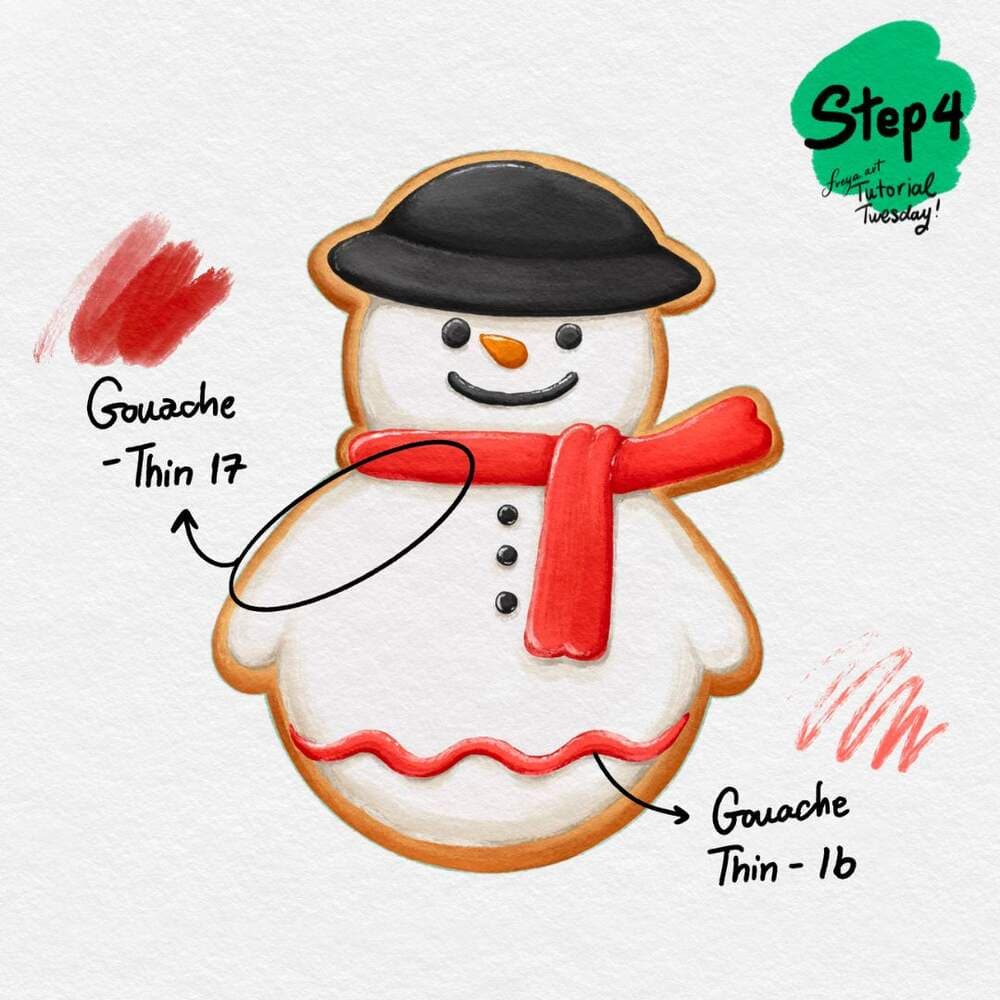
Step 4: Add another clipping mask for each of the icing colors. Use the Gouache Thin No. 17 brush to add some shading along the edges to create a raised look. Use Freya Gouache Thin No. 16 to add thin highlights and shadows for finer detailing.

Congratulations! You've just completed this Gouache Gingerbread Cookie Illustration using the premium brushes from my Realistic Gouache Brush Set! Please don't forget to share your work and tag me! I'd love to see your version!
Try two real lessons from Freya's Gouache Brush Set, free
Not a trailer. Actual lessons from the course. After you confirm your email, they open in Freya Studio and stay yours.
Thin Gouache Brushes
The complete lesson, not a preview
Gouache Blender Brushes
The complete lesson, not a preview
- Yours after email confirmation
- No card, no trial
- Opens in Freya Studio


