

How to Paint Strawberry Blonde Hair Tutorial for Procreate (Free Brushes)
Paint beautiful strawberry blonde hair in Procreate with this step-by-step tutorial. Includes free custom brushes!
Grab the free brush for this tutorial
Made by Freya · works in any Procreate version
Hello! In this tutorial, we are going to paint a copper red hairstyle using brushes from the Freya Animal Hair Brush Set.
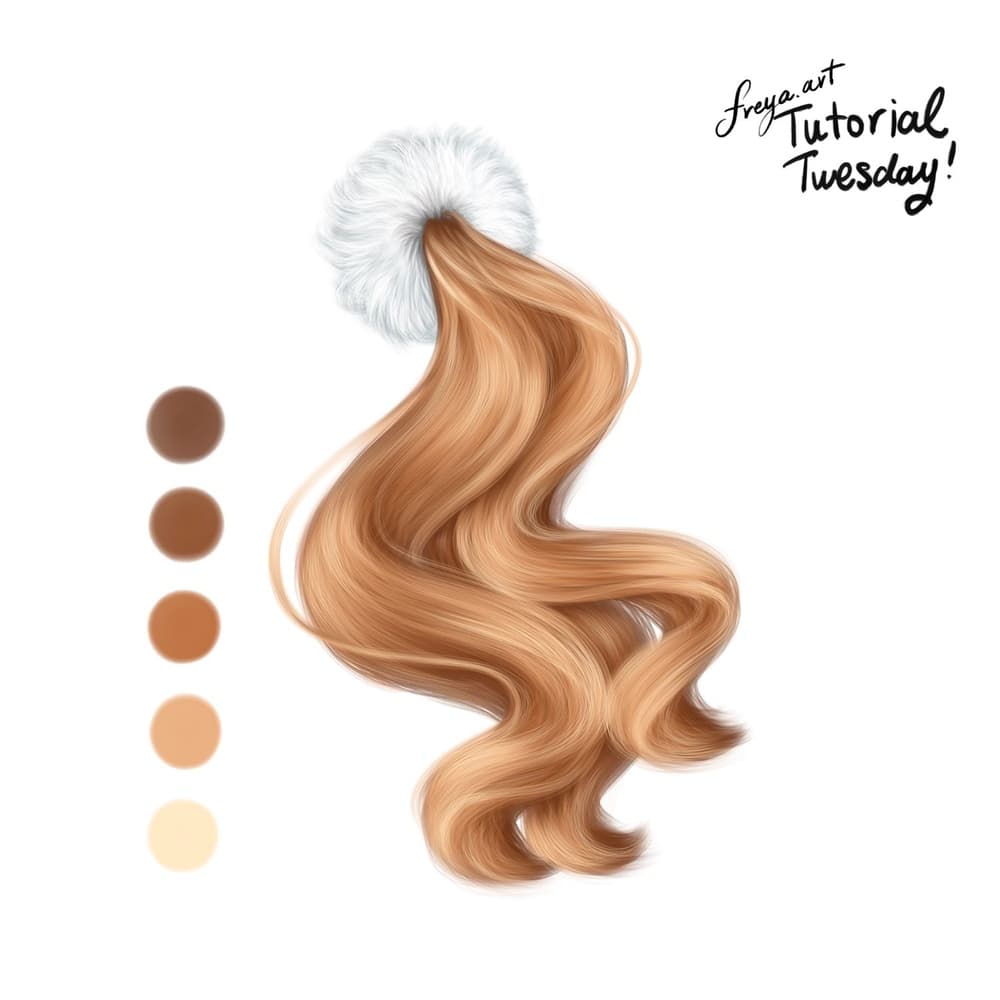
Please download the tutorial files before you begin. It will include the swatch palette and free brushes. Once downloaded, go to your Downloads Folder on your Files App. Tap on the zip file and it will create an unzipped folder. From there, just tap on the .brushset file and the .swatches file and they should import automatically to Procreate. You’ll find the brush set in your Brush Library and the Palette in your Palette’s tab inside the Color Panel.
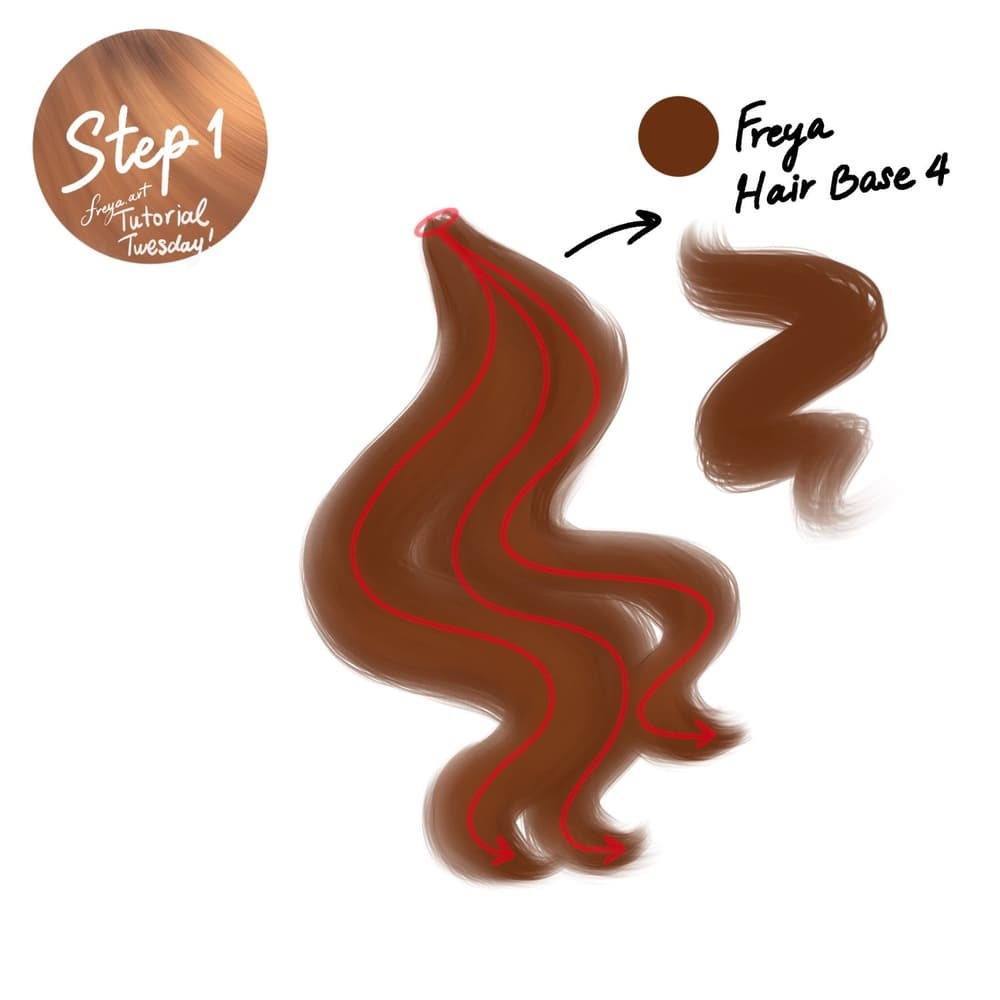
Step 1: Let’s start by creating a 3000 x 3000 pixel canvas. In the first layer, use the dark brown color and Freya Hair Base No. 4 brush to draw the general shape we’ll be working with.
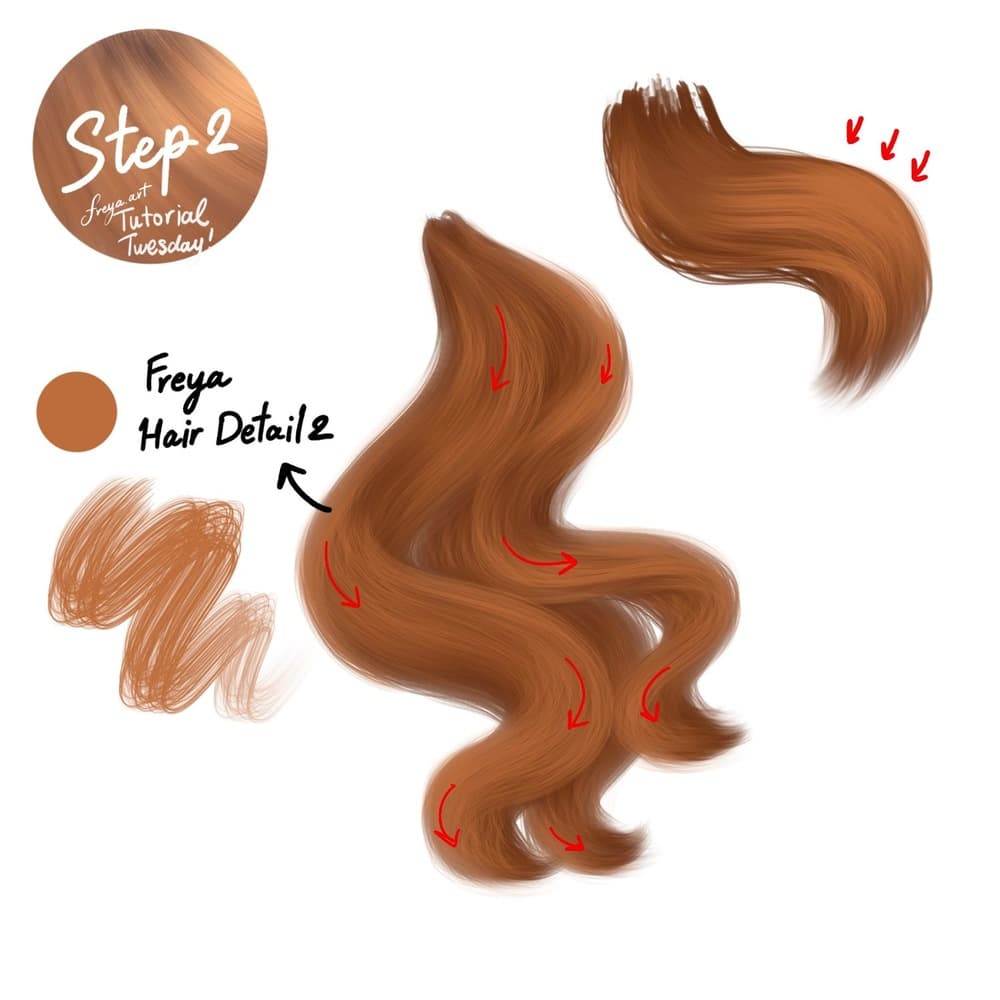
Step 2: Add a new layer on top of the base layer. Then using Freya Hair Detail No. 2 brush, start adding the midtones. Follow the flow of the original shape, but this time do not draw in one stroke. Draw in sections, typically where the hair curves, allowing some of the darker color to still peek through.
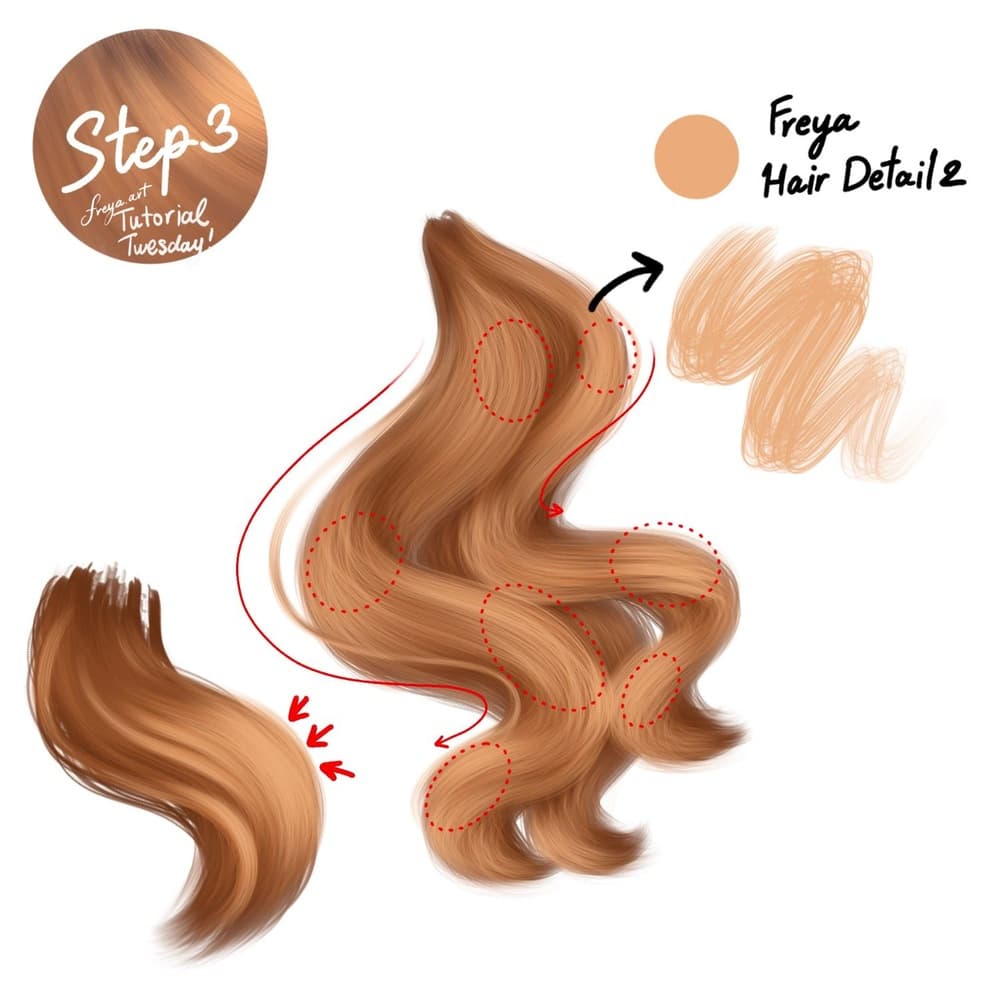
Step 3: Add another layer, for the first highlight layer. Using the same brush, add lighter tones in areas where you want it to fluff out more. Generally, it should look like a wave of colors, some light, some dark, like a balayage. Dark colors should still show, but in areas under the waves.
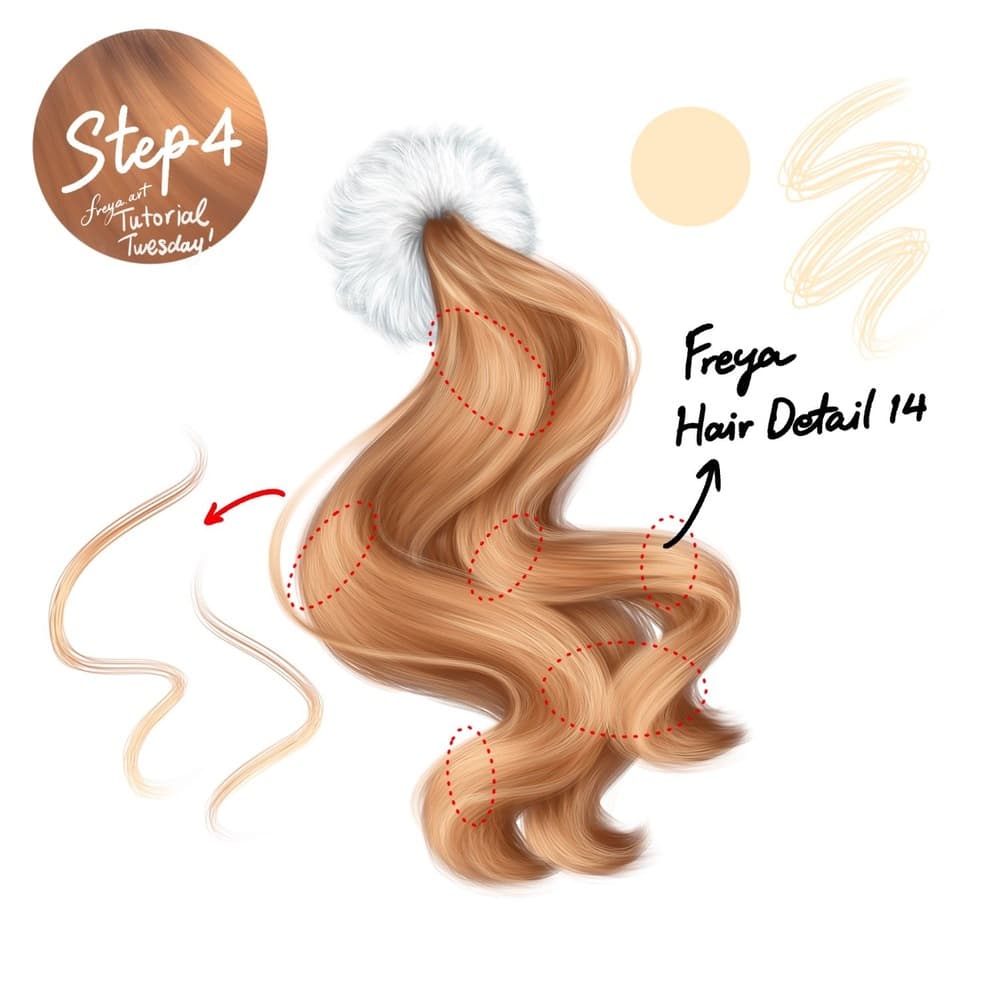
Step 4: Add another layer. And this time using the Freya Hair Detail No. 14 brush, we’ll add more intense highlights in areas we really want to pop. Use this sparingly, we don’t want to overwhelm the mid-tones. Just add them to the top of curves that would normally catch light or bounce light.
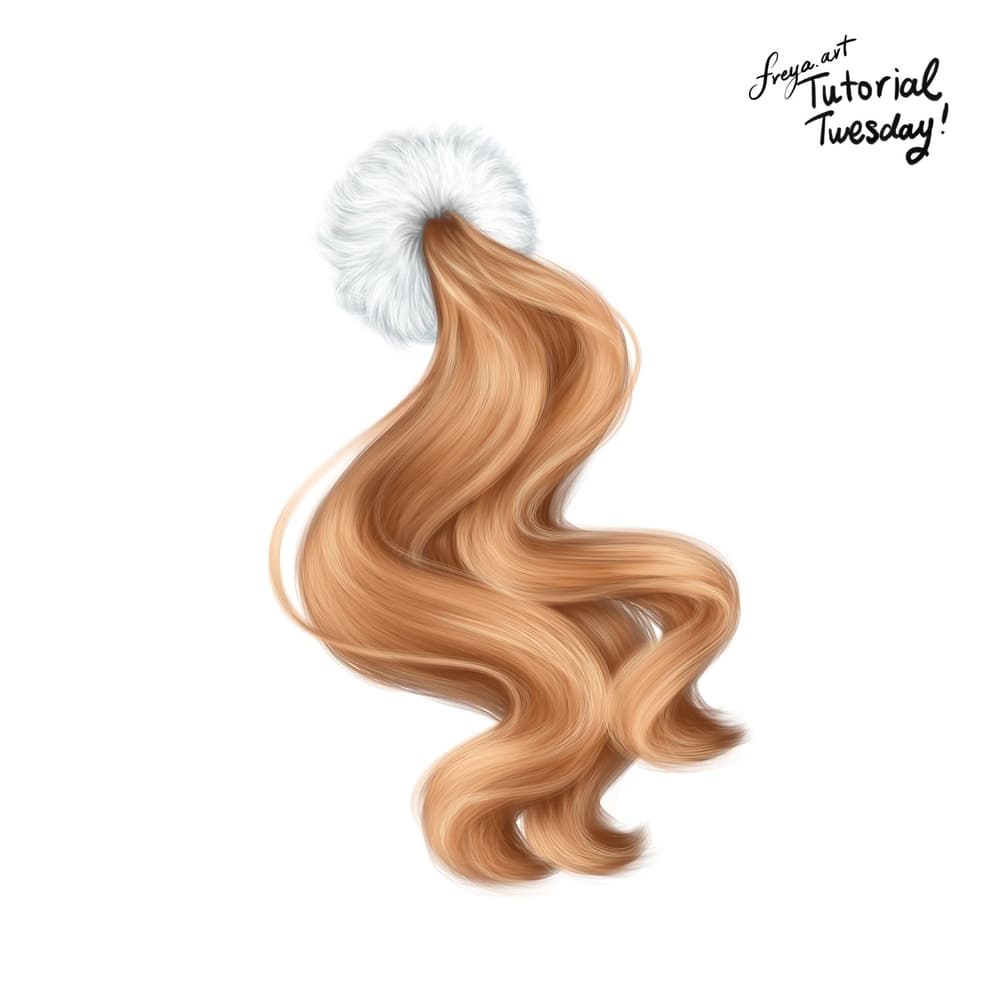
And there you have it! If you enjoyed this tutorial, please check out my Procreate Portrait Academy course. I teach another method of drawing hair in that course. And of course, how to draw beautiful portraits of your friends or clients.
Try two real lessons from Portrait Academy, free
Not a trailer. Actual lessons from the course. After you confirm your email, they open in Freya Studio and stay yours.
Line Controlling Techniques
The complete lesson, not a preview
Tracing Eyebrows
The complete lesson, not a preview
- Yours after email confirmation
- No card, no trial
- Opens in Freya Studio


