

How to Draw Barbie's Hair on Procreate
You can draw Barbie's iconic hair on Procreate, inspired by Princess Annaliese! Master realistic strands, highlights, and embellishments.
Grab the free brush for this tutorial
Made by Freya · works in any Procreate version
Hello! Welcome to another tutorial! Inspired by Princess Annaliese from ‘Barbie as the Princess and the Pauper. Today we'll be using premium brushes from the Freya Oil Brushset. Please download the tutorial files first, it will include a tutorial PDF, sketch file, and palette swatch.
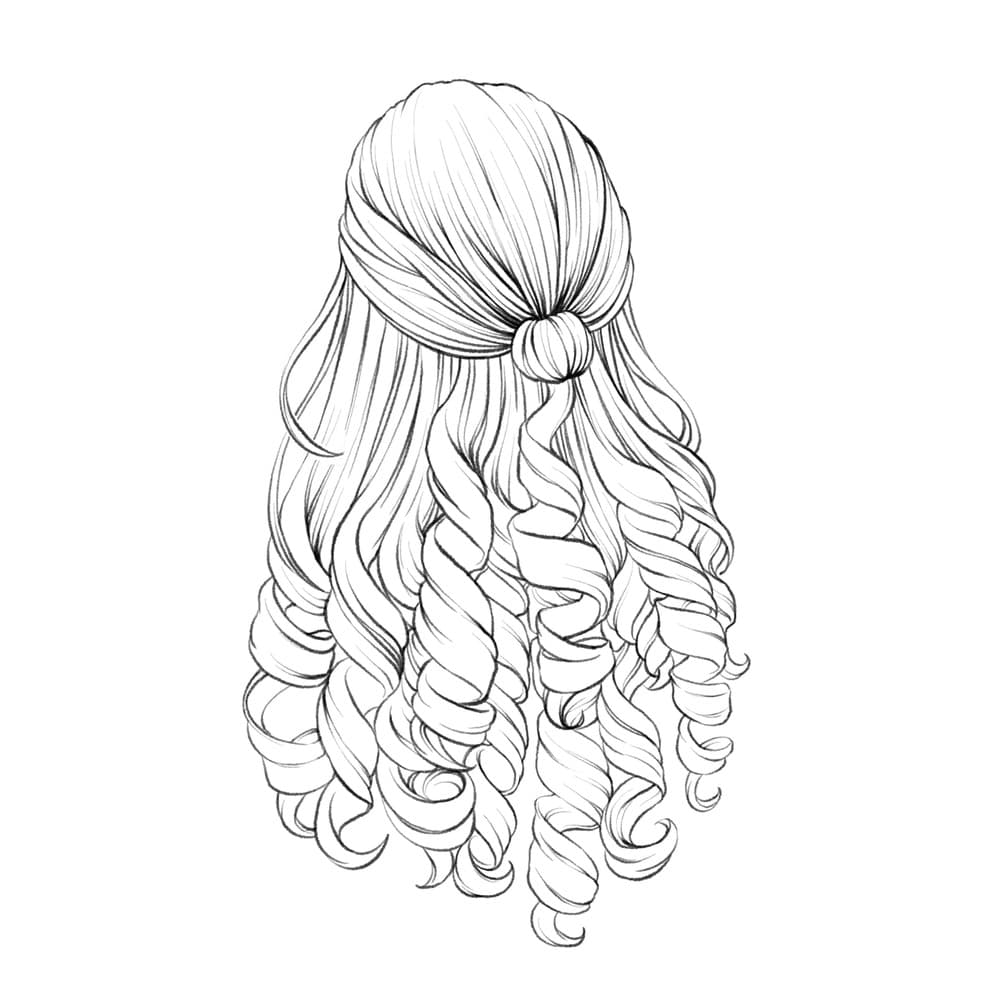
Let's begin by creating a 3000 x 3000-pixel canvas. Then import the sketch layer. Lower the opacity of this layer and set to multiply mode.
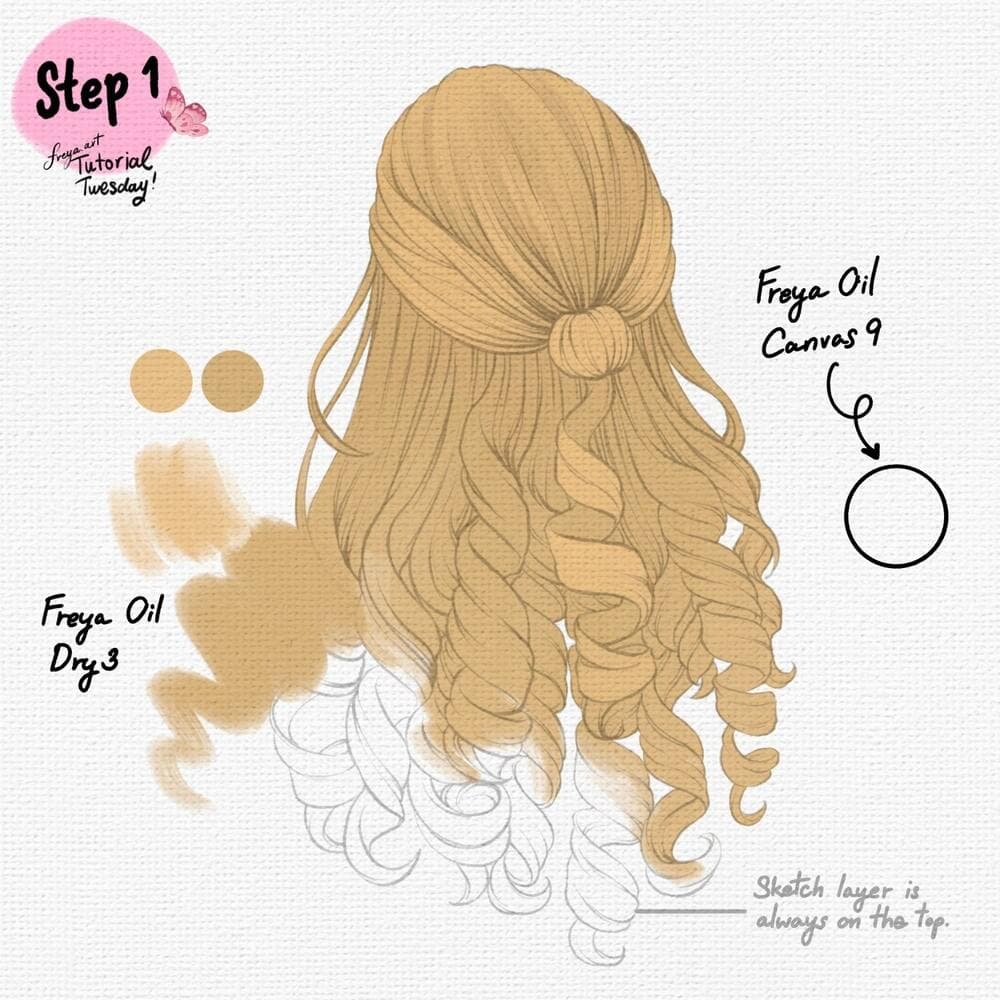
Step 1: Next add a new layer for the canvas texture. Use Freya Oil Canvas No. 9 in a light gray color and cover the entire layer. Set this layer to multiply, lower the opacity and lock the layer. Place this layer just below the sketch layer. Then on another layer, use the Freya Oil Dry No. 3 brush to create your base colors.
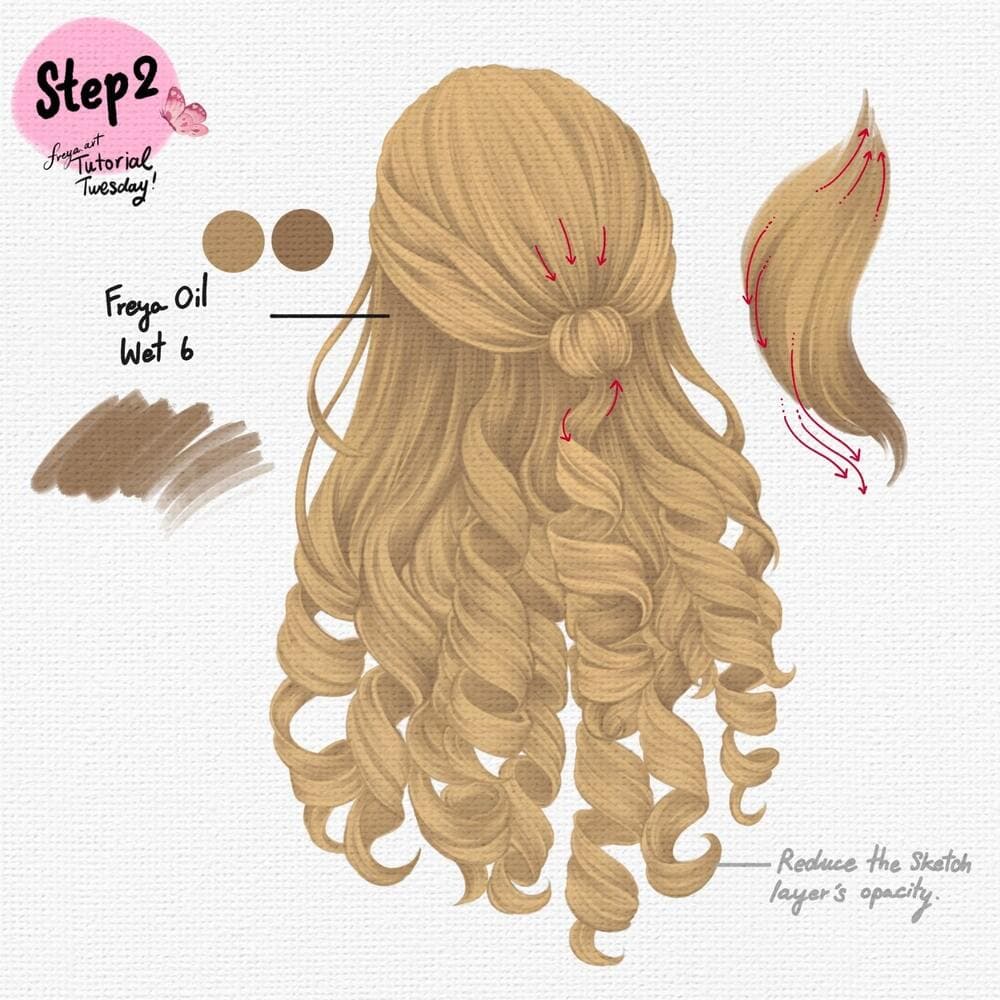
Step 2: Add a new layer, set it to clipping mask. This will allow you to add more colors without going outside the bounds of the base layer. Use Freya Oil Wet No. 6 brush to draw the strands as illustrated. You can turn off the sketch layer or lower it's opacity.
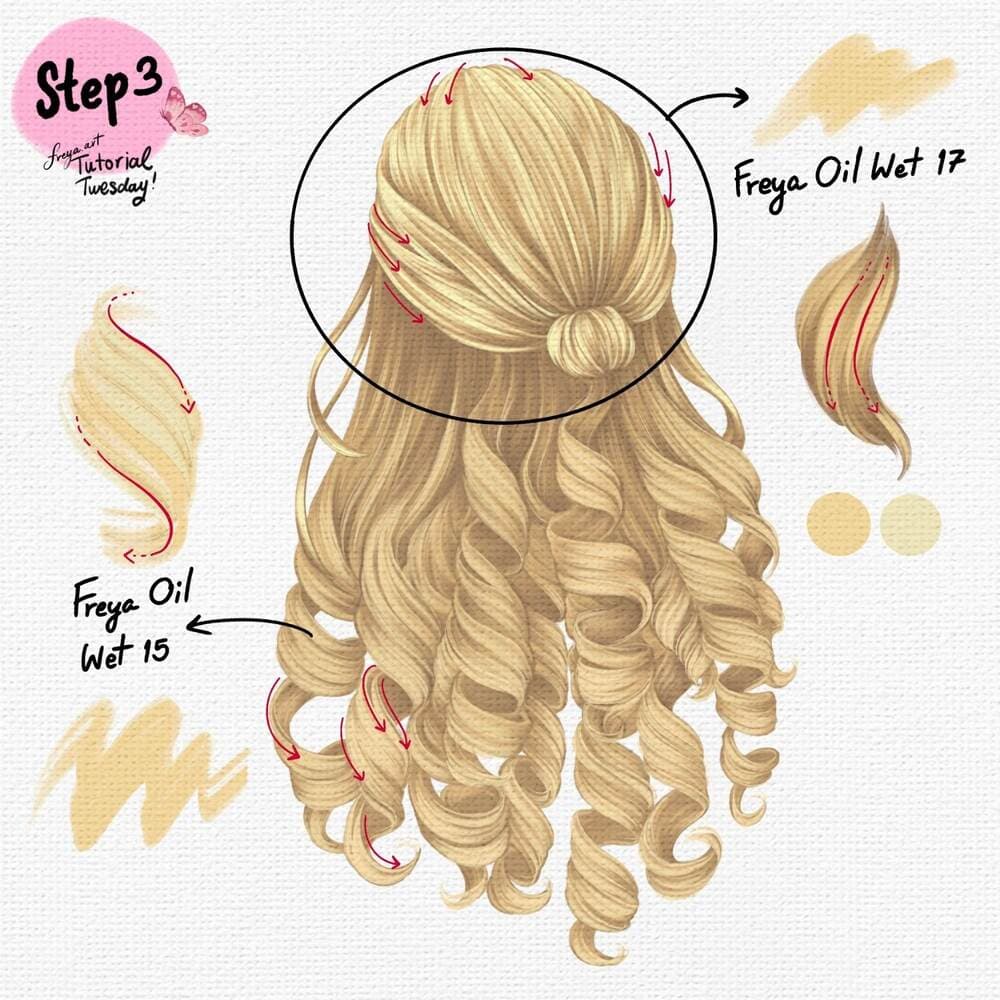
Step 3: Add a new layer, and set it to clipping mask again. This time we'll add some highlights using Freya Oil Wet No. 17 brush for the top part and Freya Oil Wet No. 15 for the locks.
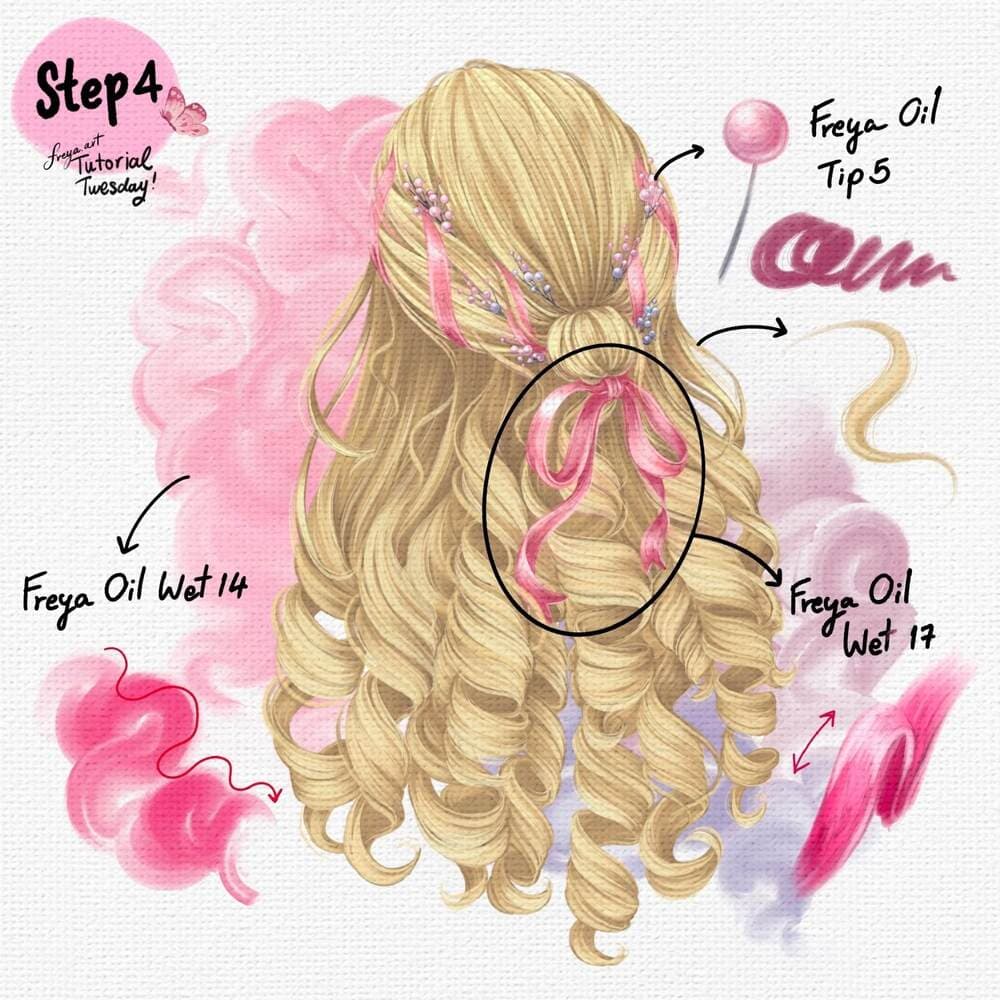
Step 4: And finally, add another layer to add the embellishments such as pearls and ribbons using Freya Oil Tip No. 15 and Freya Oil Wet No. 17. You can also add a backdrop pattern using Freya Oil Wet 14.
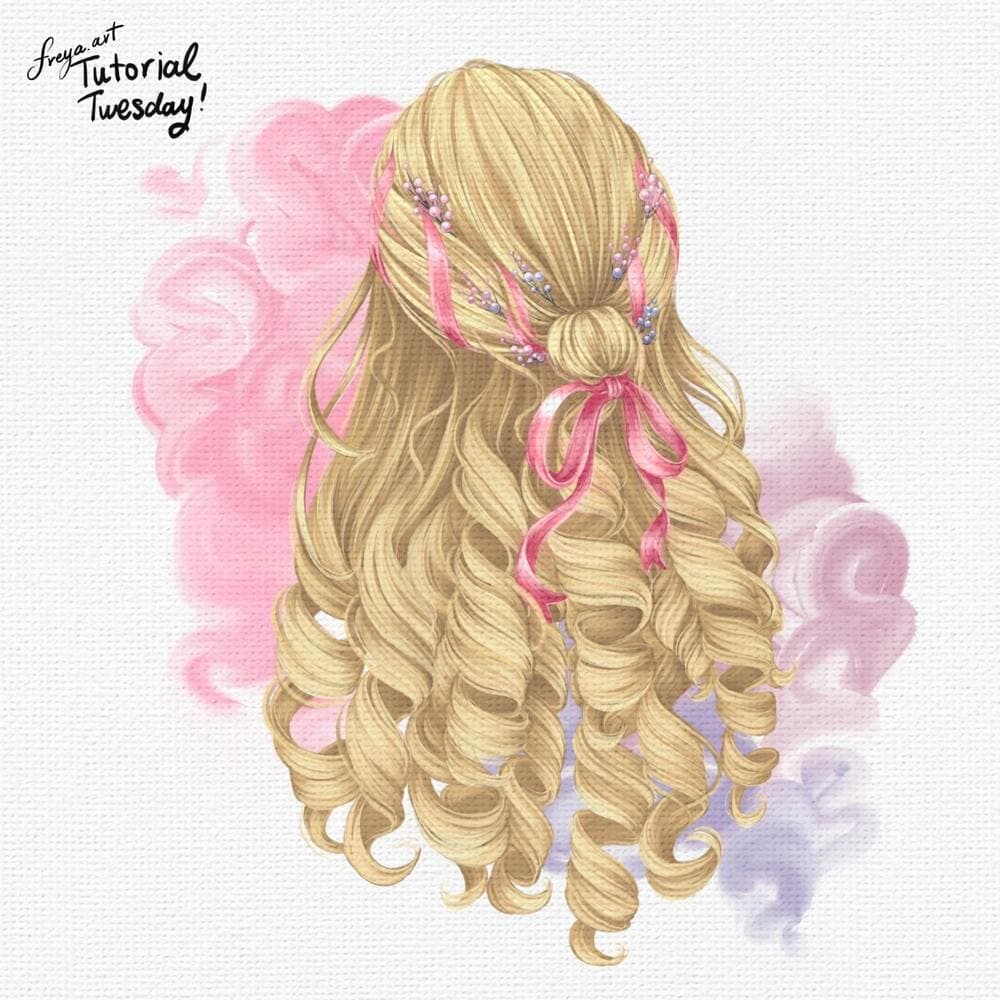
Congratulations! You've just completed the Barbie Hair Tutorial using premium brushes from the Freya Oil Paint Brush Set! Please don't forget to tag me if you post your work on Instagram! I'd love to see your version!
Try two real lessons from Portrait Academy, free
Not a trailer. Actual lessons from the course. After you confirm your email, they open in Freya Studio and stay yours.
Line Controlling Techniques
The complete lesson, not a preview
Tracing Eyebrows
The complete lesson, not a preview
- Yours after email confirmation
- No card, no trial
- Opens in Freya Studio


