How to Draw an Interior Design Sketch Using Better Marker Brushes for Procreate
Visualize your dream space! Sketch an interior design illustration in Procreate with better marker brushes and step-by-step guidance.
Grab the free brush for this tutorial
Made by Freya · works in any Procreate version
Hi! Welcome to another tutorial l using the sampler brushes from the Better Marker Brush Set. Today we'll use the brush set to create an interior design sketch. Perfect for visualizing your dream space and home. Please download the tutorial files first. You'll get the tutorial PDF, swatch file, sampler brushes, and sketch file for this project.
If you're ready, let's begin!
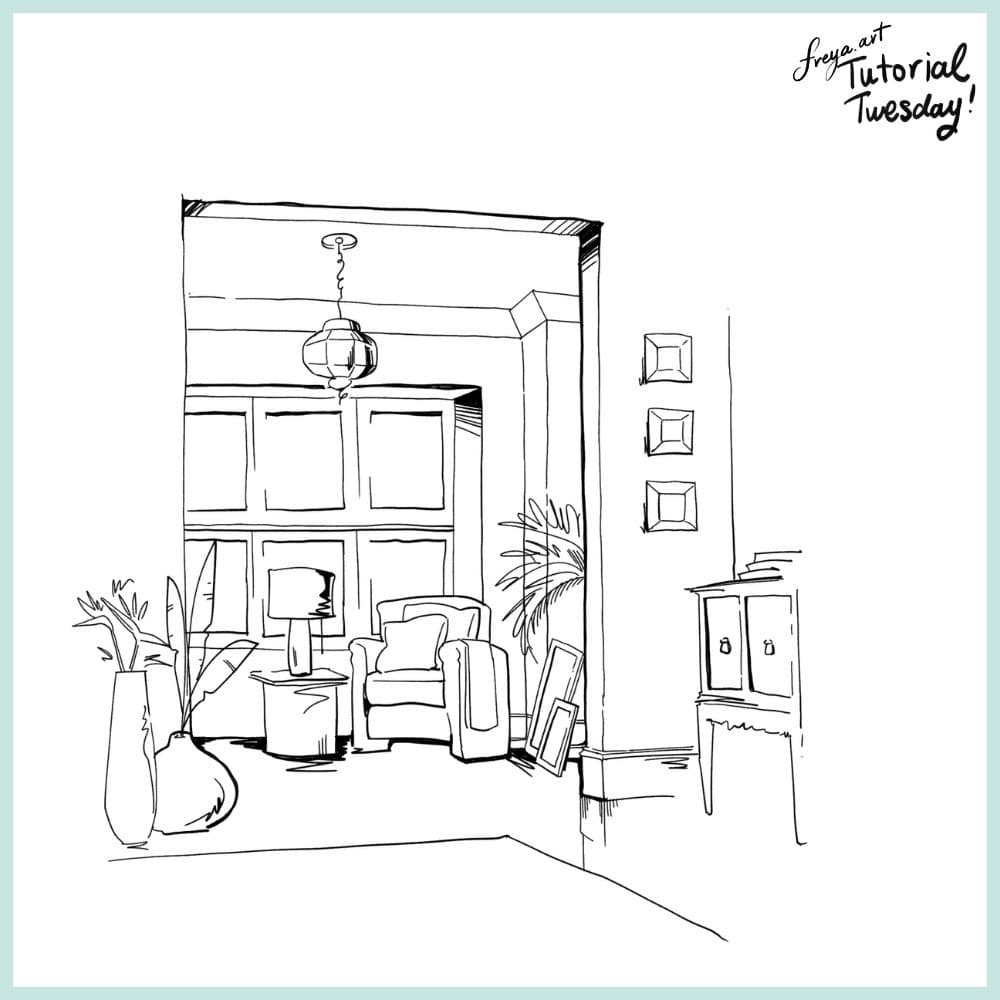
Start by creating a sketch of our composition using 6B or Peppermint Brush.
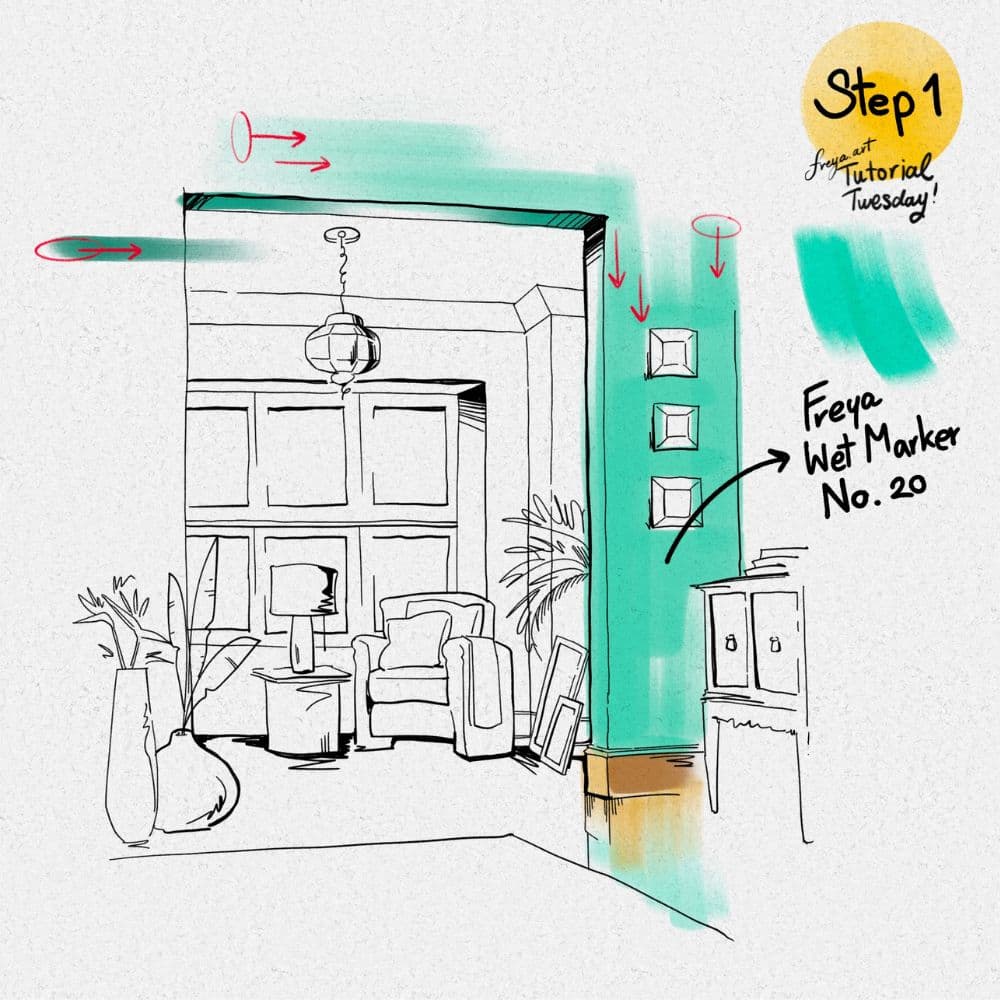
Step 1: In a new layer, start painting the base color using Freya Wet Marker No. 20. Try to paint in one direction per section.
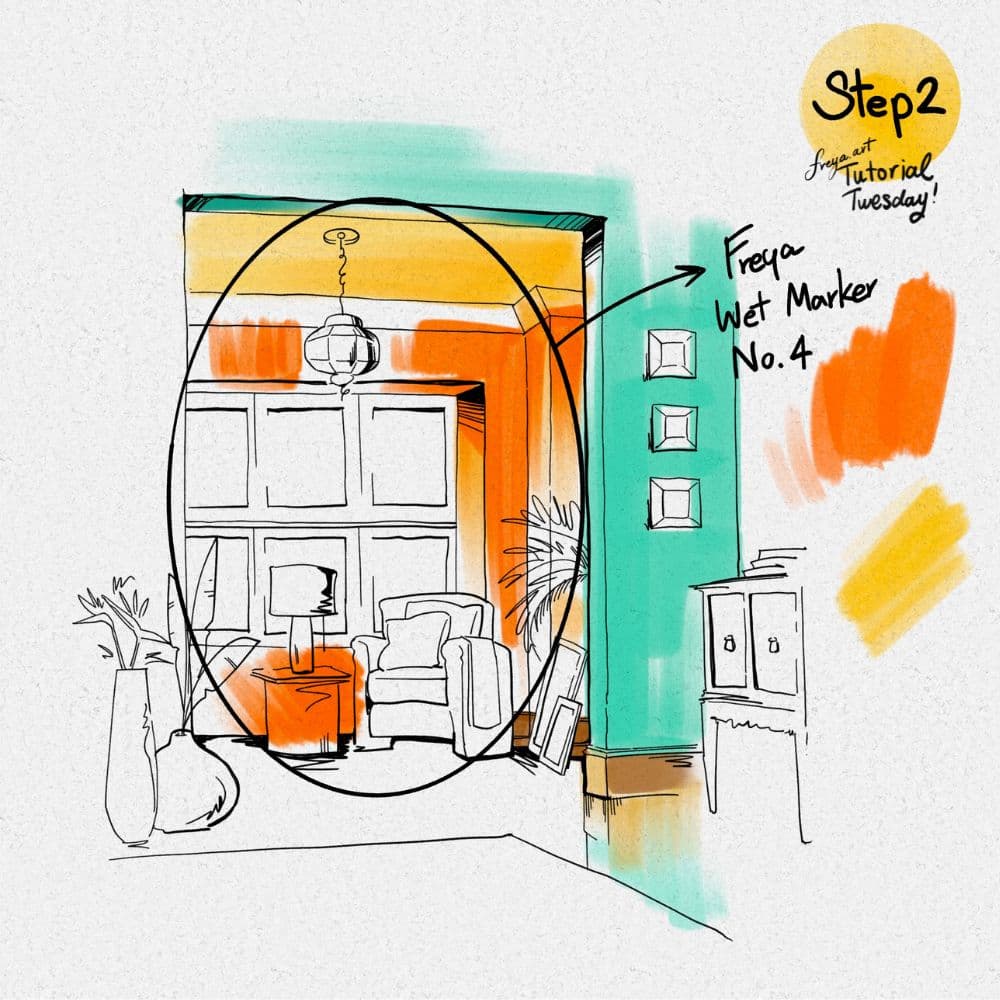
Step 2: Use a separate layer for each element so that it'll be easier to change colors later if you decide to tweak it later. Continue building the base colors of the interior using Freya Wet Marker No. 4.
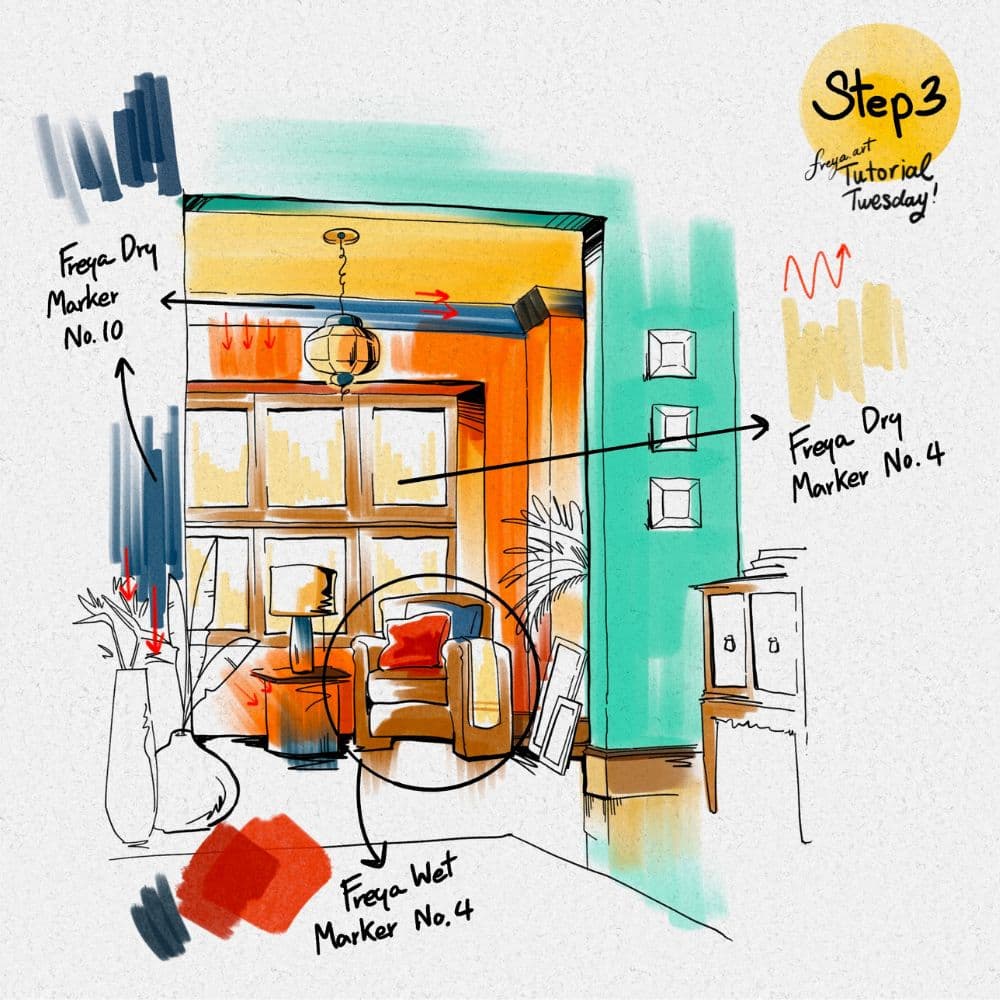
Step 3: At this point we can start adding details to the room, leaving out some areas to act as highlight. For example, for the window glass, you don't need to cover the entire panel with color since this is a sketch and is not meant to be super polished.
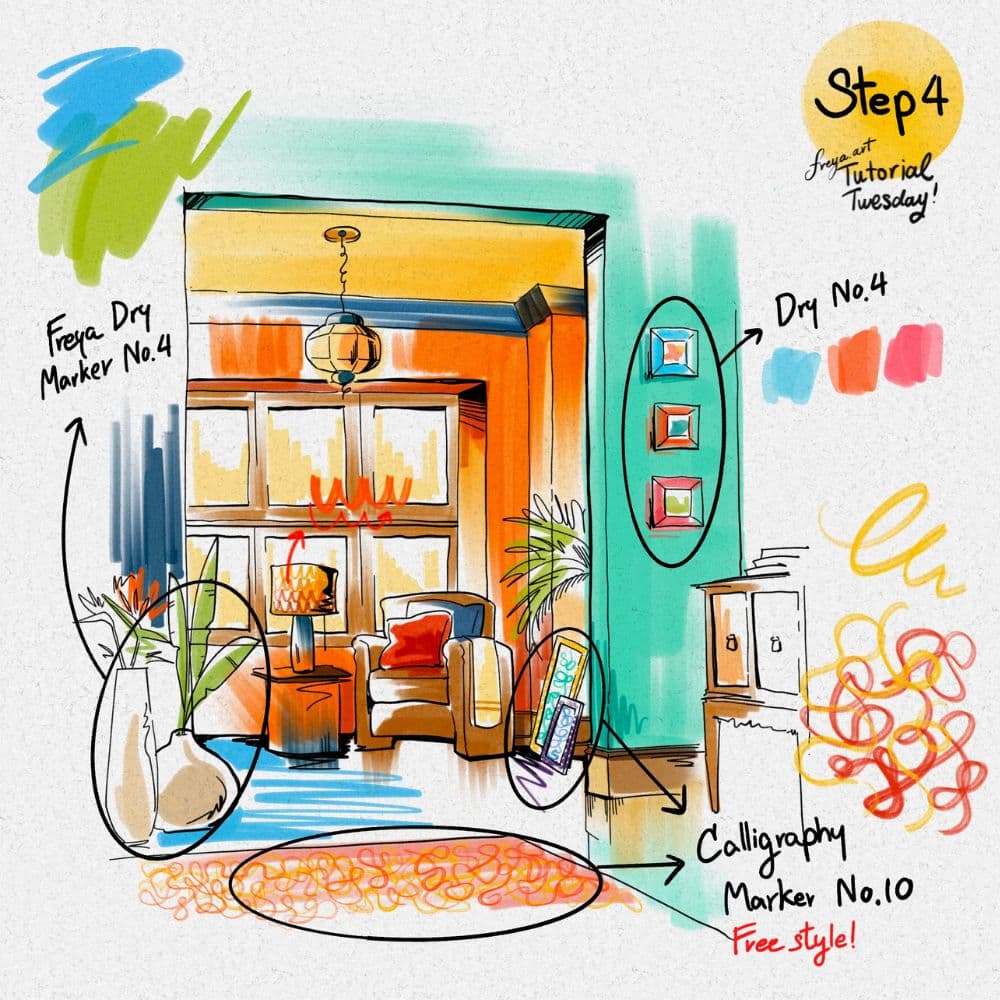
Step 4: Add the finishing touches using Freya Dry Marker No. 4 and Freya Calligraphy Marker No. 10. For the rug and lampshade, you can just scribble free style to add texture. Again, leave out some parts white so that it acts as shine or highlight. Congratulations, you've just completed this Interior Design Illustration using the Freya Better Marker Brush Set!
Try two real lessons from Masterclass for Procreate, free
Not a trailer. Actual lessons from the course. After you confirm your email, they open in Freya Studio and stay yours.
Halftone Tulip
The complete lesson, not a preview
Porcelain Plate Oil Painting
The complete lesson, not a preview
- Yours after email confirmation
- No card, no trial
- Opens in Freya Studio