How to Draw a Lucky Cat or Maneki-Neko on Procreate
You can draw an adorable maneki-neko in Procreate, step-by-step, using Freya's premium marker brushes for a polished look.
Grab the free brush for this tutorial
Made by Freya · works in any Procreate version
Welcome to another tutorial using the premium brushes from my Freya Better Marker Brush Set! Please download the accompanying tutorial files before we begin.
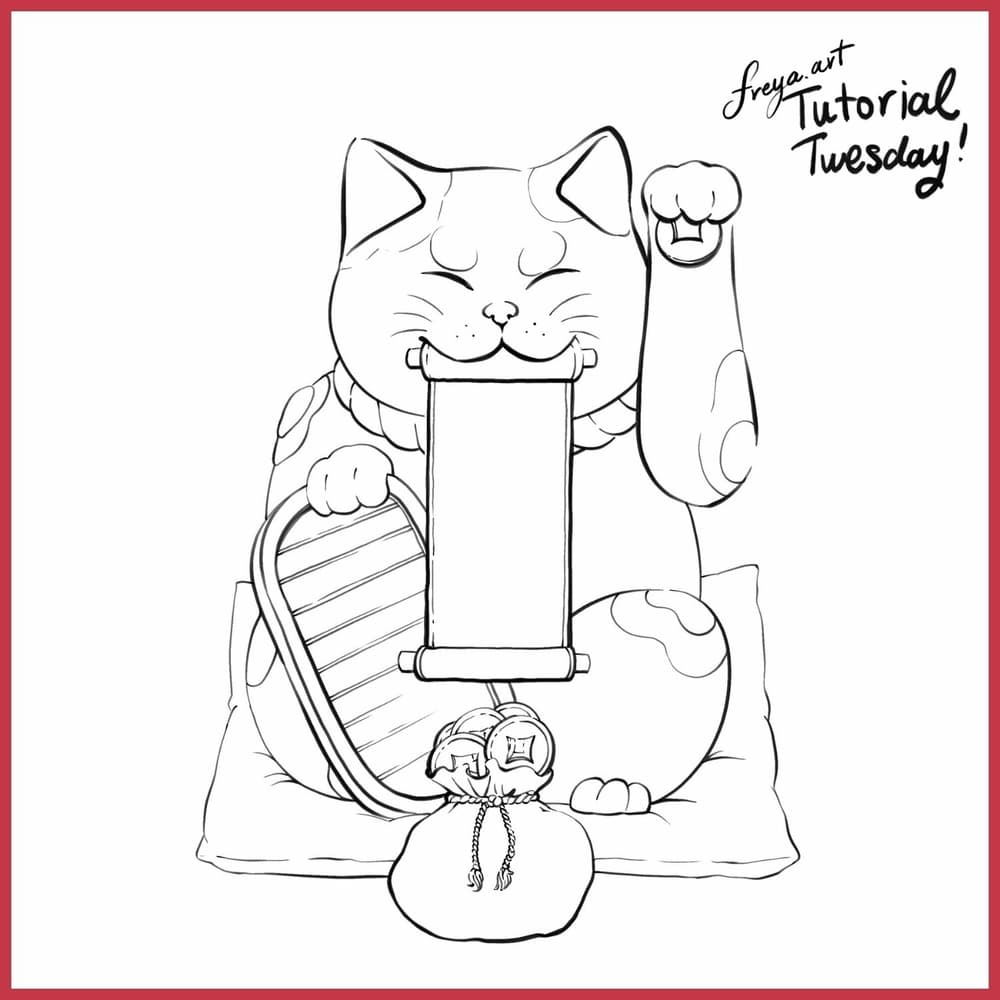
Let's start by creating a 3000 x 3000 px canvas at 300 DPI. Import the lucky cat sketch from the tutorial's download folder to use as a guide.
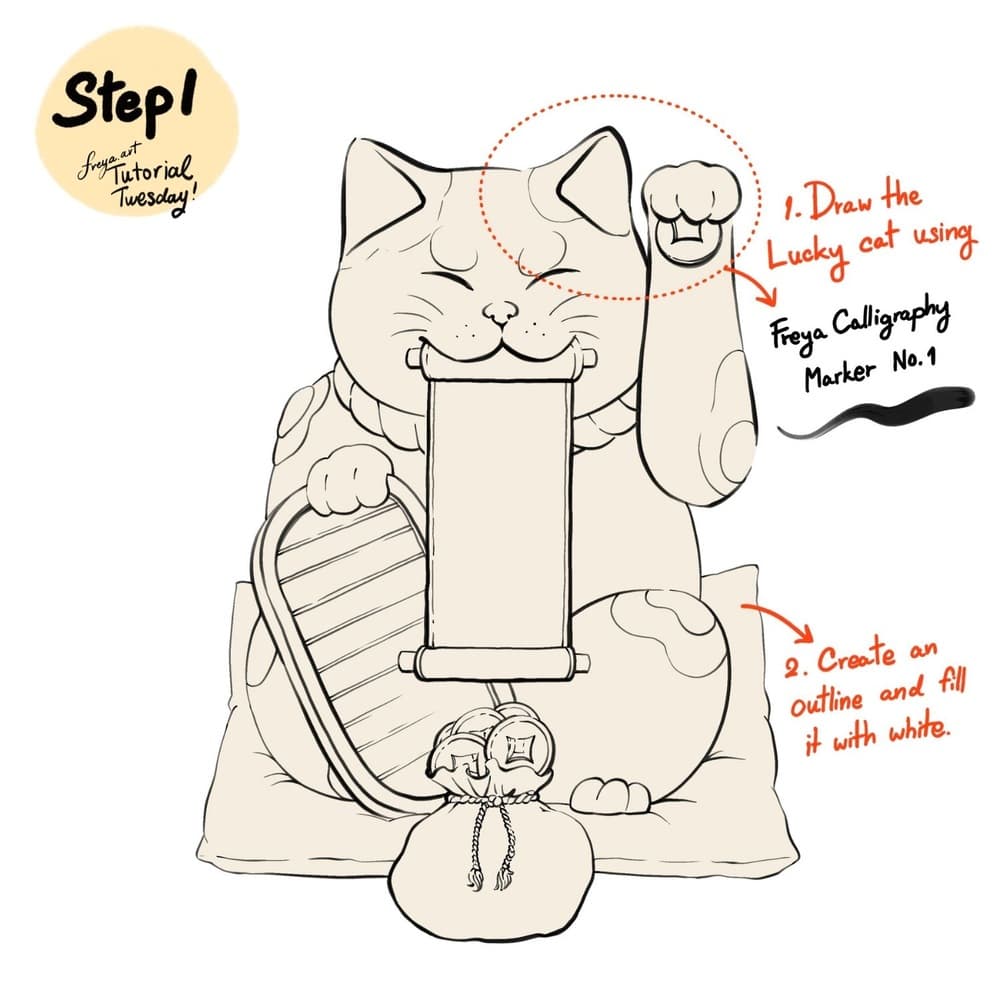
Step 1: In a new layer, draw the Lucky Cat using Freya Calligraphy Marker No. 1. Lock this layer. Then add a layer underneath, create a shape following the sketch outline and fill it with white color. Turn off the imported sketch layer.
Step 2: Add a clipping mask layer on top of the white shape layer and start adding shadows using the Freya Wet Marker No. 10 brush. Change the background layer color to a rich red color.
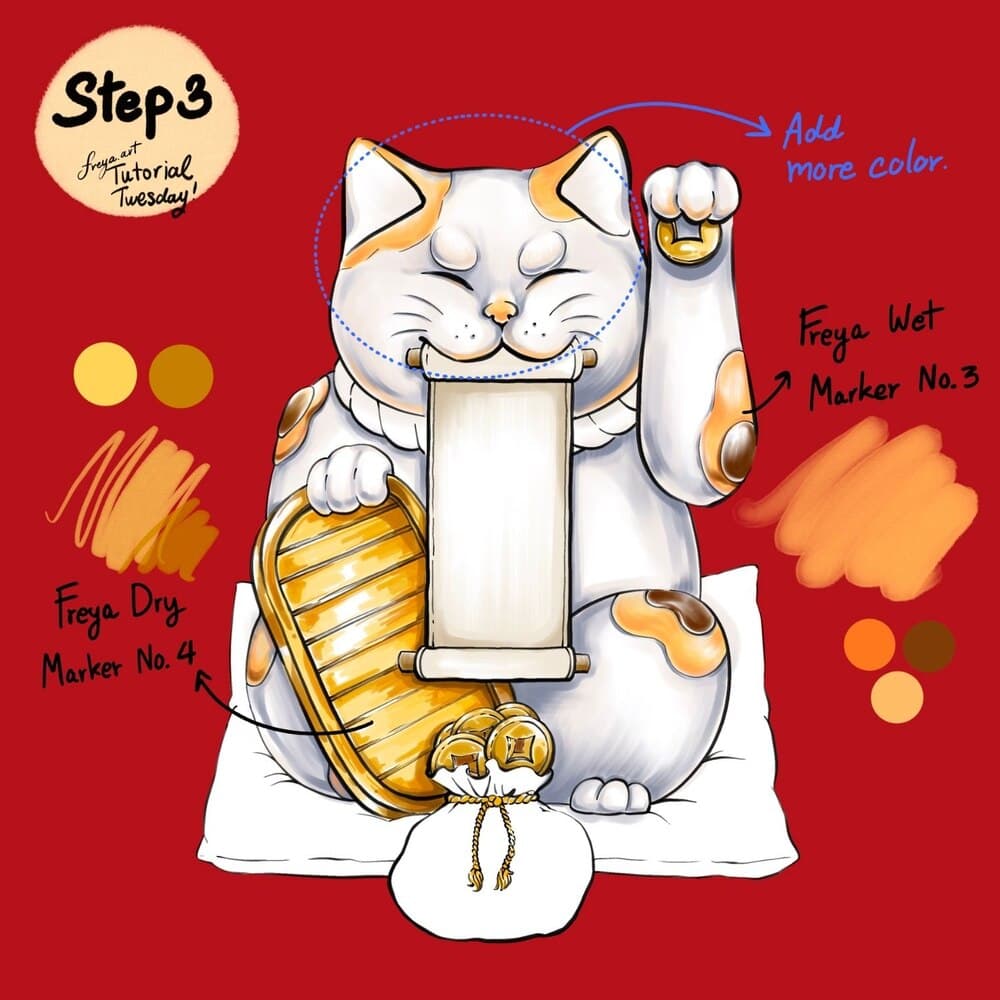
Step 3: Add another clipping mask layer and start to add in more color graduation using Freya Dry Marker No. 4 and Freya Wet Marker No. 3 brush. Leave some areas white to act as highlights.
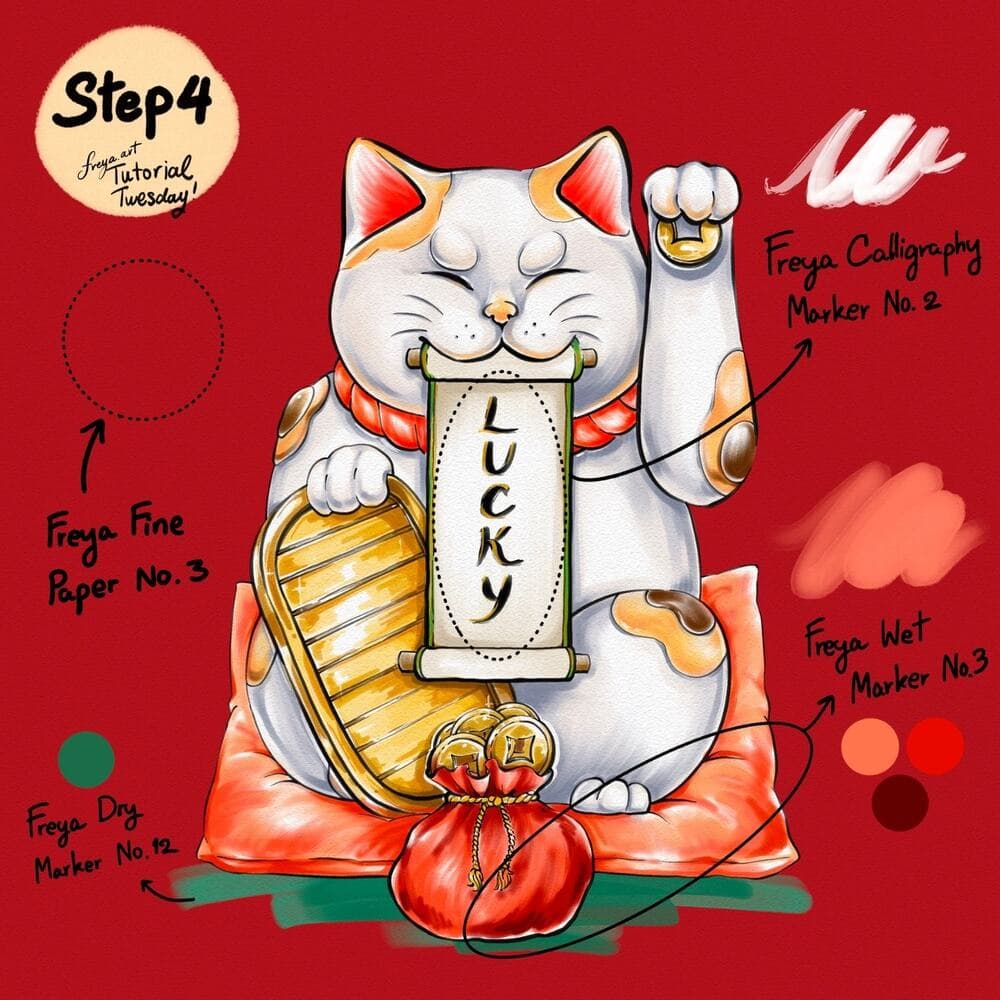
Step 4: In a new layer, write the word LUCKY using Freya Calligraphy Marker No. 2 and color in the rest of the composition using Freya Wet Marker No. 3 and Freya Dry Marker No. 12. And finally, add a new layer on top of all the other layers. Swipe on Freya Fine Paper No. 3 in a light grey color. Adjust the opacity and set the layer to Linear Burn so that the texture will apply to the entire canvas.
I hope you enjoyed this FREE Tutorial! Please explore the many ways you can use this set to create hyper-realistic marker art. With over 106 custom brushes, the possibilities are endless with my Freya Better Marker Brush Set!
Try two real lessons from Pet Portrait Purrfection, free
Not a trailer. Actual lessons from the course. After you confirm your email, they open in Freya Studio and stay yours.
Fur Ball Practice
The complete lesson, not a preview
Draw Anything from Scratch: Connect the Dots
The complete lesson, not a preview
- Yours after email confirmation
- No card, no trial
- Opens in Freya Studio