

How to Draw Easter Eggs on Procreate using Freya Watercolor Brushes
Draw beautiful watercolor Easter eggs in Procreate, step-by-step! Use Freya's brushes and a template to create your festive art.
Grab the free brush for this tutorial
Made by Freya · works in any Procreate version
Download all the tutorial files to your iPad. Go to your Files App and look for the zip file you just downloaded. Tap on the zip icon and it will create a new blue folder with the same name. Inside this folder, you'll find the tutorial PDF, the egg template file (.procreate format), and the swatch palette.
Since both of those files are native to Procreate, just tap on those files and they should import automatically into Procreate. You'll find the imported swatch palette in your Color Panel > Palettes. The brushes used in this tutorial are premium brushes from the Ultimate Watercolor Brush set.
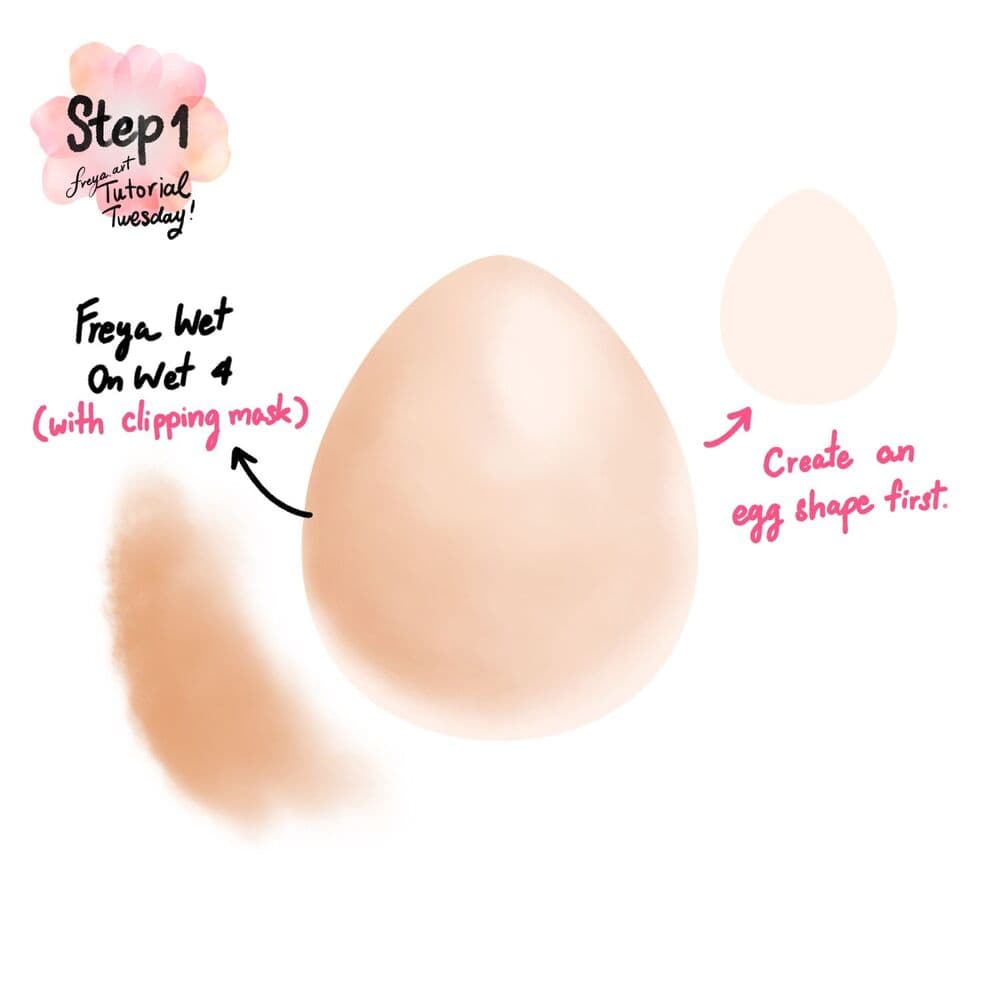
Step 1: Open the .procreate file provided in the tutorial files. You’ll find the egg template already created for you. Alternatively, you can also draw the egg from scratch. First, draw the base shape and color of the egg. Then add a clipping mask layer. And using the Freya Wet on Wet No. 4 brush add the shadows around the egg. Leave out some areas light for the highlight and bounced light.
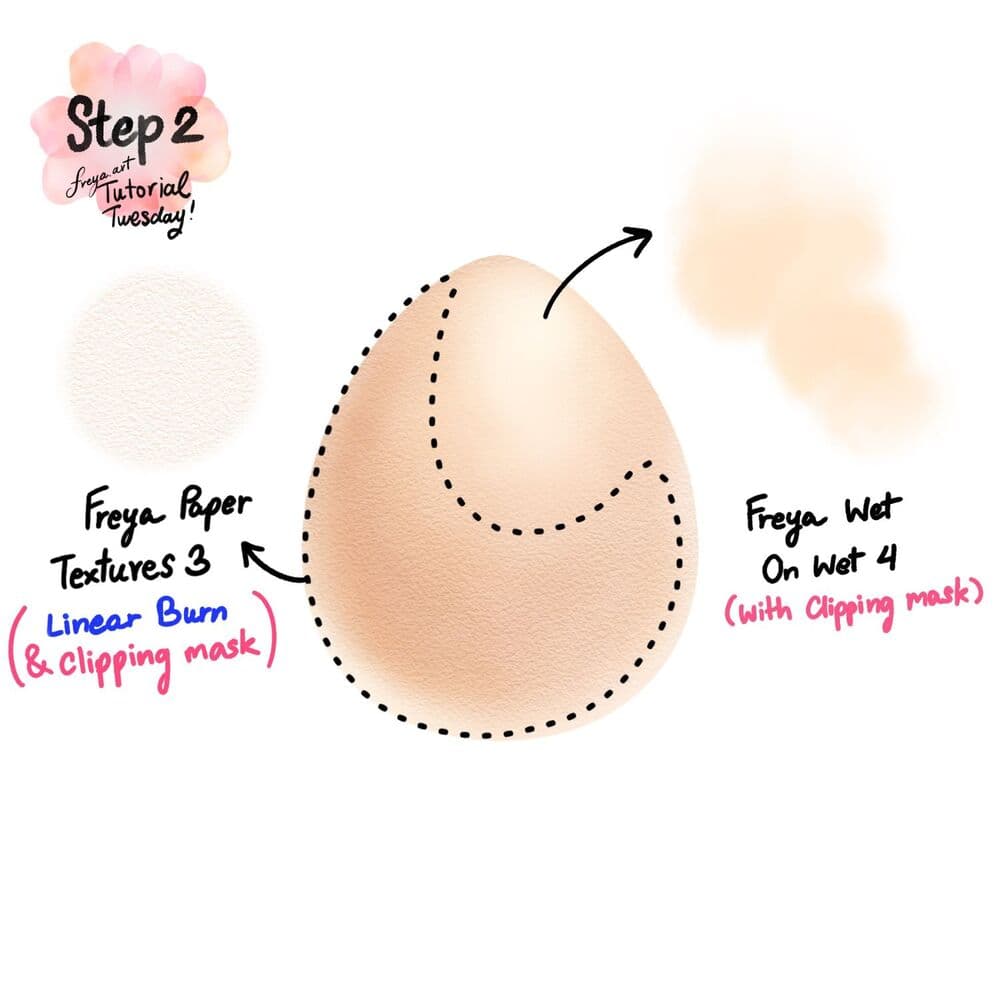
Step 2: Add another clipping mask layer and continue adding highlights on top using as lighter beige color and the Freya Wet on Wet No. 4 brush. Add another clipping mask layer and set it to Linear Burn mode. Then using the Freya Paper Texture No. 3 brush, paint along the side as indicated.
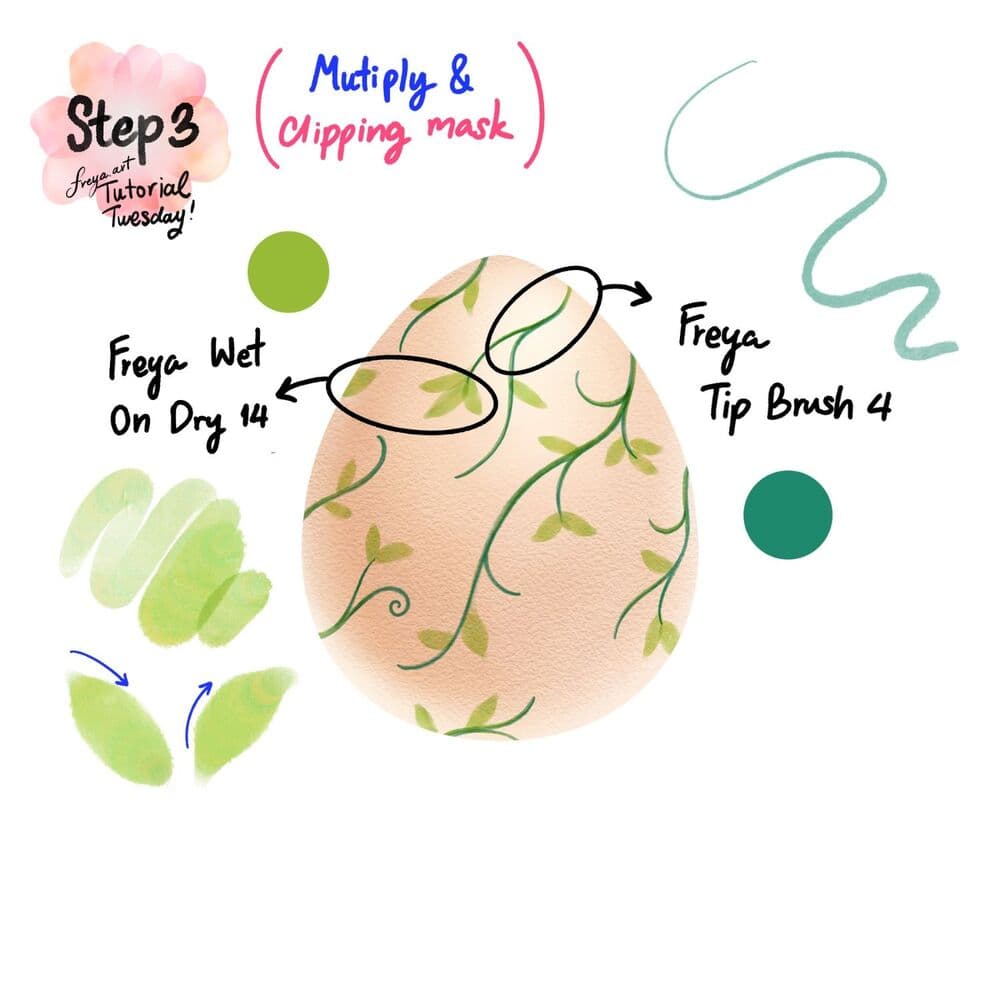
Step 3: Add another clipping mask and set it to Multiply mode. This time, decorate the egg using the Freya Tip Brush No. 4 and Freya Wet on Dry No. 14 brush. Actually from this point, you can go ahead and decorate it however you please, with any brush you prefer. Just make sure to use the multiply mode for the layers so that the texture of egg still shines through your embellishments.
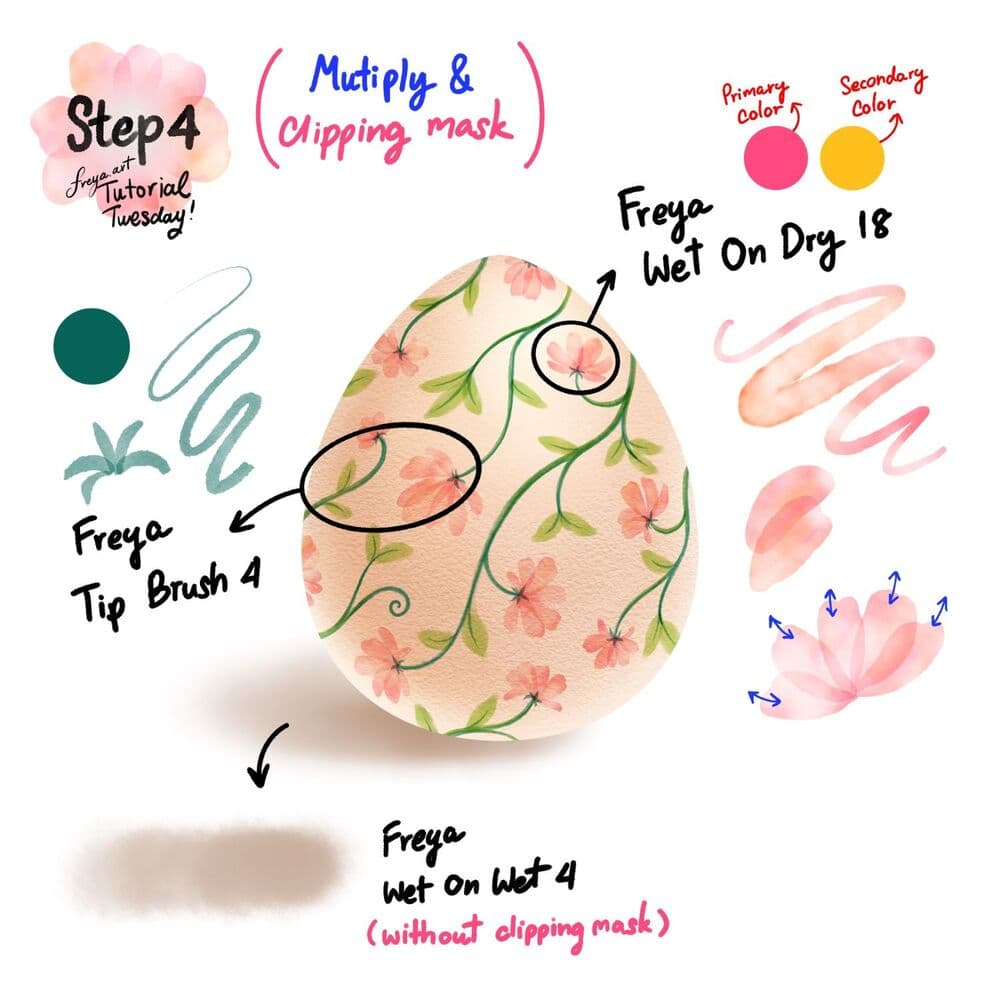
Step 4: Add another clipping mask layer and set it to Multiply. This time we’re going to use the Freya Wet on Dry No. 18 brush to draw over the stems. Don't forget to set the primary and secondary colors for the Freya Tip Brush No. 4 when you draw the flower petals. Add another layer underneath the egg base layer, and using the Freya Wet on Wet No. 4 brush draw the shade underneath the egg.
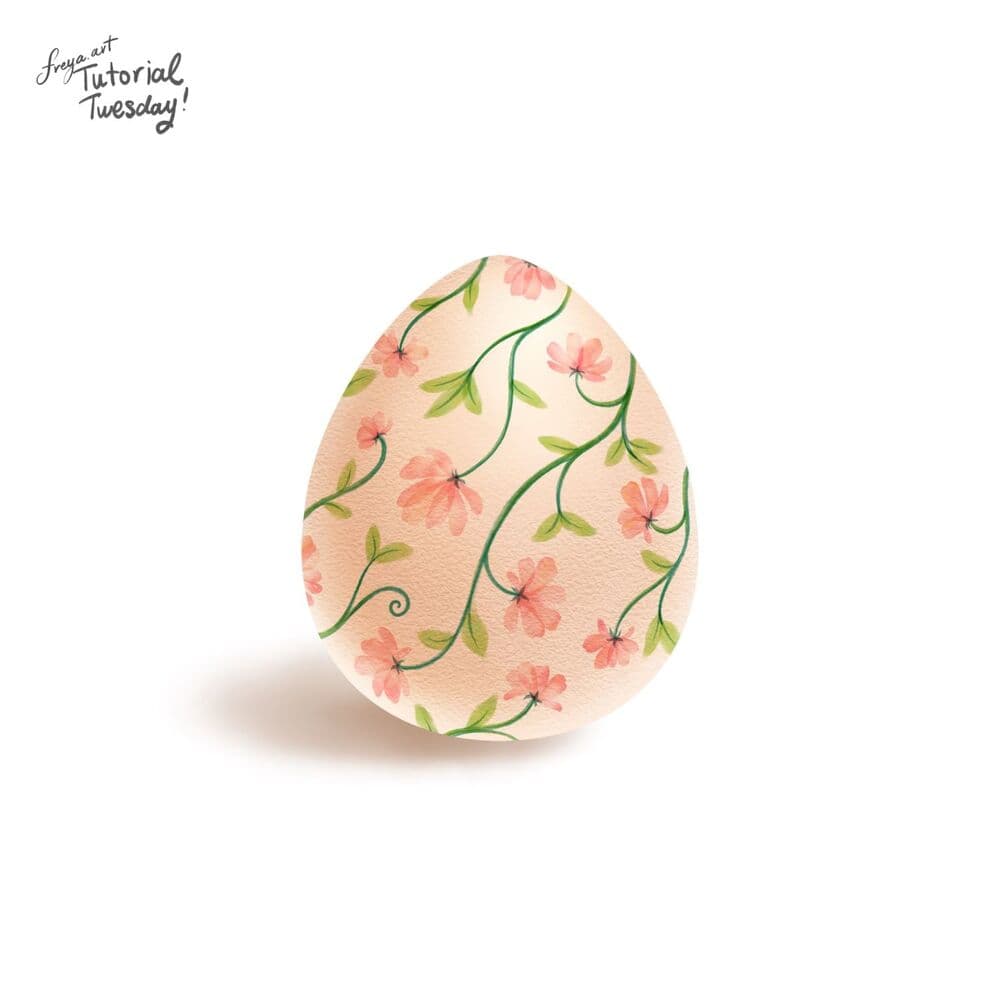
And there you have it! Our pretty floral easter egg! I hope you enjoyed this short tutorial. Can’t wait to see your own unique design.
Try two real lessons from Watercolor Brushset, free
Not a trailer. Actual lessons from the course. After you confirm your email, they open in Freya Studio and stay yours.
Wet On Dry Brushes
The complete lesson, not a preview
Blender Wash Brushes
The complete lesson, not a preview
- Yours after email confirmation
- No card, no trial
- Opens in Freya Studio


